
One Platform. Every CRO Tool You Need.
Most CRO tools stop at analysis. CROLabs turns insights into live experiments in minutes. The AI Advisor finds what to fix. The visual editor lets you build it. The testing engine runs it. Analytics shows you what worked and what to try next.
No credit card required · Cancel anytime
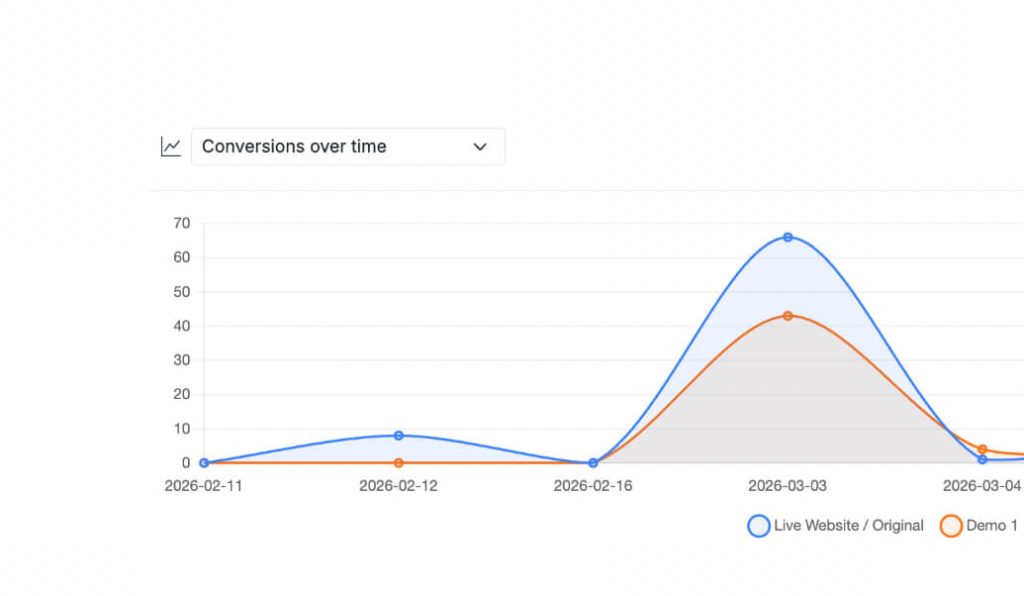
Choosing CROLabs
Why Marketing Teams Switch to CROLabs
AI-Powered Test Creation.
The Advisor finds conversion blockers and turns recommendations into live experiments. No briefs. No back-and-forth. From audit to test in clicks.
GDPR-Compliant. No Cookie Banner.
Built and hosted in the EU. No PII collected. No tracking pixels. No cookie consent needed for CROLabs analytics. Privacy by design, not by patch.
One Loop. One Platform.
Audit. Build. Test. Learn. Repeat. Most tools handle one step. CROLabs runs the full cycle in one dashboard with one snippet.
Testimonials
Your Words. Not Ours.

We switched from VWO because the pricing was getting out of hand. CROLabs does everything we need at a fraction of the cost, and the AI recommendations are something VWO never had.
Kleinfeldt & Thum Media

I signed up mainly for the A/B testing, but the AI Advisor is what kept me. It flagged conversion issues on my landing pages I'd been missing for months. Specific, prioritized, easy to act on. Two tests from the suggestions, both won. Impressed.
KC Malik Consulting & Development

Honestly I was skeptical about the AI recommendations but they've been surprisingly solid. It flagged stuff on our landing page that we'd been missing for months. Ran two tests from the suggestions and both won. Not bad for the first week.
CORE Marketing
How It All Connects
From Insight to Experiment in Minutes
Most CRO tools stop at analysis. CROLabs turns insights into live experiments in one workflow.
Before CROLabs: Marketer writes a brief. Waits for devs. Launches test late. Guesses at results.
With CROLabs: AI finds issues. Marketer fixes in the visual editor. Test launches in minutes. Clear winner or clear next steps.
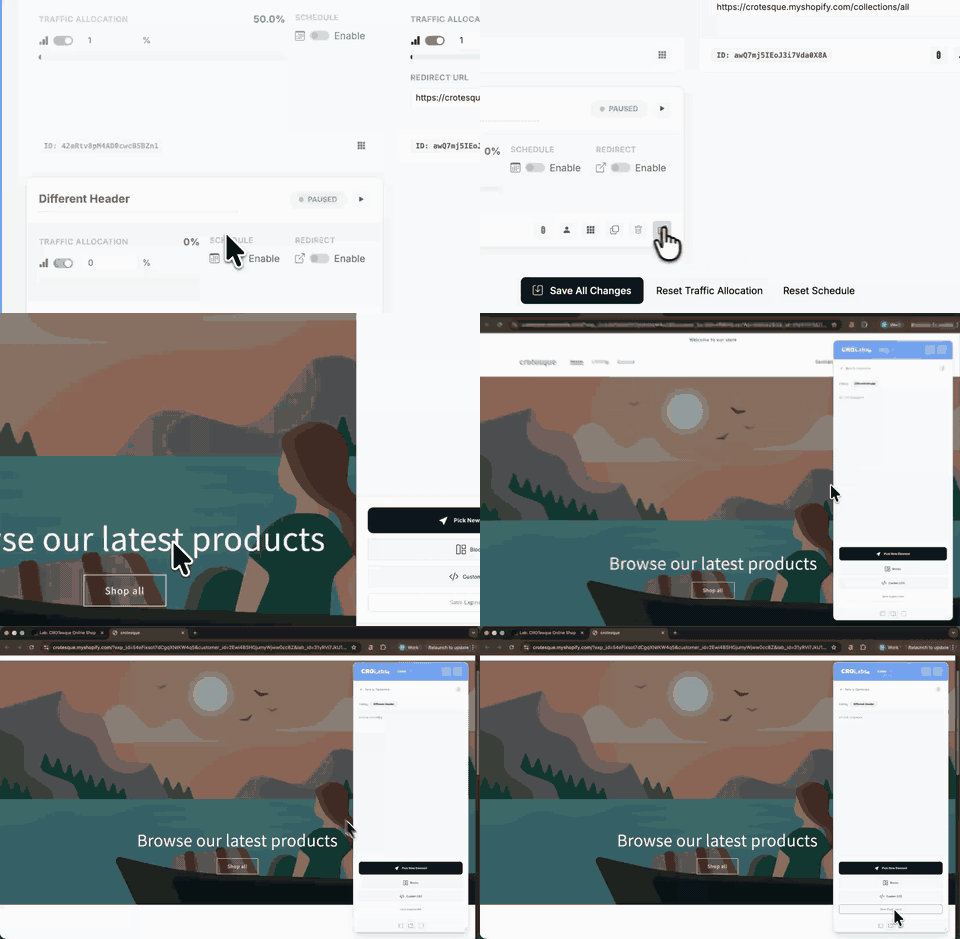
Here’s the loop:
1. Find. The AI Advisor scans your page and tells you what is holding back your conversion rate.
2. Build. Pick a recommendation and the visual editor opens with the right element already selected. Make the change.
3. Test. Set a conversion goal, choose your traffic split, and launch. CROLabs handles assignment, tracking, and significance.
4. Learn. Analytics shows you the result. Experimentation Paths shows you what visitors did. Both tell you where to go next.
5. Repeat. The teams that see 20-30% conversion improvements over a year don’t get there with one big test. They run this loop consistently.
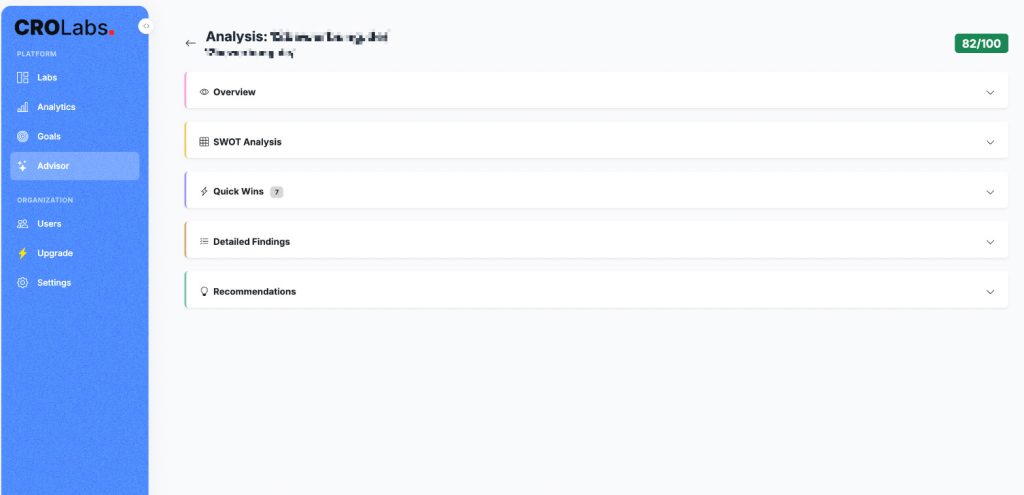
AI That Finds What to Fix First
AI Advisor
Find conversion bottlenecks automatically. The Advisor crawls your page, analyzes it against CRO best practices, and gives you a prioritized list of what to test. Go deeper with your brand voice or campaign data for recommendations tailored to your traffic.
Actionable recommendations turn into live experiments with one click. No briefs. No dev tickets.
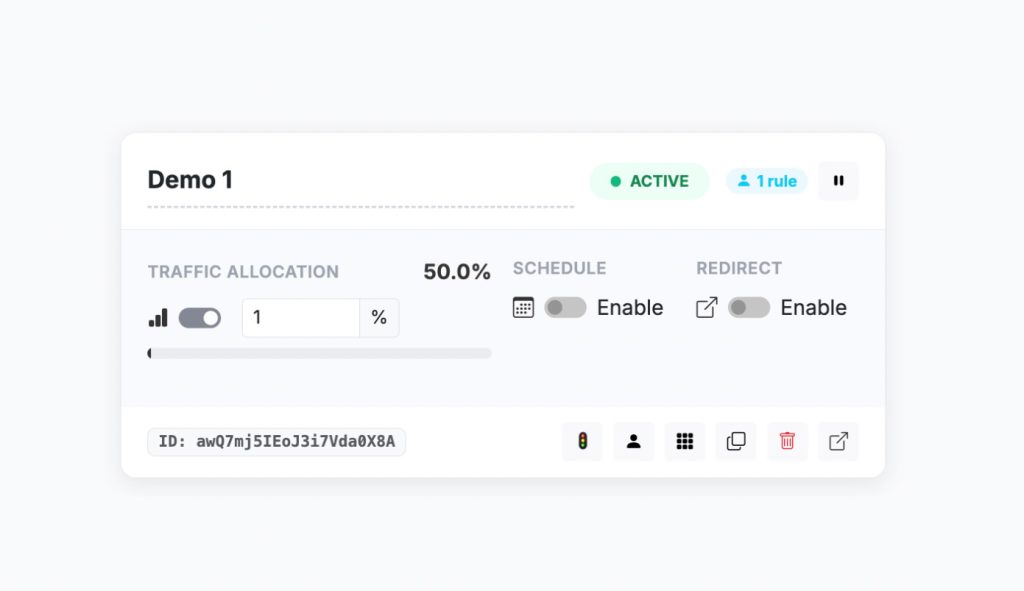
A/B Testing Without Developers
A/B Testing
Prove which version actually converts. Split traffic between your original and a variant, track conversions, and know which version wins with real data. Build variants in the visual editor without writing code.
Launch in minutes, not weeks.
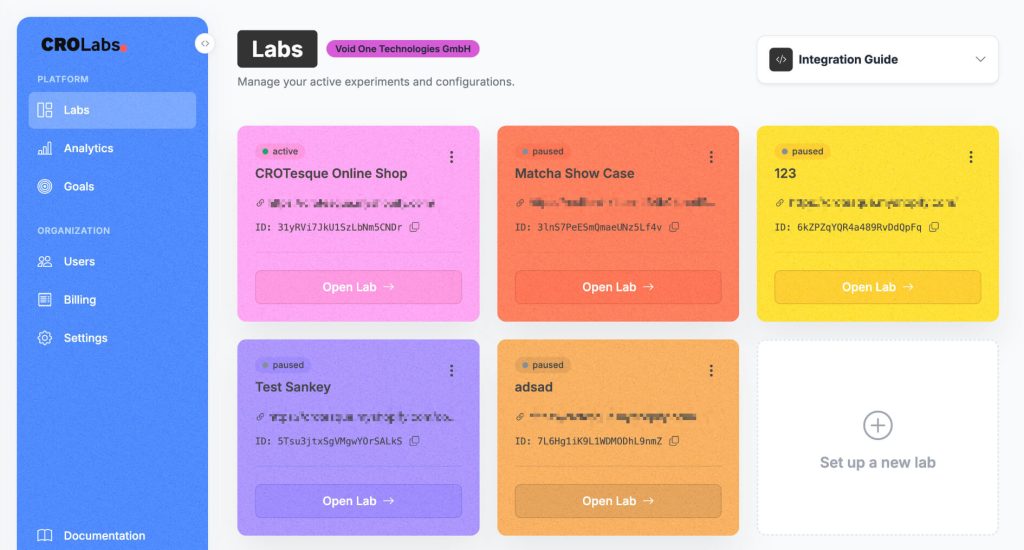
Find the Best Combination
Multivariate Testing
Test multiple changes at once. CROLabs generates every combination automatically and finds the winner.
More powerful than A/B testing when you have the traffic to support it.
Know Exactly What’s Working
Conversion Tracking
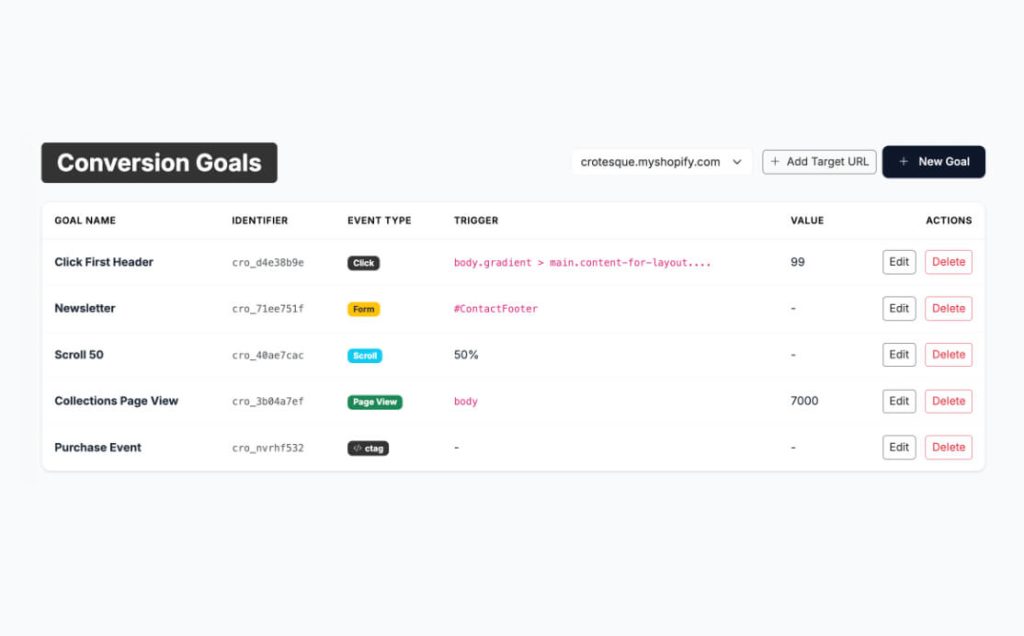
Define what winning looks like for every experiment. Six goal types: element clicks, form submissions, page visits, scroll depth, time on page, and custom events. Set a primary conversion to pick the winner. Add observations for extra context without muddying the result.
Understand Why Variants Win or Lose
Analytics
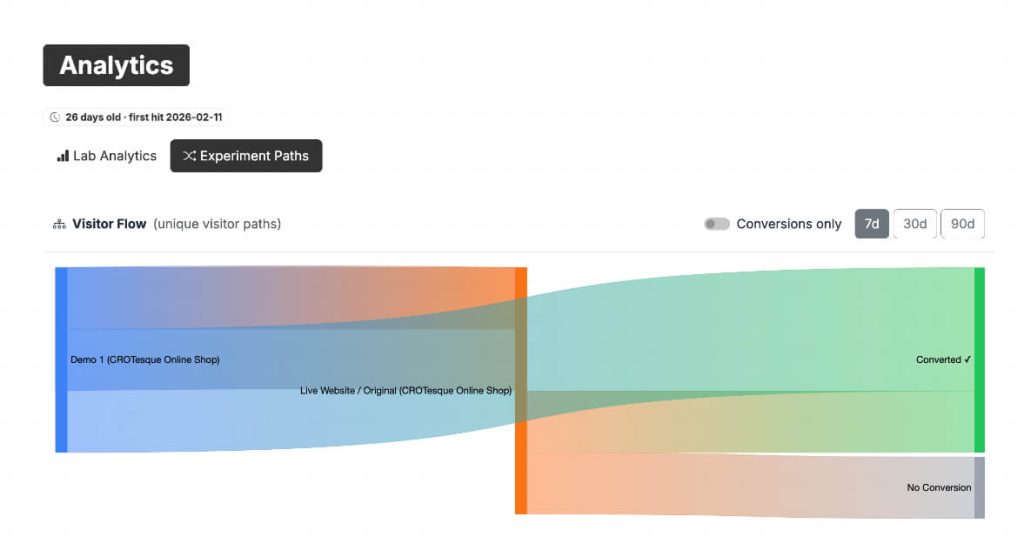
See exactly why visitors don’t convert. Track 10 metrics across every experiment, compare variants side by side, and use Experimentation Paths to map the exact journeys visitors take before they drop off or convert.
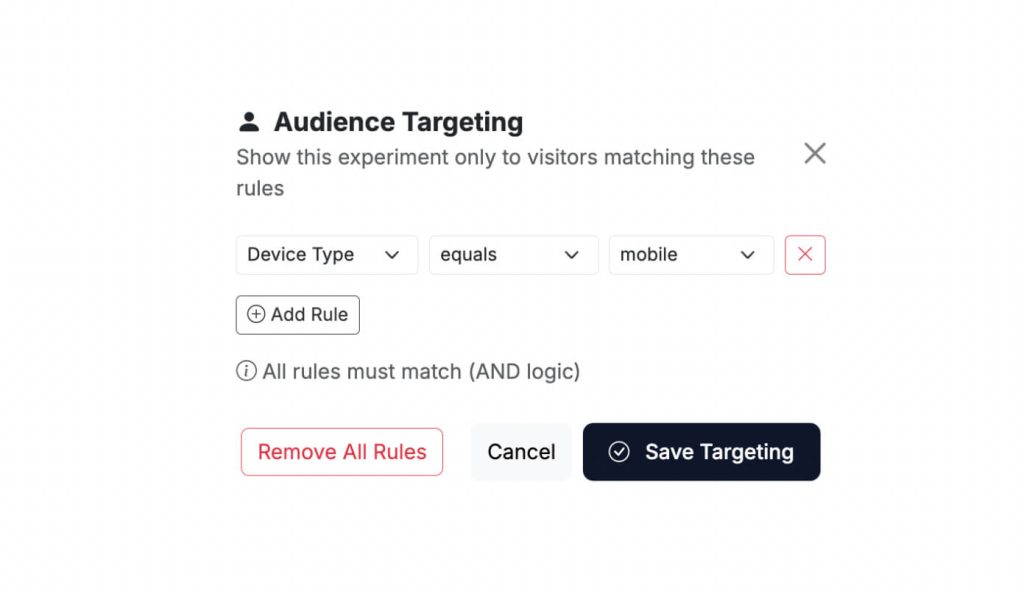
Right Test, Right Audience
Personalization & Targeting
Control who enters your experiments. Filter by device, screen size, or referrer. Run a mobile test and a desktop test on the same page at the same time without them interfering with each other.
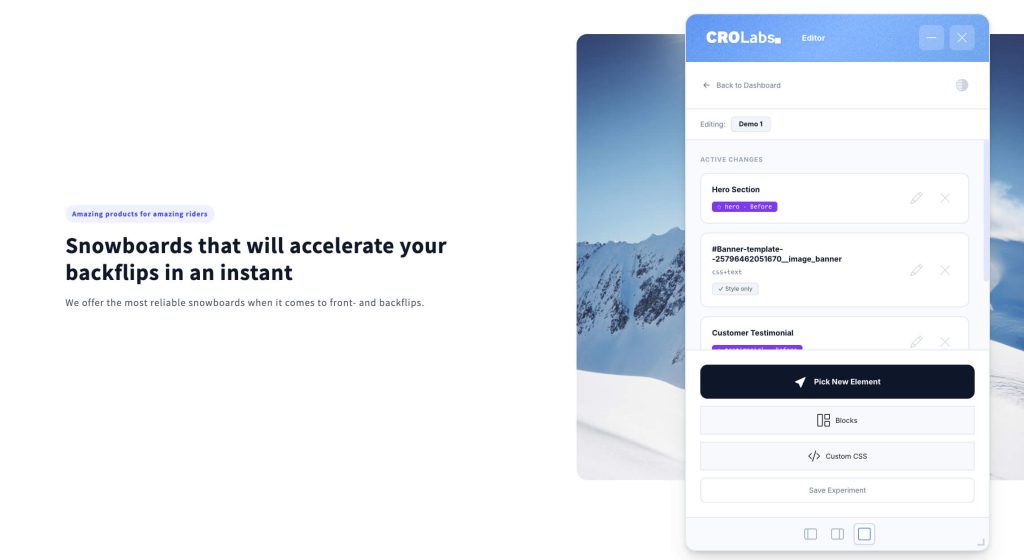
No-Code Visual Editor
Visual Editor
Edit your live site in 60 seconds. Open the editor directly on your page, click any element, change it in the sidebar, save. Text, images, backgrounds, visibility, custom CSS. What you see is what your visitors get.
Built for Teams Without Developers
Why Teams Choose CROLabs
No-code, start to finish. From audit to experiment to result. No developer tickets. No staging environments. No code editor.
GDPR-compliant by default. No PII collected. EU-hosted infrastructure. No cookie banner needed for CROLabs tracking.
Works with your stack. One snippet for WordPress, Shopify, Webflow, or any site with a header. Plus GA4 integration for stakeholder reporting.
Zero flicker. The snippet loads before the page renders. Visitors never see the original flash before the variant.
No impact on page speed. Async script loading. No layout shifts. Your Core Web Vitals stay clean.
AI that does more than report. The Advisor doesn’t just tell you what’s wrong. It connects directly to the editor so you can fix it and test it in the same session.
You Benefits
What Happens When Teams Start Testing
Teams that run experiments consistently don’t get one lucky win. They compound small improvements over months until the numbers are hard to ignore.
20-30% average conversion rate improvement over 12 months of consistent testing.
Under 10 minutes from first login to first live experiment.
2 minutes to run a full AI audit on any page.
0 lines of code required to build, launch, and analyze an A/B test.
CROLabs is built for the teams that want to stop guessing and start proving what works.
Most Tools Tell You What’s Wrong. CROLabs Helps You Fix It. Today.
Sign up and get access to every feature. No credit card. No demo call. Just pick a page, run the Advisor, and launch your first experiment.