Edit your website. Test the changes. No code.
No duplicate landing pages. No developer handoff.
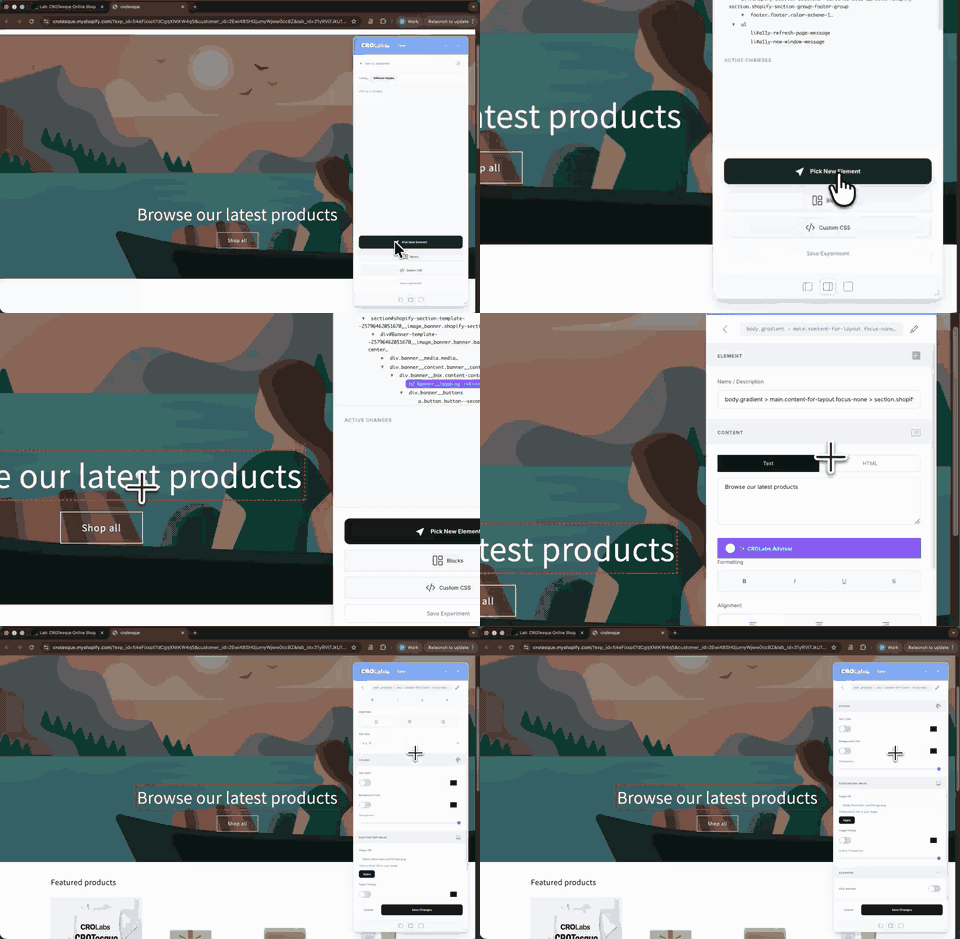
From original page to testable variant in three easy steps.
Build the change where it will actually appear instead of recreating the page in another tool.
Click what you want to change
Open your page in the Visual Editor and select any element directly on the website.
Make the change
Change the copy, image, visibility, styling or other page elements from the editor.
Turn it into a variant
Save the changes as an experiment and test the new version against your existing page.
Change the parts that matter without touching the code.
Build anything from a simple copy test to a noticeably different landing page variant.
TEXT
Rewrite headlines, supporting copy, CTAs and other text directly on the page.
IMAGES
Replace existing images or create new visuals for a variant.
VISIBILITY
Hide or show buttons, sections, banners, forms and other elements.
COLORS
Change backgrounds and visual emphasis without editing your theme.
CUSTOM CSS
Adjust spacing, sizing, layout and styling when you need more control.
CUSTOM HTML
Replace text elements with custom HTML for changes that go beyond the standard editor controls.
Build test variants without waiting on developers.
Create and edit variants directly on your existing website instead of turning every experiment into a development task.
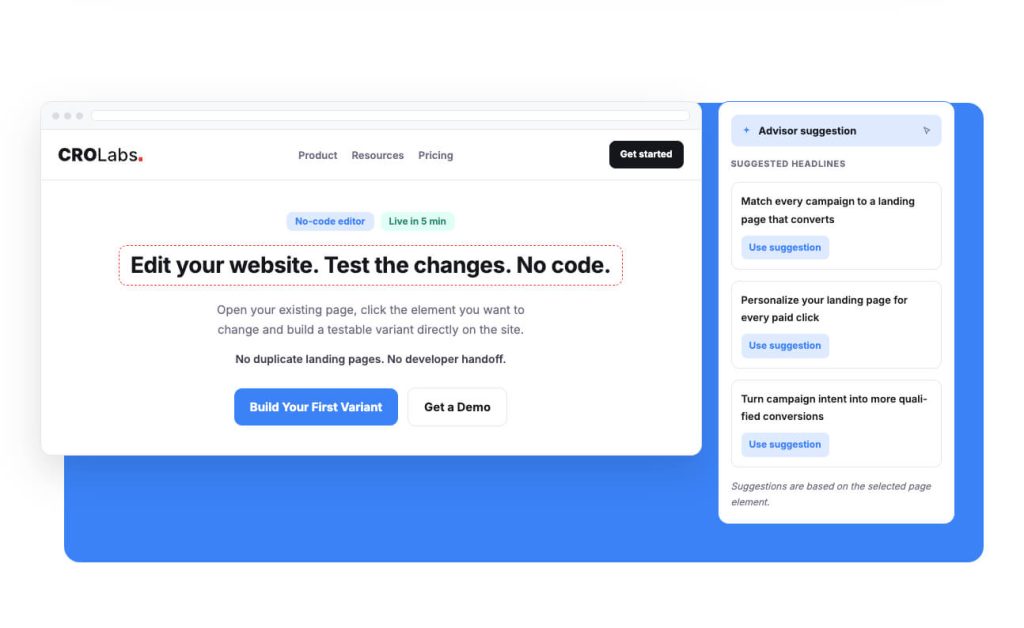
Not sure what to write instead?
Select an element and ask the CROLabs Advisor for a suggestion without leaving the editor.
Use it for a sharper headline, CTA or supporting message, then decide whether you want to test it.
Build your next variant without the dev queue.
Open your existing page, make the change and turn it into a testable experiment in minutes.
Cancel anytime.