A/B Testing Software Without the Dev Queue
14-day free trial · Cancel anytime
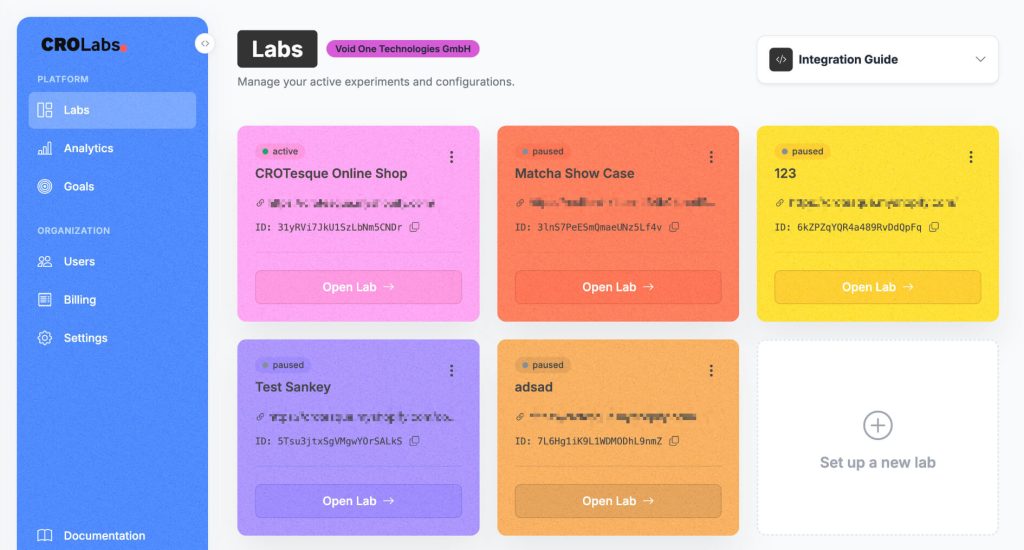
Run the experiment that fits the requirement.
Test one change, multiple combinations or entirely different pages. CROLabs gives you the testing methods without forcing you into one workflow.
A/B Testing
Compare your existing page against one or more variants and measure which version drives more of your primary conversion.
Multivariate Testing
Test combinations of multiple page elements at the same time. Best suited for high-traffic pages where each combination can collect enough data.
Redirect Testing
Compare completely different pages or URLs instead of changing individual elements on the existing page.
A/A Testing
Run the same experience against itself to validate your tracking and experiment setup before testing a real change.
From page change to live test in minutes.
Build the variant, define what success looks like and start testing it against your existing page with real traffic.
Build your variant
Open your existing website in the Visual Editor and make the change directly on the page. No separate landing page build required.
Define what counts as a win
Choose the conversion that should decide the experiment, such as a signup, purchase, form submission or button click.
Start the test
Choose how traffic is split and launch. CROLabs starts comparing your original page against the variant immediately.
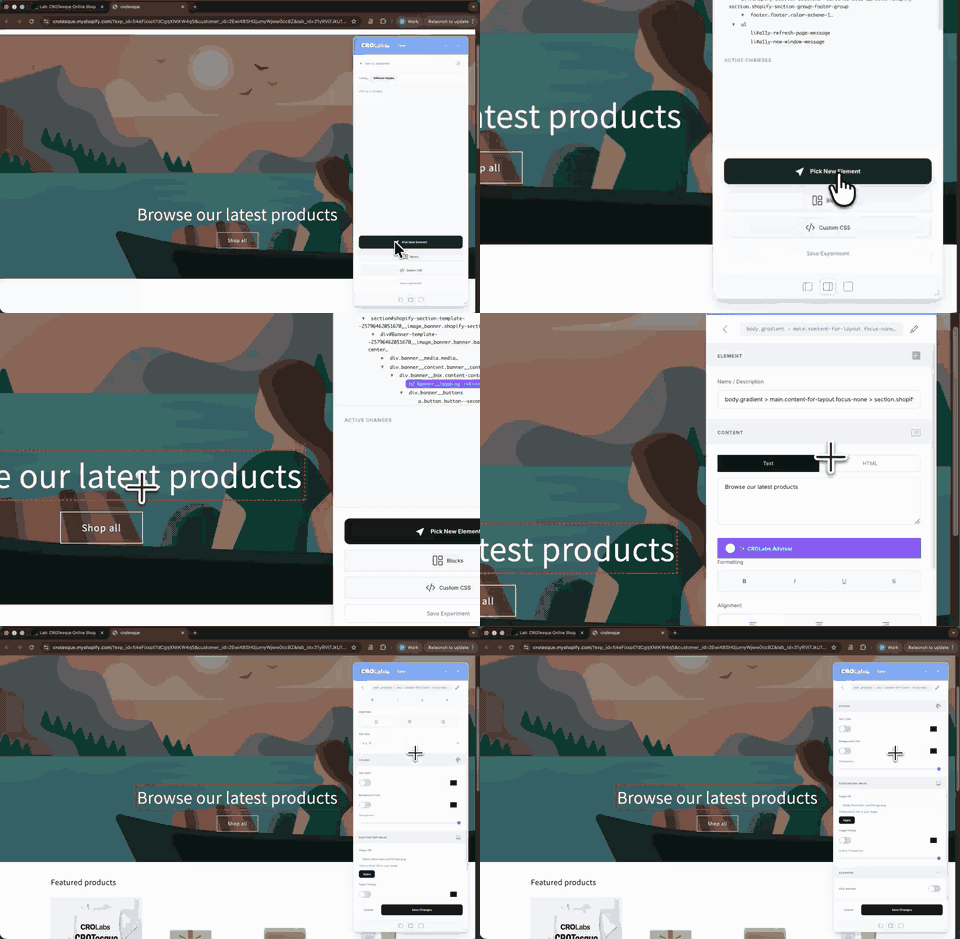
Build the variant on the page you already have.
Open your existing website, click the element you want to test and
make the change directly on the page.
Change copy, images, visibility, colors or custom CSS without rebuilding
the landing page or touching your production code.
Run every test the way you need it.
Control who enters the experiment, how traffic is distributed and when the test should run.
Traffic allocation
Choose how much of your traffic enters the experiment and how it is split between the original and your variants.
Fixed or adaptive traffic
Run a classic fixed split or switch on Smart Traffic to dynamically adjust allocation as performance data comes in.
Audience targeting
Limit an experiment to visitors based on device, operating system, screen width or referrer.
Scheduling
Set guardrails that automatically pause the experiment if performance drops below a threshold or when you hit your target sample size. No need to babysit the dashboard.
Sticky assignment
Keep returning visitors on the same version when consistency across multiple visits matters.
Automatic guardrails
Automatically pause experiments based on visitor volume or performance thresholds.
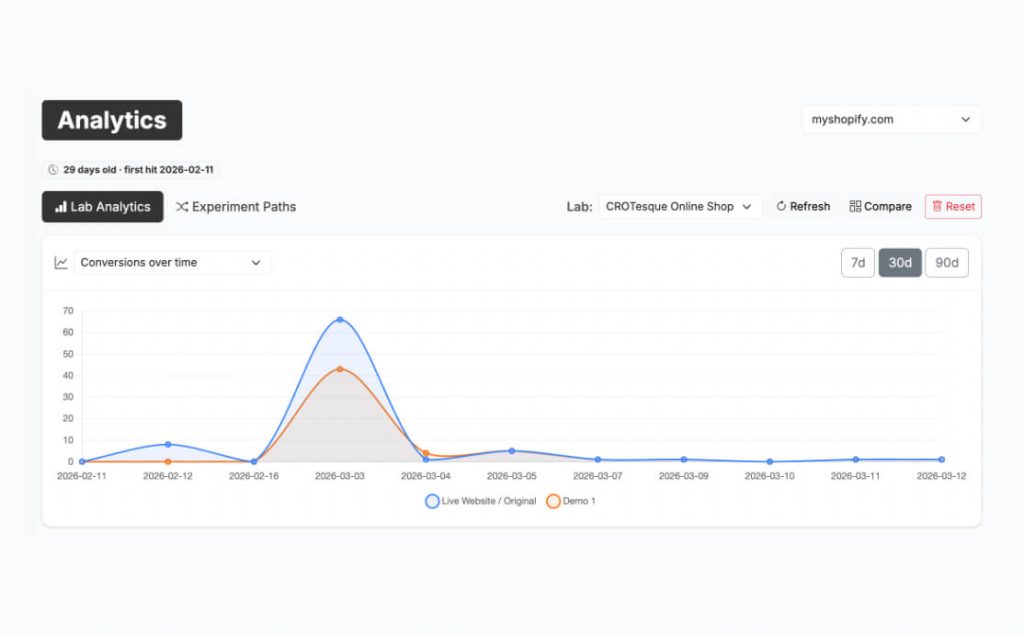
You decide what winning means.
Every experiment should answer one clear question: did the change improve
the action that actually matters?
Set a primary conversion such as a form submission, signup, purchase,
button click or page visit. Track additional behaviors as observations
without letting them decide the winner.
Know when a result is worth acting on.
See how every version performs and whether the difference is strong enough to base a decision on.
See what percentage of visitors completed the primary conversion.
Show how each variant performs compared with the original.
Show how many tested visitors are behind the result.
Show whether the difference is likely to be real rather than random noise.
Test the website you already run.
Install CROLabs once on your domain and start running experiments without rebuilding your website or moving to another CMS.
Run the experiments yourself or automate the loop.
The same testing engine supports both workflows. The difference is who does the work between one experiment and the next.
You run the tests
Choose the hypotheses, build the variants in the Visual Editor and decide when each experiment runs.
Full control when you already know what you want to test.
CROLabs runs the testing loop
CROLabs analyzes the page, proposes what to test, builds the variants and moves from one experiment to the next.
You review and approve what goes live.
What teams say about testing with CROLabs

We switched from VWO because the pricing was getting out of hand. CROLabs does everything we need at a fraction of the cost, and the AI recommendations are something VWO never had.
Kleinfeldt & Thum Media

I signed up mainly for the A/B testing, but the AI Advisor is what kept me. It flagged conversion issues on my landing pages I'd been missing for months. Specific, prioritized, easy to act on. Two tests from the suggestions, both won. Impressed.
KC Malik Consulting & Development

Honestly I was skeptical about the AI recommendations but they've been surprisingly solid. It flagged stuff on our landing page that we'd been missing for months. Ran two tests from the suggestions and both won. Not bad for the first week.
CORE Marketing
Start Your First A/B Test Today
Discover what actually increases conversions. Sign up free, pick a page, make a change, and let the data tell you what works. No demo call.
Cancel anytime.