
A/B Testing Software That Makes It Easy to Find What Converts
Most A/B tests take weeks to launch. Ours take minutes. CROLabs is A/B testing software that lets you test changes on your live site, split traffic between your original and a variant, and see which version actually converts. No developers. No code. No complicated setup.
No credit card required · Cancel anytime
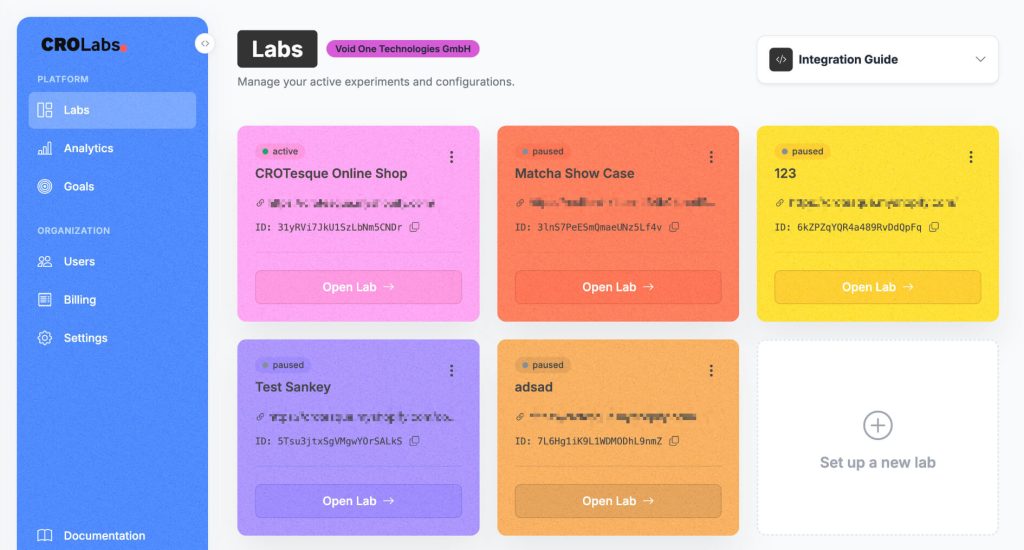
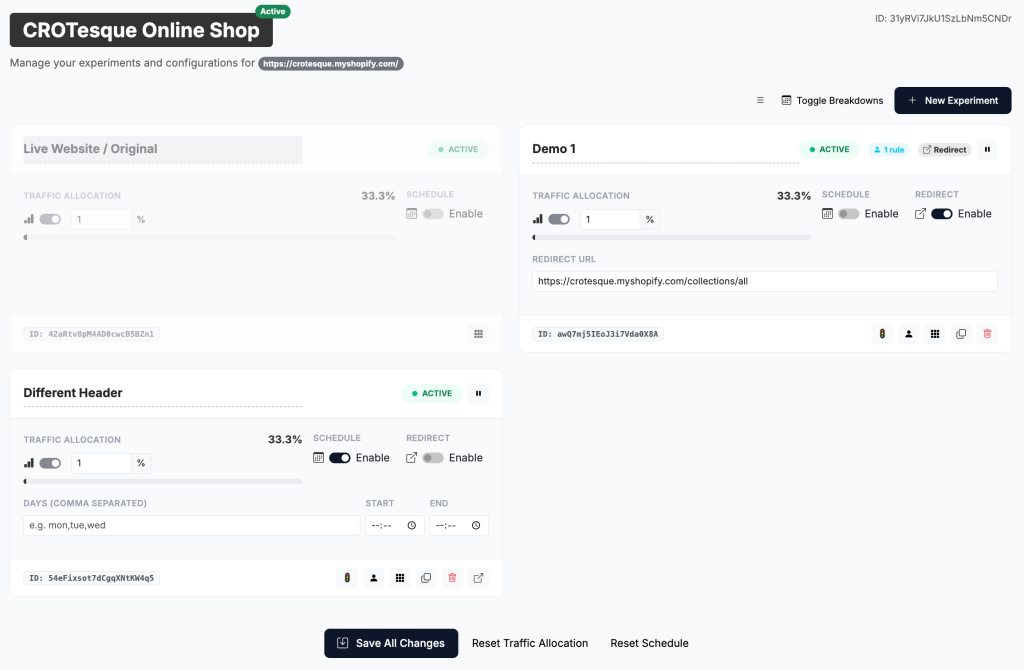
Step by Step
How A/B Testing Works in CROLabs
You edit your live page in seconds. Half your visitors see the change, half see the original. You compare conversion rates and pick the winner.
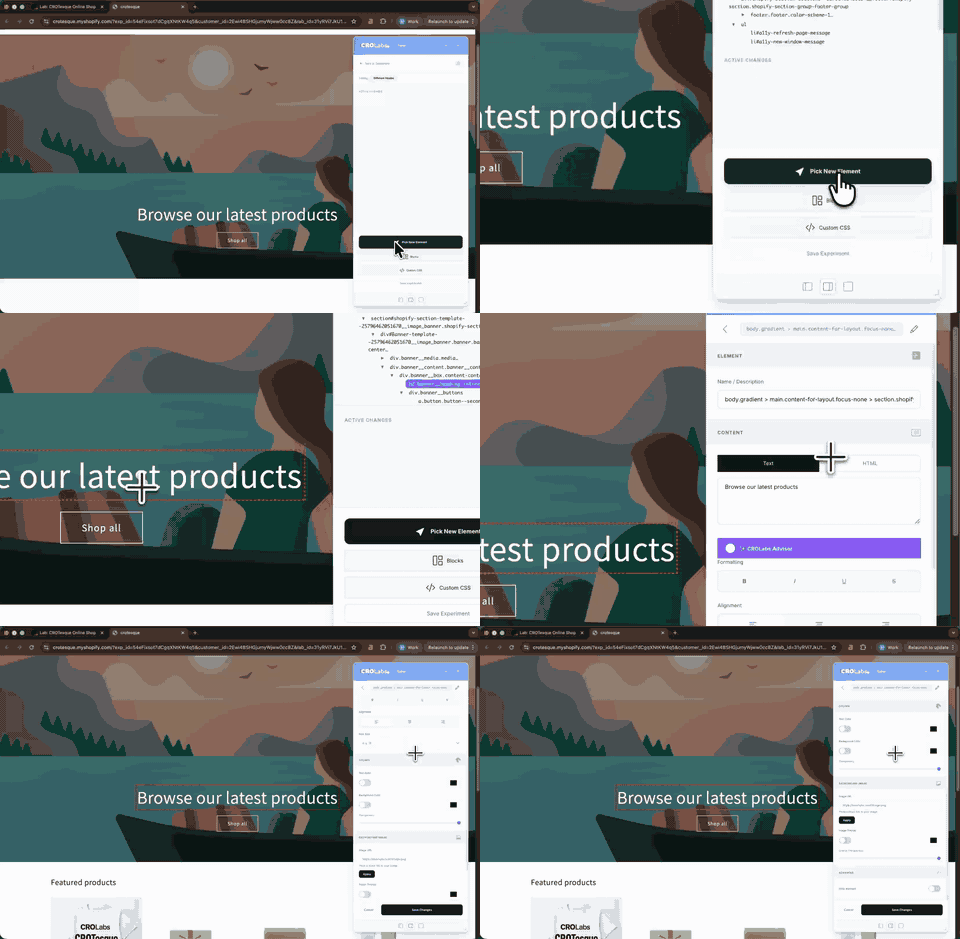
Step 1: Create a Variant. Open your experiment and launch the visual editor. Your live site loads with an editing layer on top. Click any element, change it, save.
Step 2: Define Your Conversion Goal. Tell CROLabs what success looks like. A button click, form submission, page visit, scroll depth, time on page, or a custom event.
Step 3: Split Traffic Automatically. Set your allocation and go live. CROLabs assigns each visitor to either the original or the variant. They see the same version every time they come back.
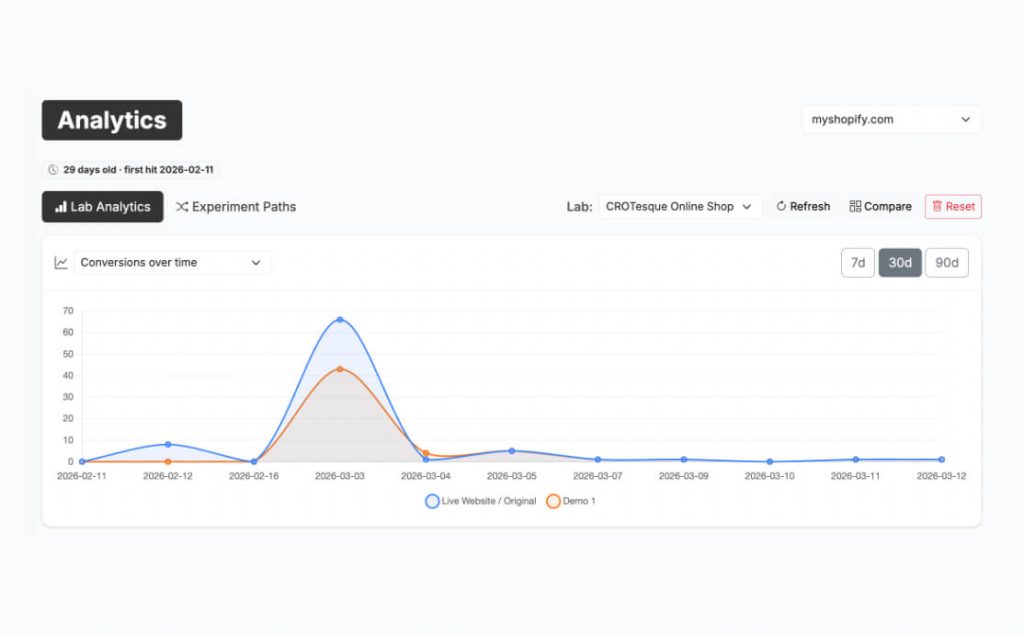
Step 4: Measure Results. Watch conversion rates, confidence levels, and visitor counts update in real time. Compare variants side by side in the Analytics tab.
Step 5: Declare a Winner. When one version hits 95% statistical confidence, you have your answer. Implement the winner and move on to the next test.
Most teams can launch a test in under ten minutes. Launch Your First Experiment.
No-Code Visual Editor for A/B Testing
A Visual Editor That Replaces Your Developer Queue
Unlike traditional testing tools that require developers or staging environments, CROLabs lets marketers launch experiments directly on live pages.
The visual editor works on top of your live site. Click an element, change it in the sidebar, save. Headlines, images, buttons, entire sections. If you can see it on the page, you can change it.
Edit text and formatting. Swap or hide images. Change background colors. Toggle visibility on any element. Add custom CSS if you need more control.
No staging environments. No pull requests. No waiting. Try the Visual Editor.
Reliable Testing Infrastructure
Split Testing Tool Built for Clean Results
Consistent visitor assignment
When someone enters your experiment, they get assigned to a variant and see that same variant on every return visit. No cross-contamination.
Zero flicker
The CROLabs snippet loads before the page renders. Visitors never see the original flash before the variant kicks in.
Traffic control
Split traffic 50/50 or start cautious with 90/10. You can also limit the experiment to a percentage of your total visitors if you want to reduce risk.
Auto-stop rules
Set guardrails that automatically pause the experiment if performance drops below a threshold or when you hit your target sample size. No need to babysit the dashboard.
Scheduling
Run experiments only on specific days or time windows. Useful when you are testing a promotion with a hard end date or want to isolate weekday vs weekend behavior.
Audience targeting
Show your variant only to specific segments. Filter by device, screen size, or referrer so you test the right change with the right audience. Everyone else sees the original.
Conversion Tracking & Experiment Analytics
Track What Actually Matters
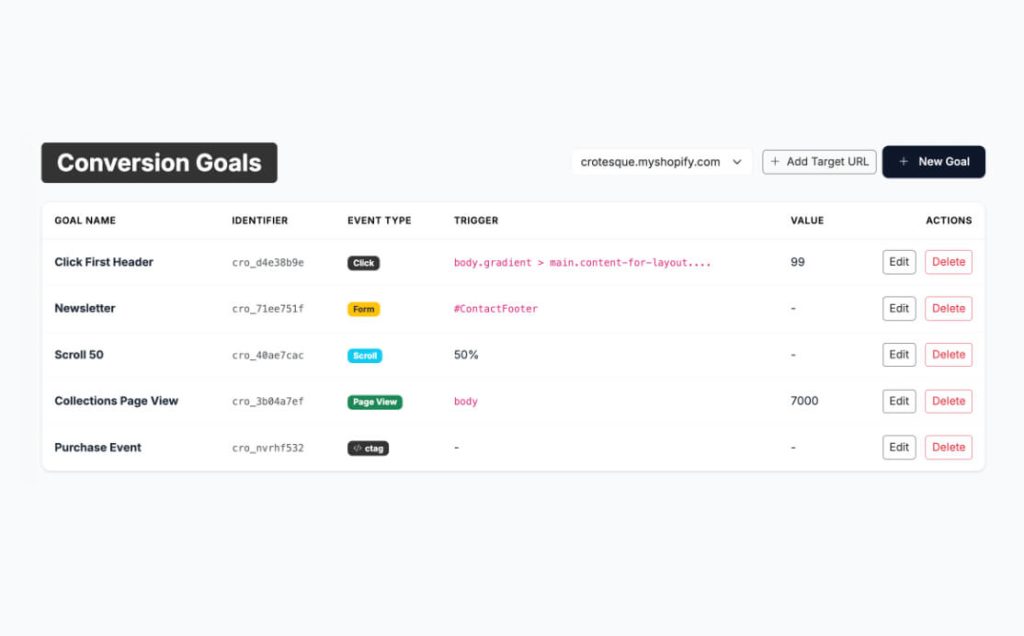
An A/B test without a clear goal is just a page that looks different for half your visitors. CROLabs lets you define exactly what counts as a conversion before you launch.
Track button clicks, form submissions, page visits, scroll depth, time on page, and custom JavaScript events. Pick one as your primary conversion. That’s the number that determines the winner.
Want to monitor other things without letting them influence the result? Add them as observations. They get tracked alongside the test but stay separate from the main conversion rate. Set Up Conversion Tracking.
Works With Your Existing Tech Stack
Works With Your Stack
CROLabs runs on any website where you can add a script tag to the header. WordPress, Shopify, Webflow, custom builds, and everything in between.
One snippet. Installed once. It powers experiments, the visual editor, analytics, and the AI Advisor.
Share experiment results with stakeholders inside GA4. No new reporting workflow required. Enable the built-in URL tag feature and your A/B test data shows up in the analytics tool your team already uses.
How CROLabs Compares
Traditional A/B Testing vs CROLabs
Most A/B testing tools were built for engineering teams. They assume you have developers available, staging environments ready, and weeks to spare before a test goes live.
CROLabs was built for the people who actually know what to test but never had the tools to do it themselves.
| Traditional A/B Testing | CROLabs | |
|---|---|---|
| Setup | Wait 2+ weeks for developers | Launch in 10 minutes |
| Variant creation | Requires code or staging | No-code visual editor |
| Testing environment | Staging or separate URLs | Edit live pages directly |
| Analytics | Separate tool, manual setup | Built-in conversion tracking |
| AI recommendations | Not available | Advisor finds what to test |
| GDPR compliance | Varies, often US-hosted | EU-hosted, GDPR by default |
The difference isn’t just speed. It’s who gets to run the experiments. With CROLabs, that’s the marketing team.
Testimonials
Your Words. Not Ours.

We switched from VWO because the pricing was getting out of hand. CROLabs does everything we need at a fraction of the cost, and the AI recommendations are something VWO never had.
Kleinfeldt & Thum Media

I signed up mainly for the A/B testing, but the AI Advisor is what kept me. It flagged conversion issues on my landing pages I'd been missing for months. Specific, prioritized, easy to act on. Two tests from the suggestions, both won. Impressed.
KC Malik Consulting & Development

Honestly I was skeptical about the AI recommendations but they've been surprisingly solid. It flagged stuff on our landing page that we'd been missing for months. Ran two tests from the suggestions and both won. Not bad for the first week.
CORE Marketing
Start Your First A/B Test Today
Discover what actually increases conversions. Sign up free, pick a page, make a change, and let the data tell you what works. No credit card. No demo call.
FAQ