
Experiment Tracking Software That Turns Test Results Into Decisions
The CROLabs analytics dashboard shows you which variants win, why visitors drop off, and where your next highest-impact test should go. Teams that act on analytics data instead of gut feeling see 20-30% higher conversion rates within 6 months.
No separate analytics tool. No spreadsheets. No guessing.
No credit card required · Cancel anytime
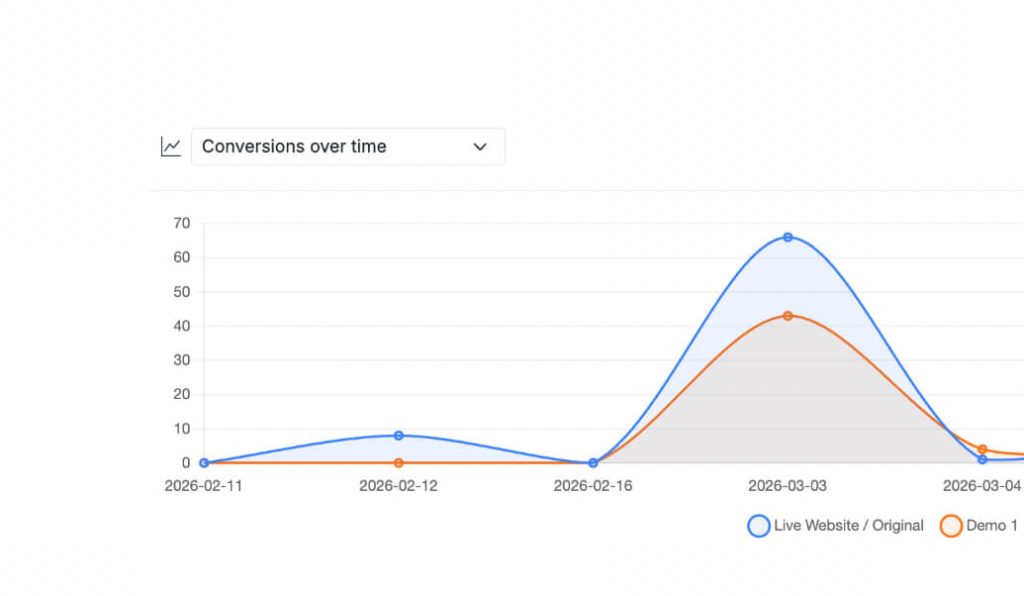
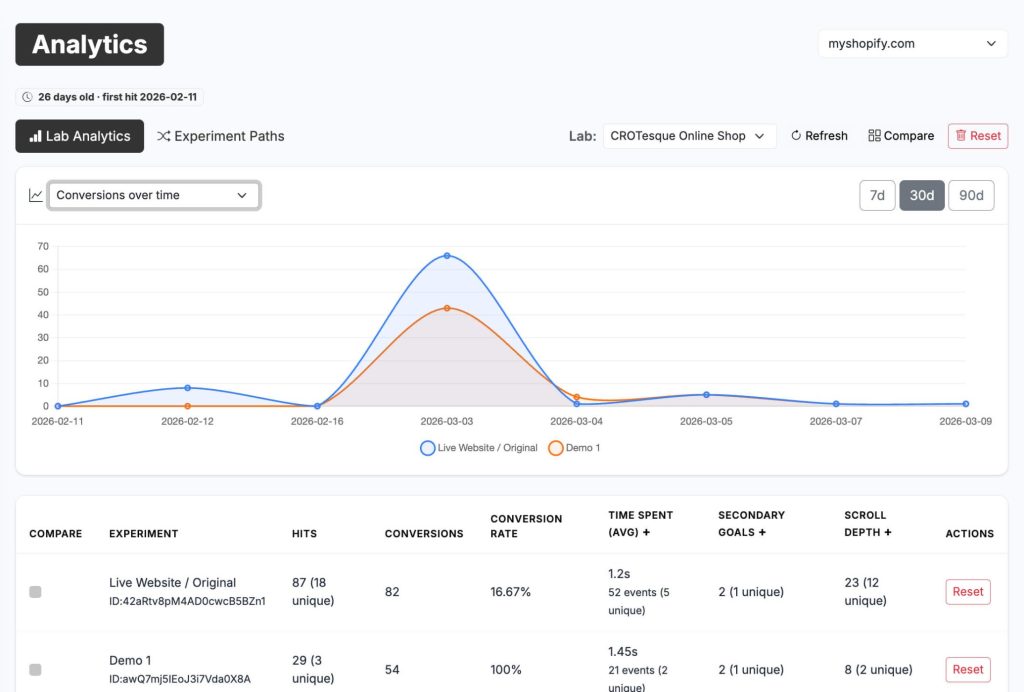
Your Real-Time Performance Dashboard
Everything You Need in One View
When you open the Analytics tab, you land on Lab Analytics. Your main performance view. Every metric you need to call a winner, spot a problem, or decide what to test next.
Over Time plots conversions, hits, conversion rate, and average time spent as trend lines. Spot if a variant started strong and then flattened out, or if results are still trending up. This is how you catch winners early and stop losers before they waste traffic.
Distribution and Comparison gives you a snapshot. Head-to-head numbers, distributions across your visitor base, and direct comparisons between variants. This is what you check when you need to make a call right now.
Below the charts sits the experiment comparison table. Every experiment in your Lab listed alongside the original, all core metrics side by side. One glance tells you what’s working and what’s not.
Teams that check their analytics weekly and act on the data implement winning variants 2-3x faster than teams that wait and debate.
9 Metrics That Drive Decisions, Not Just Dashboards
The Numbers That Actually Tell You Something
CROLabs tracks nine metrics across every experiment. Each one exists for a reason: to help you decide faster, implement winners sooner, and stop wasting traffic on underperforming variants.
Conversion rate.
Conversions divided by unique hits. This is your headline number. The one you use to compare variants, declare a winner, and calculate how much revenue you're leaving on the table.
Conversions.
The raw count of completed goal actions. Combined with conversion rate, this tells you both the percentage and the volume behind it. A 20% conversion rate on 10 visitors means nothing. A 20% conversion rate on 10,000 means money.
Hits.
Total page loads including repeat visits from the same person. Shows you overall traffic volume.
Unique hits.
Individual visitors, repeat visits excluded. More useful than total hits for understanding how many real people you're reaching.
Time spent.
How long visitors stay on the page. A proxy for engagement, especially on content-heavy pages where you want to know if people are actually reading or bouncing immediately.
Unique time spent users.
How many individual visitors triggered a time event. Separates one very engaged user from broad engagement across your audience.
Scroll depth.
How far down the page visitors get before leaving. Critical for long landing pages. If nobody reaches your CTA, it doesn't matter how good it is.
Custom events.
Fires from JavaScript events you defined yourself. Video plays, multi-step interactions, third-party triggers.
Unique custom event users.
The number of individual visitors who triggered a custom event. Keeps you from confusing one active user with widespread behavior.
Make the Call With Confidence
Side-by-Side Comparison With a Clear Winner
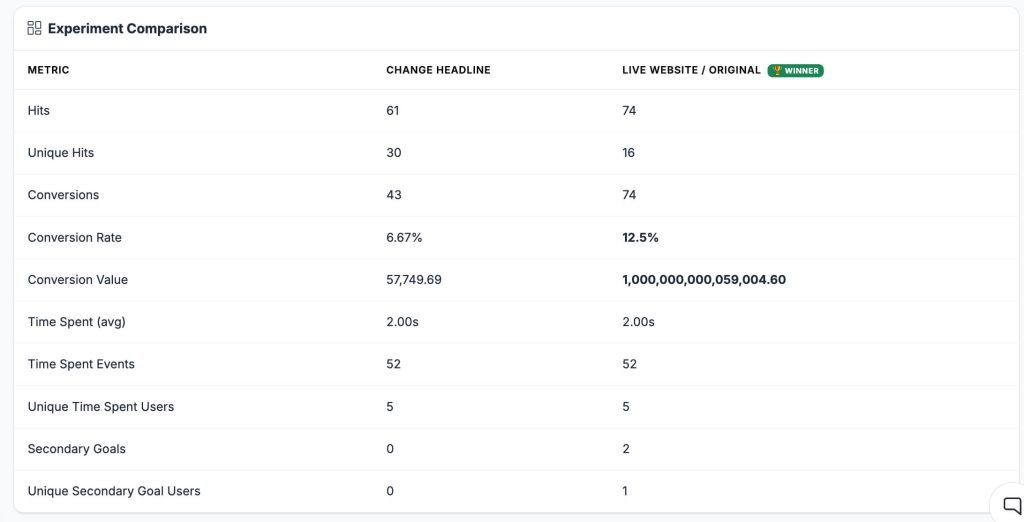
Select two or more experiments using the Compare checkboxes, click Compare, and see every metric side by side in one table. CROLabs highlights the winner based on conversion rate and shows a winner badge next to the leading variant.
This is the view you use when you’re ready to call a result. And it’s the fastest way to share results with stakeholders. One table. All the metrics. Winner highlighted. No walking someone through a chart.
Every week you delay implementing a winning variant is a week you’re sending traffic to a version that converts worse. The comparison view exists so you can make confident calls faster.
A few things to keep in mind. More hits doesn’t mean better. Always look at conversion rate, not raw volume. If the conversion rates are close but the sample sizes are small, it’s not a result yet. Give it more time.
Why Analytics Changes Everything
The Revenue Impact of Knowing What Works
Without analytics, every test is a coin flip. You might have a winner running right now and not know it. Or worse, you’re sending traffic to a losing variant because nobody checked the data.
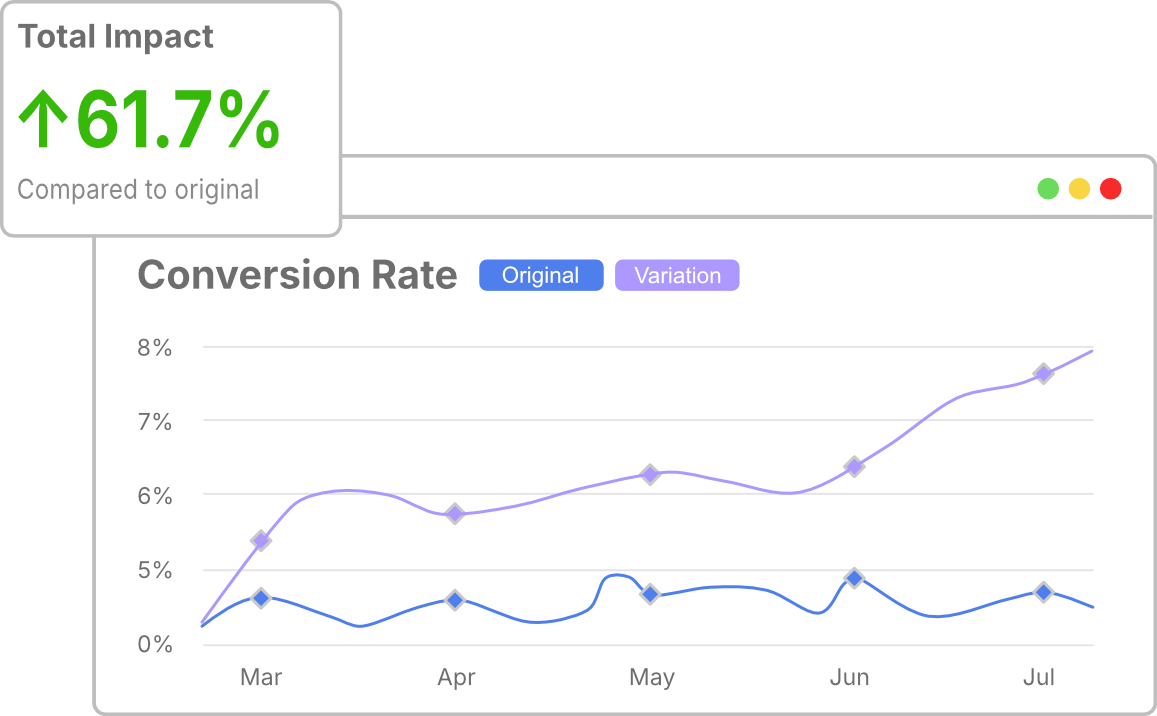
20-30% higher conversion rates over 6 months. Teams that track results and act on them compound small wins into significant revenue growth.
2-3x faster winner implementation. When the data is clear, there’s nothing to debate. Check the dashboard, see the winner, implement.
Up to 40% lower customer acquisition cost. Better conversion rates mean every ad dollar, every email, every piece of content works harder.
68% of drop-offs happen in places teams don’t expect. Experimentation Paths finds them so your next test targets the real problem, not the assumed one.
Every day a winning variant sits unimplemented is a day you’re leaving revenue on the table.
Find the Leaks in Your Funnel
Find Where Visitors Drop Off With Experimentation Paths
This is what makes CROLabs more than a standard experiment tracking dashboard.
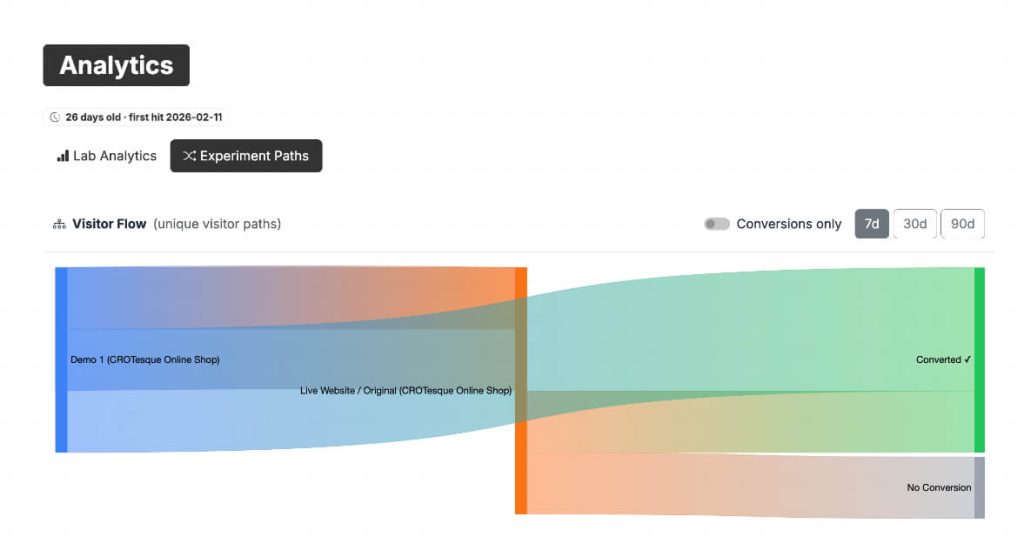
Lab Analytics tells you your numbers. Paths shows you what visitors actually do. It maps out the exact journeys people take through your site: where they land, where they go next, where they leave, and which routes lead to conversions.
Teams using Experimentation Paths report finding 3-5 high-impact drop-off points they didn’t know existed. One client discovered that 68% of visitors who scrolled past the hero section left before reaching the CTA. Moving the CTA higher produced a 14% conversion uplift in the first test.
Use Paths to find the exact pages where visitors drop off, see which paths convert best, compare behavior on the original vs a variant, and decide where your next experiment should run based on real data instead of gut feeling.
Analytics Included. Zero Extra Setup.
No Extra Tracking to Configure
The same snippet that powers your experiments also powers your analytics. No additional scripts. No tag manager configuration. No separate tracking setup.
Install the snippet once, launch an experiment, and data starts flowing automatically. Everything is organized by Lab, so you always know which data belongs to which website.
Most analytics tools take days to configure. CROLabs analytics works the moment your first experiment goes live. That’s time you can spend acting on data instead of setting up dashboards.

GDPR-Compliant. EU-Hosted. Privacy by Default.
No PII. No Cookie Banner. No SEO Impact.
CROLabs does not collect names, email addresses, IP addresses, or anything else that identifies a visitor. All tracking is anonymous and aggregated. Built and hosted entirely in the EU. No US data transfers. GDPR-compliant out of the box.
You don’t need to add CROLabs to your cookie consent banner. Search engines always see your original page. Variants are applied client-side, so there’s no duplicate content and no impact on rankings. The script loads asynchronously and avoids layout shifts, so your Core Web Vitals stay clean.
Clean data. Clean compliance. No tradeoffs.
Testimonials
Your Words. Not Ours.

We switched from VWO because the pricing was getting out of hand. CROLabs does everything we need at a fraction of the cost, and the AI recommendations are something VWO never had.
Kleinfeldt & Thum Media

I signed up mainly for the A/B testing, but the AI Advisor is what kept me. It flagged conversion issues on my landing pages I'd been missing for months. Specific, prioritized, easy to act on. Two tests from the suggestions, both won. Impressed.
KC Malik Consulting & Development

Honestly I was skeptical about the AI recommendations but they've been surprisingly solid. It flagged stuff on our landing page that we'd been missing for months. Ran two tests from the suggestions and both won. Not bad for the first week.
CORE Marketing
Stop Guessing. Start Knowing What Converts.
Sign up free and see your first experiment results as soon as traffic starts coming in. Teams that track properly and act on data see 20-30% higher conversion rates over 6 months. No credit card. No extra tools needed.
FAQ