
Updated Oct 2026
Launching a website experiment can feel like a gamble. You have your hypothesis, your variants, your target audience, yet something as simple as a missing script or broken button can ruin it all. Experiment QA (quality assurance) is the pre-launch process that catches these issues before they warp your results.
As this source put it, “Experiment QA is the unglamorous discipline” that prevents embarrassing failures. That could be variants that never render, tracking that never fires, or layout bugs that only show up on certain devices.
In practice, pre-launch QA covers everything from visuals and user experience to analytics and edge-case logic. Use this checklist to make sure your A/B or multivariate test is ready before going live. It focuses on the final checks that establish whether the experiment behaves as intended, so the results you collect are worth interpreting.
On This Page
Check Variation Rendering and Visuals
Before launching an experiment, check how each version behaves in the browser. Open the control and the variant side by side, then work through the page to confirm that every intended change is present and displays correctly. A headline might wrap differently, a button could shift out of place, or a script might prevent part of the page from loading.

You should also open the browser console as you test each version and look for JavaScript errors or CSS issues. Pay attention to flickering when the page loads, especially if the original content appears briefly before the variant takes effect. These delays can affect what visitors see and introduce unwanted layout shifts.
Once the desktop version looks right, repeat the checks across Chrome, Firefox, Safari, and Edge. Resize the viewport to test tablet and mobile layouts, too. Elements that fit comfortably on a large screen may overlap, disappear, or become difficult to use on a smaller device.
- Compare text and styling. Check fonts, colors, spacing and alignment against the intended design. Ensure that images load correctly and that animations behave as expected.
- Test functionality. Click buttons, links and menus. A CTA should lead to the correct destination, while pop-ups and interactive elements should respond as intended.
- Check responsive layouts. A change that works on a desktop screen might overlap a heading or hide a form field on a smaller device. Test the actual page at mobile widths rather than relying only on a resized desktop preview.
- Look for flicker. Watch the page from the moment navigation begins until it finishes rendering. If visitors see the original content before the variant replaces it, the experiment may produce a distracting flash.
For example, suppose an experiment changes a shipping estimator on a product page. The revised estimator appears correctly in Chrome on desktop, but on mobile Safari its delivery-date selector sits behind the purchase button. The variant technically renders, yet part of the experience is unusable. That is a QA failure worth fixing before launch.
Some experts also recommend checking styling, navigation, page flicker and form behavior as part of the review.
Validate Assignment and Targeting
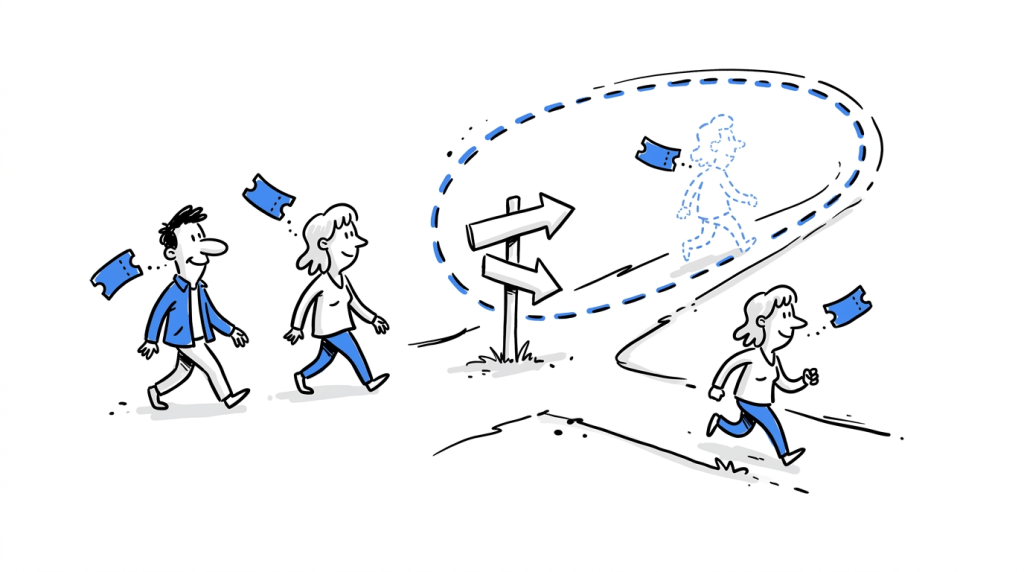
Next, ensure the experiment is showing to the intended visitors and assigning them consistently. Assignment QA checks that the traffic split, targeting rules and variant persistence match the experiment configuration.
- Traffic split. If you configured a 50/50 split, check that visitors are assigned as expected. Use the experiment platform’s preview or debugging tools to inspect the assigned variation. A short manual test can expose a configuration error, although production traffic is needed to assess the actual distribution.
- Audience targeting. Review inclusion and exclusion rules. If the experiment should appear only to visitors arriving through a particular campaign, test the relevant entry URLs. If logged-in customers are excluded, verify that their sessions remain outside the experiment.
- Consistent assignment. Refresh the page, open another page on the same site and return later. Confirm that the same visitor continues to see the assigned version for as long as the experiment’s persistence rules require.
- URL matching. Check the rules that determine which pages qualify for the experiment. Exact URL matches, wildcard patterns, query parameters and trailing slashes can affect which visitors enter the test.
- Internal traffic. If employees, developers or test accounts are excluded, confirm that those rules work as expected.
Persistent assignment deserves particular attention. Imagine a visitor sees a revised shipping estimator, moves to another product page and returns to the original page the following morning. If the experiment is meant to preserve assignment across sessions, that visitor should continue seeing the same version.
The underlying mechanism matters here. Assignment might depend on a cookie, a browser identifier, an account ID or another form of stored state. Test the method your platform uses, including what happens when a visitor clears cookies or opens a private browsing session.
Also record the expected traffic allocation and monitor it after launch. A sample ratio mismatch can indicate that the observed distribution differs from the configured split. Investigate that discrepancy before interpreting conversion differences.
Verify Tracking, Goals, and Analytics
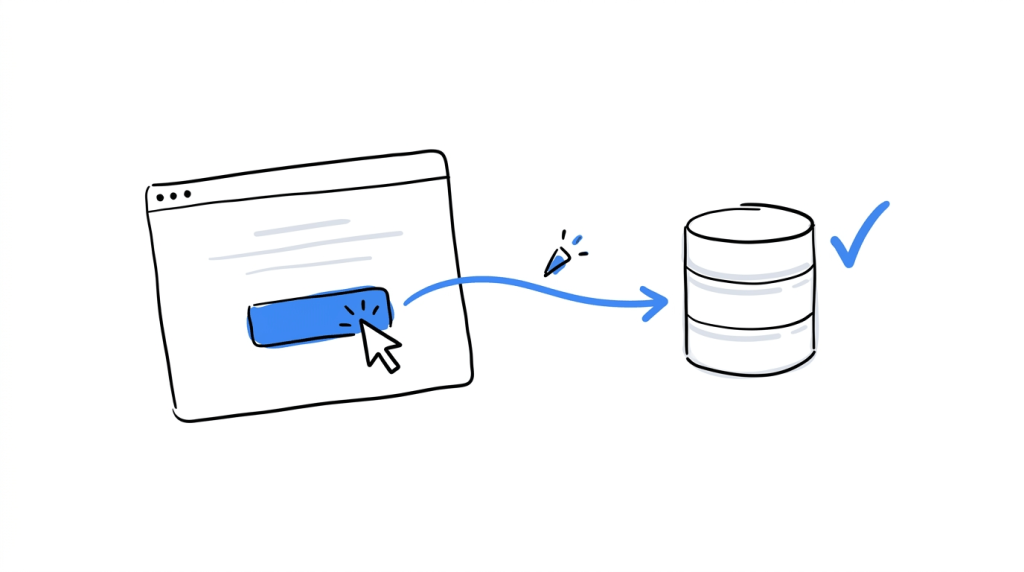
A variation can look correct and still produce unreliable results if its events fail to reach analytics. Tracking QA checks that the experiment records what visitors see and what they do afterward.
Test every conversion event
Trigger the primary conversion on both the control and the variant. Then check the analytics or experimentation platform to confirm that the event arrived with the expected name and parameters.
For a subscription checkout experiment, for instance, verify that a completed purchase generates the appropriate event. Check the actual submission or purchase flow, including any confirmation page or asynchronous response involved.
Use this checklist:
- The primary conversion event fires on the control.
- The same event fires on the variant.
- Event names and parameters match the tracking specification.
- Events fire at the intended point in the user journey.
- A single conversion does not generate duplicate events.
- Failed or incomplete submissions do not count as successful conversions.
- The analytics platform receives the expected event payload.
Tools such as Google Analytics DebugView can help you inspect incoming events during testing.
Confirm that analytics receives the correct variant
Your reporting needs to associate each visitor’s activity with the variation they were assigned. Inspect the experiment data sent to analytics and confirm that the experiment ID and variation identifier are present wherever your integration requires them.
For example, if variation B changes the order of delivery options, a purchase event should retain the correct experiment assignment when it reaches the reporting system. If the integration records every purchase under the control, your experiment report could misrepresent the outcome.
Check the sequence of events as well. If the analytics tag fires before the experiment assignment becomes available, the first page view might arrive without the variant information. This can happen when scripts load at different times or when the integration depends on an asynchronous callback.
Inspect the browser’s network activity
The browser’s developer tools can show whether the experiment script loaded and whether analytics requests were sent successfully.
Open the Network tab, reproduce the conversion and inspect the relevant requests. Also look for failed responses, missing parameters and requests that never fire. Where your setup uses a tag manager or data layer, check that the experiment information remains available until the relevant analytics tag reads it.
Ensure URLs, Redirects, and Forms Work
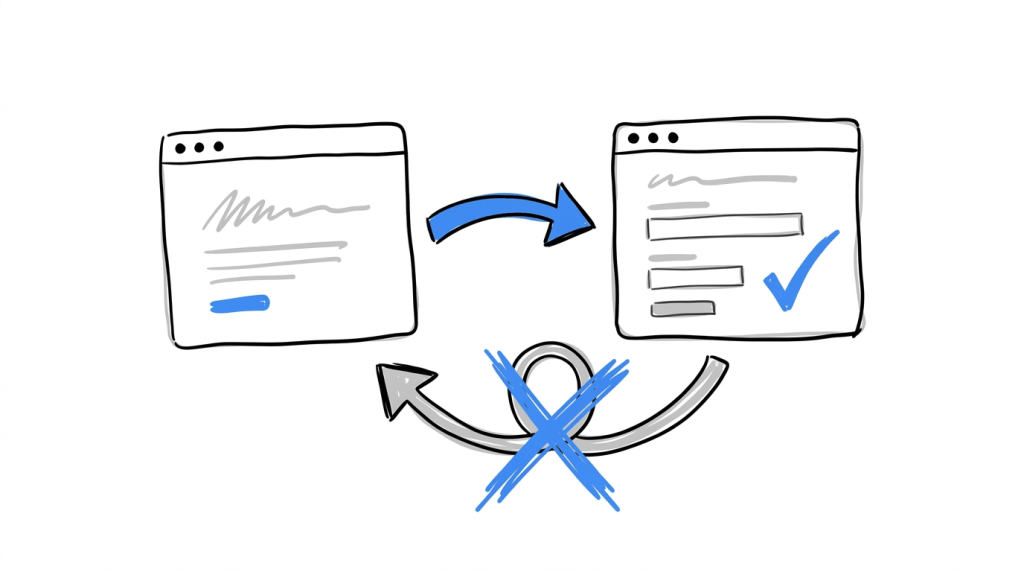
Experiments can change page destinations, alter navigation or modify the steps visitors follow to convert. Test those paths from start to finish before launch.
Check original and variant URLs
If the experiment uses separate URLs, open each one directly. Confirm that the page loads, the expected variation appears and the URL behaves correctly after refresh.
Check:
- The original URL returns the intended page.
- The variant URL resolves successfully.
- Query parameters used for campaign attribution or experiment targeting are handled correctly.
- Refreshing the page does not remove the intended variation.
- Internal links lead to the expected destinations.
- Canonical tags and other page metadata remain appropriate for the URL setup.
Consider an experiment that tests a revised returns-policy page at /returns against a variant served from /returns-flexible. Both pages should load independently, and visitors assigned to the variant should remain on the intended experience throughout the test.
Test redirect behavior
Redirect experiments need additional attention because the browser may move between URLs before the final page appears.
Follow the full navigation path and inspect the resulting status codes in your browser’s Network tab. Confirm that the redirect applies to the intended audience and that the destination does not redirect visitors back to the starting page.
Watch for redirect chains, loops and unexpected changes to query parameters. These can interfere with attribution, prevent the variant from loading or send visitors to an unintended page.
Submit every affected form
A form can appear normal while its submission logic is broken. Test the complete process, including validation and confirmation.
- Enter valid information and submit the form.
- Leave required fields empty and check the validation messages.
- Test any conditional fields that appear after a selection.
- Confirm that the expected success state appears.
- Verify that the submitted information reaches the intended destination.
- Check that the corresponding conversion event fires at the correct point.
For a lead-generation experiment, submit the form using both variations and confirm that the CRM or backend receives the test submission. If the variant adds a new field, make sure the receiving system accepts it.
Keep the browser console open throughout these tests. JavaScript errors can prevent buttons from responding, interrupt form submission or stop tracking code from executing. Investigate errors related to the experiment and its dependencies before approving the launch.
Test Browser Behavior, Script Loading, and Mobile Rendering
Some implementation problems appear only under particular browser conditions or during the first moments of page loading. These checks deserve their own pass because they can affect whether visitors receive the experiment at all.
Check Safari and mobile browsers
Test the experiment in Safari on iOS if those visitors are part of your audience. Browser privacy protections, storage restrictions and differences in rendering can affect client-side experiments that rely on cookies or JavaScript.
Pay attention to assignment persistence, event delivery and the timing of variation rendering. If the experiment works in Chrome but fails in Safari, inspect the browser console, storage behavior and network requests to identify the cause.
Check deferred script loading
Websites often defer JavaScript to improve loading performance. Depending on how an experiment is installed, this can affect when the variation appears and when analytics receives the assignment.
Test the page under realistic loading conditions. Use browser developer tools to simulate a slower connection and observe whether the original content appears before the variant. Check whether the experiment script loads successfully and whether dependent code runs after the required elements are available.
Avoid changing script placement simply to make a test pass. The correct setup depends on the experimentation platform and the site’s loading strategy. Follow the platform’s installation guidance, then verify the behavior on the actual page.
Detect missing or blocked snippets
An experiment snippet may be absent from the delivered page, blocked by a security policy or affected by another optimization plugin. A campaign can appear active in its dashboard while the browser never applies the variation.
Check the rendered page and network requests to confirm that the required script is present and loads successfully. Inspect the console for Content Security Policy errors or other blocked-resource messages. If your site uses a consent manager, caching layer or script optimizer, test the experiment with that system enabled.
Review JavaScript errors and page performance
Open the browser console before interacting with the page. Then navigate, click the changed elements, submit forms and trigger the conversion event.
Investigate errors that originate from the experiment or interfere with the tested journey. Also watch for delayed rendering, layout shifts and changes in the page’s response time. A variation that introduces a noticeable delay can affect visitor behavior, which may influence the experiment’s outcome.
Review Exclusions and Cross-Session Tracking
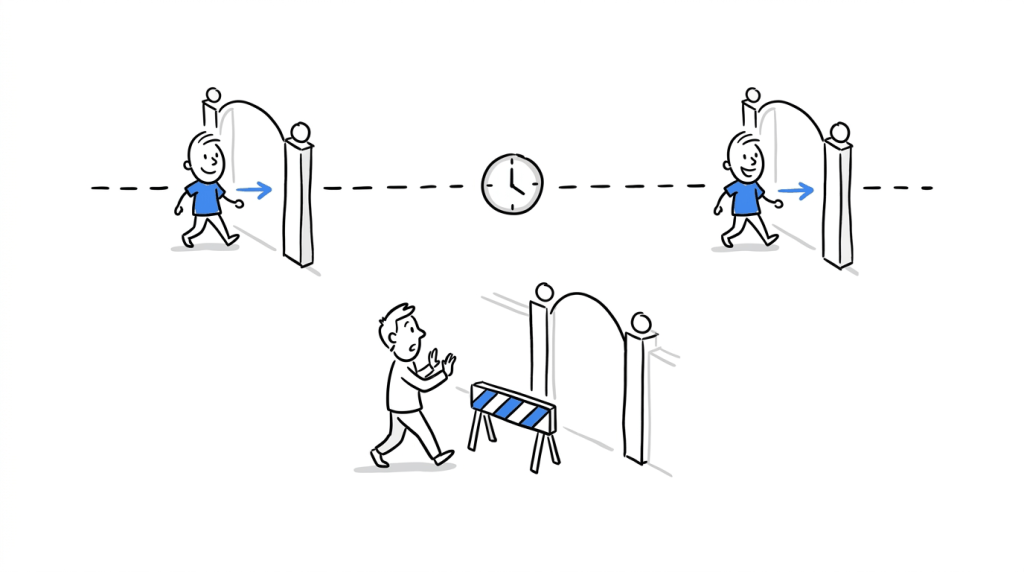
The final checks cover visitors and conditions that may not be represented in a basic preview. Your experiment needs to behave according to its rules when people return, move between pages or enter through different routes.
Verify exclusion rules
Test each exclusion that affects the experiment, including:
- Logged-in users or specific account types.
- Internal traffic and test accounts.
- Visitors arriving from excluded URLs or campaigns.
- Geographic or device-based targeting, where configured.
- Visitors who have declined consent, if the experiment’s implementation depends on consent.
- Pages or sections outside the experiment’s intended scope.
For each rule, document the expected behavior and test it. If a visitor is excluded, confirm that the experiment does not assign them to a variation or include them in the experiment’s results in a way that contradicts the platform’s configuration.
Test tracking across sessions
Cross-session tracking determines whether the platform can associate a returning visitor with the correct experiment assignment and subsequent actions.
Run a simple sequence:
- Visit the test page in a fresh browser session.
- Record the assigned variation using the platform’s preview or debugging tools.
- Navigate to another page on the same site.
- Close the browser and return later, using the same profile.
- Check whether the assignment persists according to the experiment’s settings.
- Trigger the conversion and verify that the event carries the correct experiment information.
Repeat the test with a new private session to understand how the platform treats a visitor without existing browser state. If the site supports logged-in users, test the relevant account flow too.
The expected result depends on the experiment’s identity and persistence rules. A browser-based assignment may not follow a visitor to another device, for example. Document that behavior so the QA process tests the intended implementation rather than assuming every platform identifies returning visitors in the same way.
Keep a record of the QA results
A short test log helps the team reproduce issues and verify fixes. Record the browser, device, test scenario, expected outcome and observed result. Attach screenshots or relevant network and console evidence when something fails.
| Test area | What to record |
|---|---|
| Variation rendering | Whether the intended changes appeared |
| Assignment | Assigned variation and persistence behavior |
| Conversion tracking | Event name, parameters and delivery status |
| URLs and redirects | Final destination and response behavior |
| Forms | Validation, submission and confirmation |
| Browser compatibility | Device, browser and any rendering issues |
| Exclusions | Whether the visitor qualified for the test |
| Cross-session tracking | Whether assignment persisted as configured |
Mark each check as passed, failed or blocked. Fix failures that could affect the visitor experience or the experiment data before launch, then rerun the relevant checks.
Conclusion
Experiment QA gives you a way to verify that a website experiment has been implemented correctly before you begin interpreting its results. It covers the details that determine what visitors see, how they are assigned and whether their actions reach analytics with the right information.
Use the checklist before launch, particularly when a test changes navigation, forms, page structure or tracking. Once the experiment is live, keep monitoring assignment ratios, conversion events and browser errors so you can catch problems that emerge under real traffic.
CROLabs helps teams run website experiments and track their performance. A consistent QA process complements that work by checking that the experience and its measurement are ready before the results start informing decisions.
Ready to put your experiments to work?
Turn your testing process into actionable conversion improvements with CROLabs. Run A/B tests, personalize website experiences, and use AI-powered CRO insights to find opportunities worth testing.
FAQs
What is experiment QA?
Experiment QA is the process of checking a website experiment before launch to confirm that its variations render correctly, assignment follows the intended rules, interactions work and analytics records the right information.
Why is experiment QA important for A/B testing?
A/B test results depend on the experiment being implemented and measured correctly. If a variation fails to render or a conversion event stops firing, the collected data may not represent the intended visitor experience.
When should you perform experiment QA?
Perform QA after implementing the experiment and before sending meaningful traffic to it. Repeat the relevant checks after changes to the variation, targeting rules, tracking configuration or scripts that affect the test.
How do you test whether an A/B test variation works?
Use the experimentation platform’s preview or debugging mode to view each variation. Check the page across relevant browsers and devices, interact with the changed elements, submit affected forms and inspect the browser console and network requests.
How do you check that conversion tracking works?
Trigger the conversion in each variation and inspect the incoming event using your analytics platform’s debugging tools. Confirm that the event name, parameters and experiment assignment are correct, and check that the event fires at the intended point in the journey.
Does experiment QA include mobile testing?
Yes. Test the experiment at mobile screen sizes and on relevant mobile browsers, including Safari on iOS where appropriate. Check the layout, interactive elements, form submission, assignment persistence and event tracking.
How do cookies affect experiment QA?
Cookies can store experiment assignments and help a platform recognize returning visitors. QA should check whether the assignment persists as configured and how the experiment behaves when cookies are unavailable, cleared or restricted by browser privacy settings.
Can you automate experiment QA?
Yes. Automated browser tests can check page rendering, navigation, form behavior and key events. They work well alongside manual testing for browser-specific behavior, targeting rules and issues that require inspecting the live experience. The checks should match the experiment’s implementation and be repeated whenever relevant code or configuration changes.