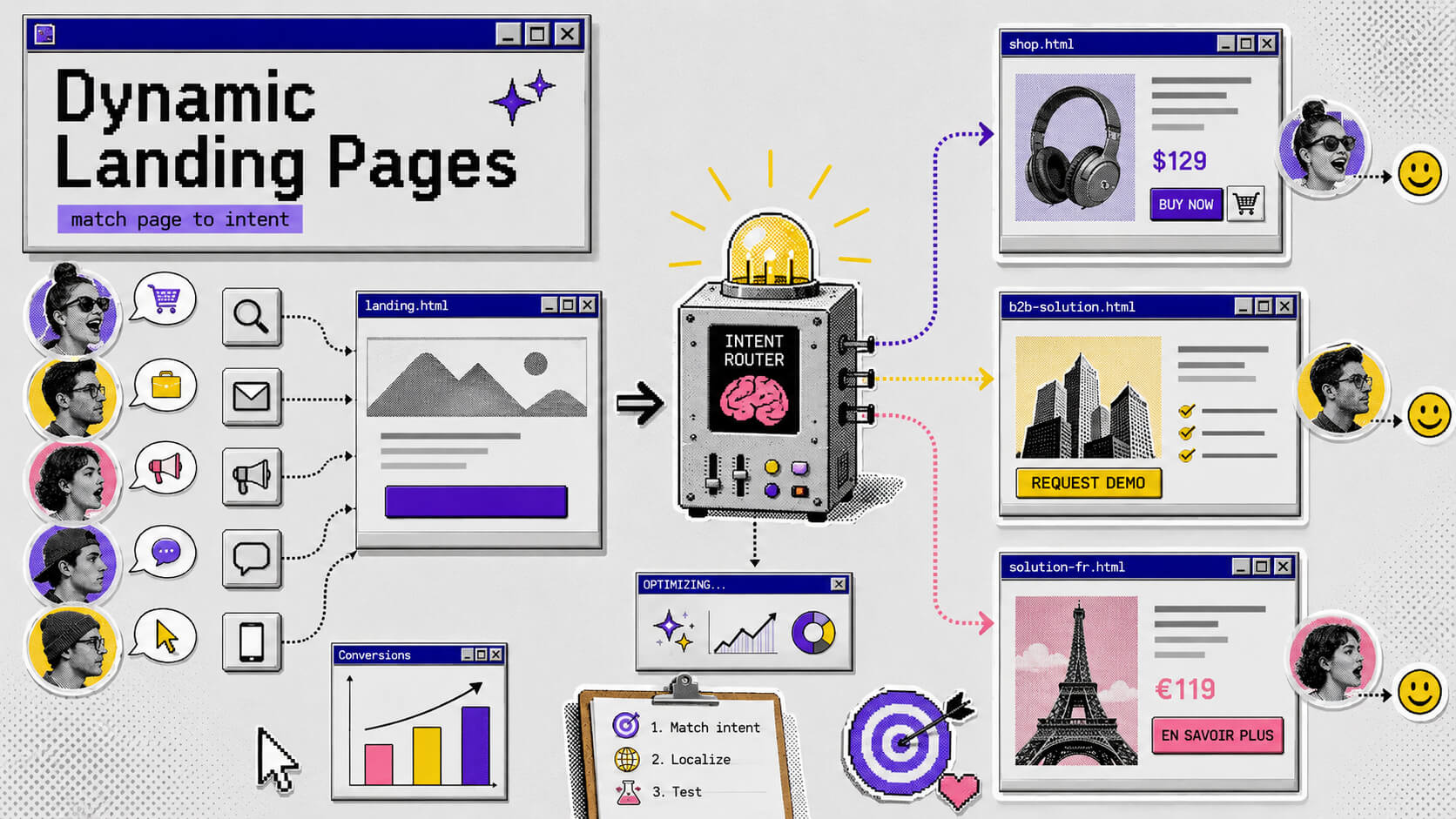
What if I told you there’s a better way to make your landing page work for you? If you’ve ever visited a product or service page online, you might know how right it feels to have the price match your location/country’s currency.
This may seem small and irrelevant, especially when you feel you have the perfect landing page (detailed, thorough and beautiful), but most landing pages still fail because no matter how beautiful they are, they fall flat for the job at hand.
Take, for example, your Google Ads campaign. When someone clicks on your ad that matches their search term word for word, there’s a high chance they’re landing on the same page as the person who just googled your company name. It’s also likely that it’s the same page that the one who found you through a LinkedIn post landed on as well.
All that traffic has a different intent, different context, and different stage of awareness from one another, yet it’s all directed to the same page.
This is a personalization problem, and it’s costing you conversions on clicks you (sometimes) have already paid for. Dynamic landing pages are the fix and the better way I previously mentioned that make your landing pages work for you.
On This Page
What Is a Dynamic Landing Page?
A dynamic landing page is a web page that automatically adjusts its content based on who’s viewing it. The headline, hero image, CTA copy, body text, and testimonials can all change in real time before the visitor even notices anything has loaded.
The trigger for these changes is the visitor’s data. The data tells you something about the visitor, like where they came from, what they searched for, what device they’re on, where they’re located. The page pulls that data from URL parameters, cookies, or behavioral signals, then swaps out specific content elements accordingly.
From the visitor’s side, it just feels relevant, like your page is really made for them. They searched for “project management software for creative agencies” and the headline says exactly that. They’re in Chicago and your page shows a local case study. They’ve been to your site before, and there’s now a CTA says “Continue where you left off” instead of “Get started.”
It doesn’t feel like marketing to your visitors, or that they’re falling through a funnel. It just feels like you understand their needs, and are meeting them exactly where they are.
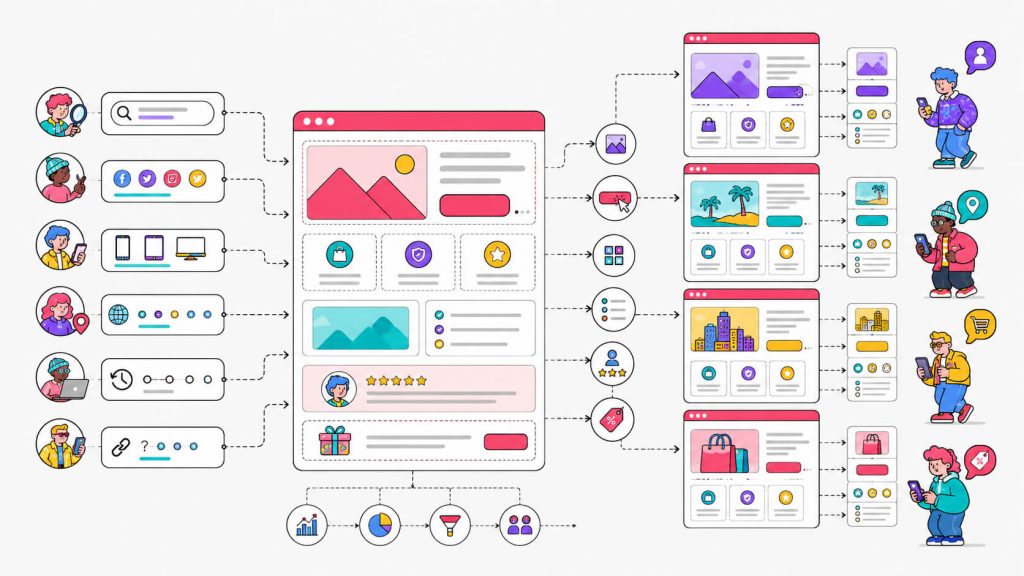
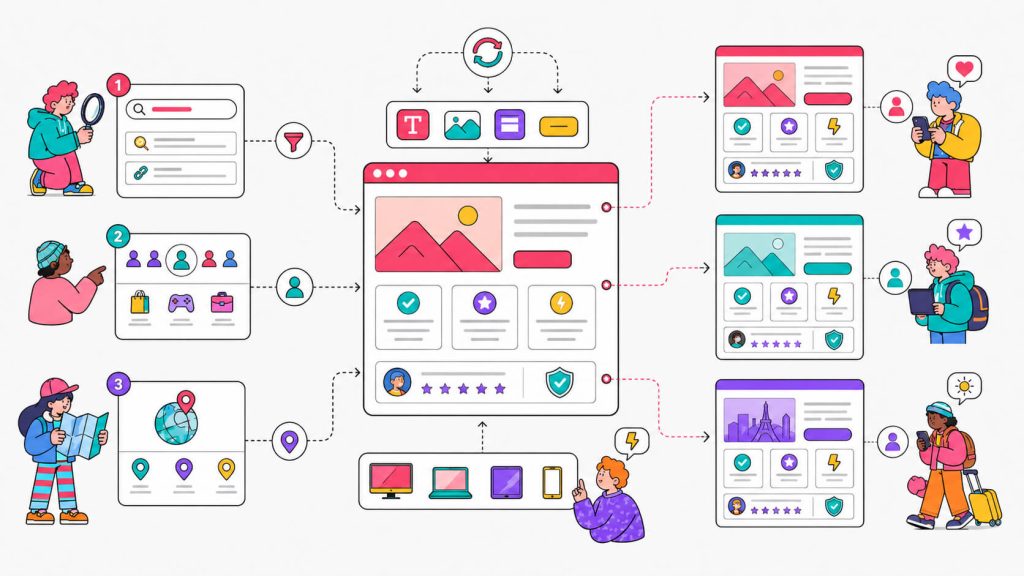
There are a few mechanisms behind how dynamic pages actually work:
Dynamic Text Replacement (DTR)
This is the most common. You grab the visitor’s search term, and that term gets inserted into specific spots on the page, usually the headline and sometimes the CTA. It’s one template, but it reads like it was written specifically for whoever’s looking at it.
Audience-based content swapping
Rather than simply inserting parameters into static text, audience-based content swapping shows entirely different content blocks depending on who the visitor is.
Visitors come in different flavors, they might be new to the site or returning visitors, they might be enterprise customers or small businesses, they might have clicked through from your email or come through from PPC. You get to decide exactly what content they see, and when, and build your messages accordingly.
Audience-based content swapping is more complex to set up, but significantly more powerful when the audience segments have genuinely different needs.
Geo-targeting
Geo-targeting helps you tailor your website content and page (including headlines, images, testimonials, prices, and more) to the visitor’s location. This method detects location and personalizes accordingly. Think city names in headlines, local imagery, nearby branch information, local currency, or region-specific offers.
It’s a smart and effective personalisation technique, particularly for mobile users, as people tend to be on the move with their phones and need to see local, nearby information.
These mechanisms can be used independently or stacked. Most teams start with dynamic text replacement for PPC campaigns since it’s the highest-value, lowest-effort entry point, and layer on more sophisticated personalization from there.
Static vs. Dynamic Landing Pages
A static landing page says the same thing to everyone. You write it once, publish it, and every visitor gets that same experience regardless of how they arrived or what they were looking for.
There’s nothing wrong with that, by the way. Static pages are simpler to build, easier to audit, and perfectly sufficient for campaigns with a tight, homogenous audience.
The problem shows up when your audience isn’t homogenous, which is most businesses running more than one campaign.
When you’re targeting multiple industries, demographics, or search intents simultaneously, a static page becomes a compromise. It’s built for the average visitor in a way that actually serves no one particularly well. The headline is broad enough to apply to everyone, which means that most times, it’s compelling to almost no one.
Here’s a side-by-side comparison of where each approach makes sense:
| Static Landing Pages | Dynamic Landing Pages | |
|---|---|---|
| Content | Fixed for all visitors | Adjusts based on visitor data |
| Build effort | Lower upfront | Moderate setup, lower ongoing |
| Personalization | None | High (by intent, location, source, segment) |
| Best for | Single campaigns, uniform audiences | Multi-campaign, segmented traffic |
| Experimentation | A/B test one page | Test by audience segment |
| Conversion potential | Baseline | Higher, especially for PPC and mobile |
The data is pretty clear on the conversion side. Dynamic landing pages convert approximately 25.2% more mobile users than static ones (SEO Sherpa). On any meaningful traffic volume, 25% more conversions from your existing mobile audience is a real number.
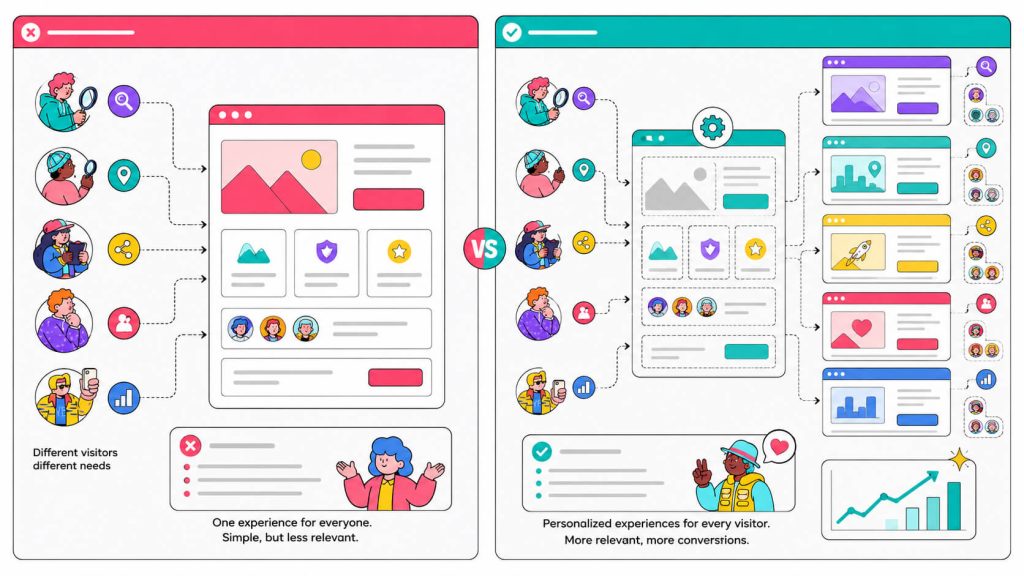
Static pages still have a role. But if you’re spending real money on paid search, it’s best not to route everyone to one page.
Paying For Clicks That Don’t Convert?
Match your landing pages to visitor intent and turn more of your existing traffic into customers.
Benefits of Dynamic Landing Pages
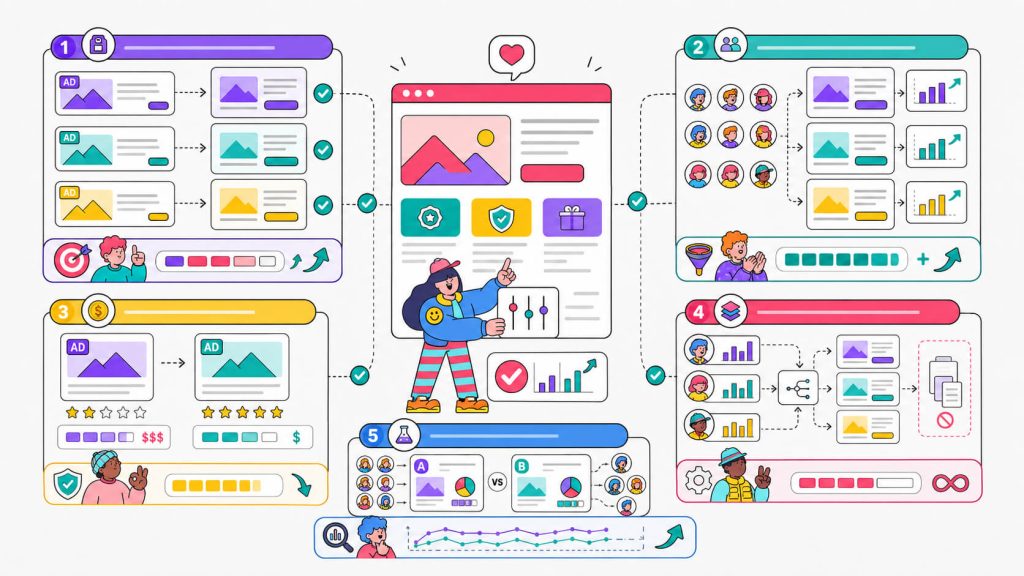
a. Your ads finally have a matching landing page
One of the most common CRO failure in paid campaigns is message mismatch. Most times, your ad is tight and specific but the landing page is generic. Visitors feel the disconnect even when they can’t name it.
Dynamic pages close that gap without forcing you to build a separate page for every keyword group or audience. With one template, you can cover many relevant experiences.
b. More conversions from traffic you already have
As we know, getting more traffic (sometimes) costs money but getting more out of existing traffic costs effort. One of the highest impact efforts you can make as a business is personalization. Personalized CTAs convert 202% better than generic versions (Genesys Growth).
c. Lower cost-per-click on paid search
A relevant landing page boosts your Quality Score in Google Ads. Higher Quality Score means lower CPC. Dynamic pages, specifically those using dynamic keyword insertion to match the visitor’s search query, directly improve this, which means you’re not just converting better, you’re also paying less per click.
d. Scalable without building pages forever
The alternative to dynamic personalization is building individual pages for every audience segment. That works fine for three audiences but it becomes unmanageable at twenty. Dynamic pages let you serve many audiences from a single template, with the variables doing the heavy lifting instead.
e. Sharper experimentation data
When you run A/B tests on a dynamic page, you can test which message resonates with which audience, not just which version wins overall. The data gets specific, and more specific data means better hypotheses for the next test.
Best Practices For Creating Dynamic Landing Pages
Building an effective dynamic landing page is easier said than done. You know you need one that entices your visitors to take action but creating that exact one that converts well takes some care.
a. Match the ad message exactly
If your ad says “Free CRO Audit for E-Commerce Stores,” the landing page headline needs to say exactly that. Even a loose paraphrase is enough friction to lose visitors. The closer the message match, the better the conversion.
b. Set a strong fallback for when parameters are missing
Dynamic text replacement breaks when a visitor arrives without the expected URL parameters. In this case, your default text has to convert on its own.
c. Personalize the headline first
Not every element on the page needs to be dynamic. The headline is where visitors make their first decisive judgment about whether a page is for them, so it makes sense to personalize this.
You can start with the headline first and once you get that right, build out from there.
d. Keep dynamic insertions to 2–3 per page
Dynamic keyword insertion works when it feels natural. The right amount you can go for is usually the headline, one dynamic insertion in the body copy, and in the CTA. If you do more than this, it starts to feel like the page is parroting the visitor, which undermines trust rather than building it.
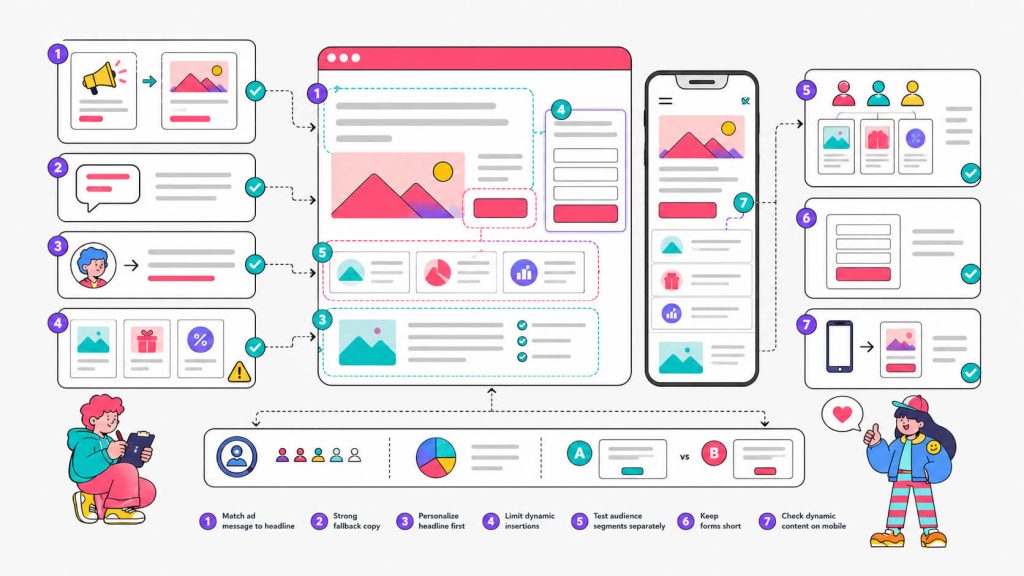
e. Test segments separately
If you’re personalizing for three different industries, run experiments within each industry rather than pooling them. This is because mixed segments make test results harder to read. For example, your “winning variant” might be winning because one segment is skewing everything.
f. Keep forms short
Personalization increases relevance, but friction still kills conversions. Make sure you don’t let a beautifully personalized headline lead into a form with multiple unnecessary fields. Reducing from 11 fields to 4 has been shown to increase form completions by 120%.
g. Test your dynamic content on mobile specifically
You may not know this, but most searches take place on mobile. Responsive design and mobile optimization are not the same thing, however.
Longer search terms inserted into headlines can wrap awkwardly on smaller screens, so test how your dynamic variants actually render on mobile before launching.
Curious How Your Landing Page Would Perform With Personalization?
Use CROLabs to identify where dynamic content can have the biggest impact on conversions.
Optimizing Dynamic Landing Pages [With Examples]
Let’s look at some real-world examples of positive results gotten from implementing a dynamic landing page.
Example 1: Dynamic Keyword Insertion in Headlines (PPC Campaigns)
What it is: The visitor’s search term is captured through a URL parameter and gets inserted directly into the page headline. With one page, you match dozens of keywords, each one feeling like it was written for whoever searched it.
Why it works: Visitors who see their exact search term (or a very close match) in your headline register immediate relevance. The mental question “is this page for me?” gets answered before they’ve read a single sentence.
The result: Dynamic text replacement that is based on search query keywords boosts conversions by 31.4%. In a documented case from KlientBoost, their client Reliant One achieved a 28.88% conversion rate on their lead form. They attributed it directly to using dynamic keyword insertion that automatically inserted the visitor’s state name in the headline and form. (Source: KlientBoost)
As a bonus, this also directly improves Quality Score in Google Ads, which lowers your CPC. It’s a conversion win and a cost win at the same time.
Example 2: Audience Segment Personalization (Tailored Copy by Segment)
What it is: This is when you show different headlines, body copy, testimonials, or imagery to different audience segments based on traffic source, ad group, or visitor attributes. The visitor doesn’t see the other versions, they just see the one that speaks to them.
Why it works: Generic pages naturally have to speak broadly. But the moment you can speak specifically (using the language your segment uses, addressing the objections they actually have, showing proof from people like them), the page becomes meaningfully more compelling.
The result: KlientBoost created audience-specific landing pages for their B2B client Docket, tailoring the copy and design to different US market segments instead of running a single generic page. The outcome was a 68% increase in conversions compared to the generic pages. (Source: KlientBoost)
That same principle, executed at scale, looks like what Thinkific did. The online course platform built over 700 landing pages using Unbounce, with each one tailored to a specific campaign, audience, or industry. In under two years, those pages drove over 150,000 conversions. On a single back-to-school campaign, they doubled conversion rates compared to the year prior and signed up 600 new Pro customers in two weeks. Their webinar landing pages also consistently hit 50% conversion rates. (Source: Unbounce)
Essentially, a lot of targeted pages that each do one thing well is what “scaling personalization” actually looks like.
Example 3: Geo-Targeting Personalization (Location-Aware Pages)
What it is: The page detects the visitor’s location and adjusts content accordingly. That can look like a change in city names in the headline, photos of local locations, region-specific testimonials, local currency, and nearby branch information.
Why it works: Local relevance creates trust, particularly on mobile. Seeing your city name in a headline signals that this business operates in your world, not just generally. That’s a small thing that changes the weight of what follows.
An applied example: An accounting firm running Google Ads for multiple cities can run one dynamic page instead of building and maintaining ten. When someone in Manchester searches “small business accounting Manchester,” the headline reads “Small Business Accounting in Manchester. Free Consultation”. A visitor in Birmingham also sees a version tailored to them.
This also works for B2C at scale. An insurance provider, KlientBoost’s client Reliant One, used location-based dynamic insertion to pre-fill state names in their landing page headlines, contributing directly to that 28.88% conversion rate mentioned above.
Example 4: Segment-Specific Pages at Scale (High-Volume Audience Targeting)
What it is: A segment-specific page is made by building multiple distinct page versions for different audience segments and sending traffic to the right version. Audiences can be segmented by traffic source, behavioral state, or relationship to your brand.
Why it works: Sometimes the segments are different enough that trying to handle them all with one template’s variables doesn’t capture the full picture. The visitor who found you through Pinterest while browsing wedding inspiration is in a genuinely different mental state than the one who clicked your retargeting ad after visiting your pricing page.
The result: Wedding platform Zola built over 300 custom landing pages, each designed to speak to a specific kind of prospect. Each page was written and designed for that person’s specific context and intent.
The outcome: conversion rates on advertising traffic improved by 5% to 20% over their generic website pages. (Source: Unbounce)
That 5–20% range might sound modest compared to some of the bigger numbers in this article. But on a paid acquisition budget, that’s the difference between a campaign that barely breaks even and one that has a healthy ROAS. And because Zola was building these with a no-code tool rather than through their dev team, the cost of creating and testing those pages didn’t scale linearly with the number of pages.
Ready to Test Dynamic Landing Pages on Your Site?
Launch personalized experiences, segment visitors, and measure the impact without relying on developers.
How to Get Started Using CROLabs
You don’t need to overhaul your entire marketing stack to start running dynamic landing pages. But you do need a way to understand what’s happening on your current pages, test what you’re changing, and track whether it’s actually moving conversions.
CROLabs is built for exactly this. It’s a CRO platform with A/B testing, analytics, personalization, and an AI Advisor. The best part is you can do all your work without needing to loop in a developer for every experiment.
Let’s look at how it fits into a dynamic landing page workflow.
Start with analytics, not assumptions
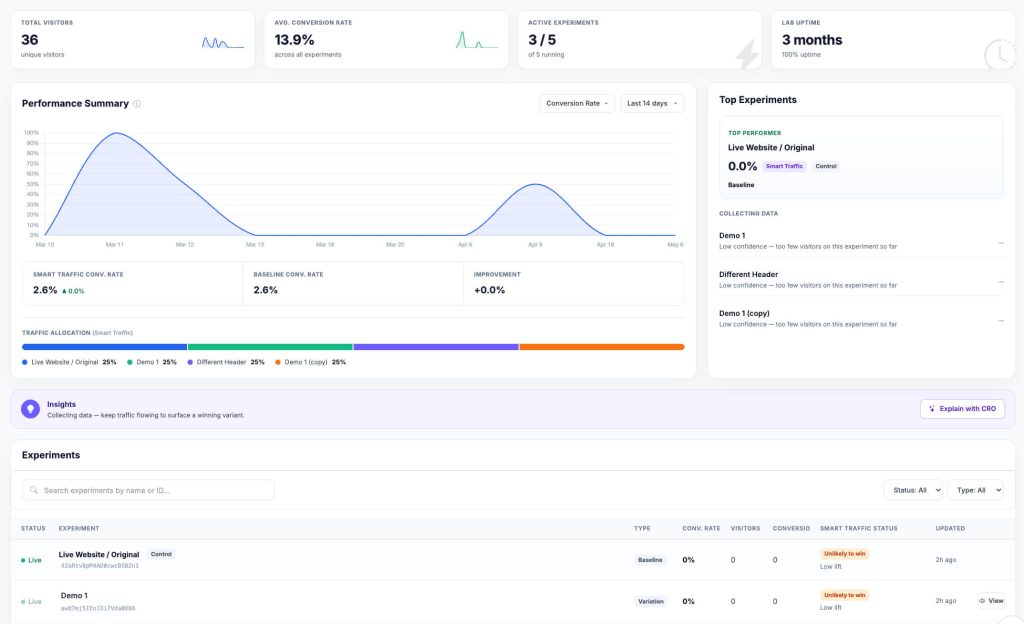
Before personalizing anything, use CROLabs’ analytics to understand where visitors are dropping off on your existing pages. If the hero section is the exit point, that’s where your personalization effort should go first. If visitors are reaching the form but not submitting, that’s a different problem and a different fix.
Run A/B tests on your dynamic variants
CROLabs’ A/B testing feature lets you set up experiments between your personalized variant and your control without involving a developer. You can run the segment-specific version against the generic version, then let the data tell you how much the personalization is actually moving the needle.
Personalize which visitors enter an experiment
This is where CROLabs’ personalization and audience targeting becomes specifically relevant to dynamic landing pages. Before a visitor enters your experiment, CROLabs checks them against your targeting rules. If they match, they enter the test. If they don’t, they see the original page and aren’t counted as tested users.
Why does this matter? Because without it, your experiment results average across everyone. A mobile variant that converts 25% better for mobile users can look like a 3% lift when desktop traffic is mixed in. That’s not enough to call a winner, so you kill a test that was actually working.
You can set targeting rules for device type (mobile, tablet, desktop), screen size by pixel width, or referrer (where the visitor came from). You can also stack multiple rules on the same experiment and a visitor has to match all of them to enter. For example, “Mobile visitors arriving from Google Ads” has two rules and takes about thirty seconds.
You can also run parallel experiments on the same page at the same time without them interfering with each other. You can run one test for mobile, a separate test for desktop, each with clean data from the audience it was actually designed for. That’s more hypotheses tested per month, which means more learnings, which means faster compounding improvements to your conversion rate.
Use the AI Advisor for prioritization
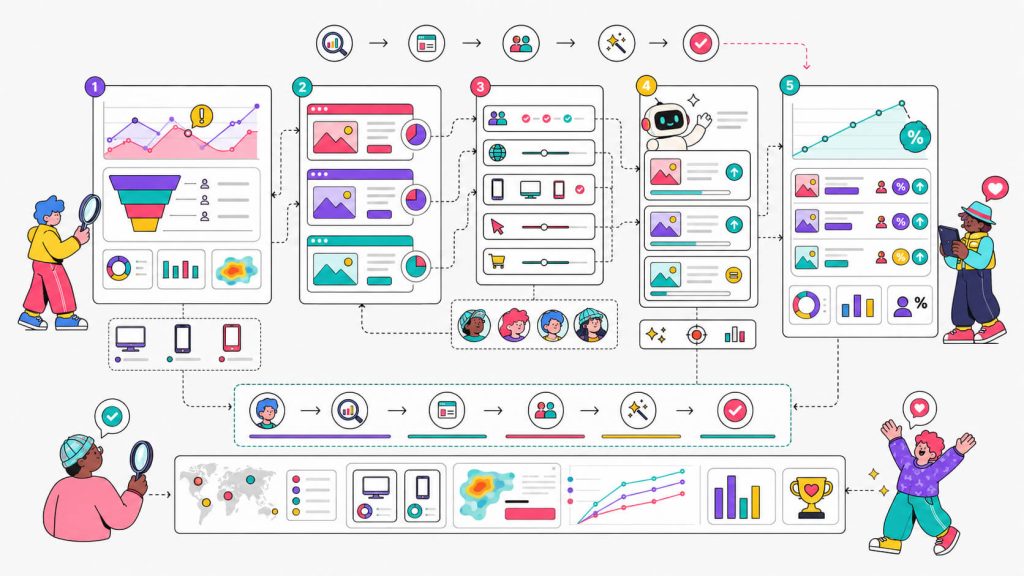
The AI Advisor crawls your pages, benchmarks against industry standards, and tells you what’s costing you conversions. If your dynamic headline is working but your CTA isn’t, you’ll know which problem to solve next rather than working through a long list of guesses.
Track conversions per variant
With CROLabs’ conversion tracking, you can set up specific goals for each audience segment’s intended action. You can track conversions from form submission, demo booking, and trial signup. This keeps your experimentation data clean and comparable across variants, which matters a lot as you add more segments over time.
Build Personalized Landing Pages That Convert
Create audience-specific experiences, run A/B tests, and track results from one platform.
Conclusion
The gap between your ad targeting and your landing page experience has a real cost. Every visitor who lands on a page that doesn’t match what they searched, where they came from, or what they need is a conversion you didn’t get on traffic you already paid for.
Yes, dynamic landing pages close that gap, but not all at once, and not without testing. The compounding logic is that a headline that matches the search query converts better, a page that speaks to the specific audience segment converts better, and a CTA that reflects the visitor’s intent converts better. Each of those improvements builds on the others.
FAQ
What’s the difference between a dynamic landing page and a personalized landing page?
The terms get used interchangeably, and the distinction doesn’t matter much in practice. “Dynamic” usually refers to the mechanism, that is content changing in real time based on data signals. “Personalized” describes the intent, tailoring the experience to the visitor. Most dynamic landing pages are personalized, and meaningful personalization usually requires some dynamic functionality.
Do I need a developer to build a dynamic landing page?
Not necessarily. Tools like CROLabs allow you to implement personalization and run A/B tests without touching code. Some more complex personalization setups, like server-side content swapping based on CRM data, will need developer involvement. But for most PPC-focused dynamic pages (dynamic text replacement, segment-based variants), you can get moving without one.
How do I know which elements to personalize first?
Start with analytics. Look at where visitors are exiting on your current pages. The element that affects the most visitors at the highest drop-off point is your first target. In almost every case, that’s the headline because it’s where visitors decide whether a page is for them, and it’s the highest-impact, lowest-effort place to start.
Can dynamic landing pages hurt SEO?
Handled correctly, no. The key is making sure your dynamic pages use canonical tags properly so search engines understand which version is the primary one. If you’re generating hundreds of parameter-based page variants, canonical tags prevent duplicate content issues. For SEO-targeted pages specifically (as opposed to PPC pages), dynamic content needs a bit more care, but it’s not a reason to avoid personalization altogether.
How long does it take to see results?
It depends on traffic volume. Higher-traffic pages can surface statistically significant results in two to four weeks. Lower-traffic pages need more time per experiment. The more granular your segments, the longer it takes to collect enough data per segment to read confidently. Start with your highest-traffic pages and work down.
What’s a realistic conversion lift to expect?
It genuinely varies. Dynamic text replacement has been documented to lift conversions by 31.4%. Audience-specific page personalization has produced results from 5% improvements (Zola) to 68% (KlientBoost/Docket) depending on how different the starting page was from what the audience actually needed. The more generic your current page is, the more room there is to gain.