Updated Oct 2026
If a landing page gets 2,000 visitors in a week and 14 conversions, that number tells you the page has a problem. However, it doesn’t tell you what the problem is.
Sometimes when this happens, nobody on the team can say why it did exactly, because nobody agrees on where to even start looking. The designer might want to change the CTA button while paid media is convinced it’s the audience. Someone floats the idea of adding more testimonials, because that worked on a different page a few months back.
This happens on a lot of teams running paid traffic to a landing page: something breaks, and everyone has a different theory about why. The fixes get tried in whatever order feels most urgent that week, without anyone confirming which part of the page is actually failing first.
Diagnosis and optimization aren’t the same job, and skipping the first one is why so many landing page rebuilds don’t move the number. This article is about the diagnosis part: working through a page from the moment someone clicks an ad to the moment they either convert or leave, and figuring out where it’s actually breaking down.
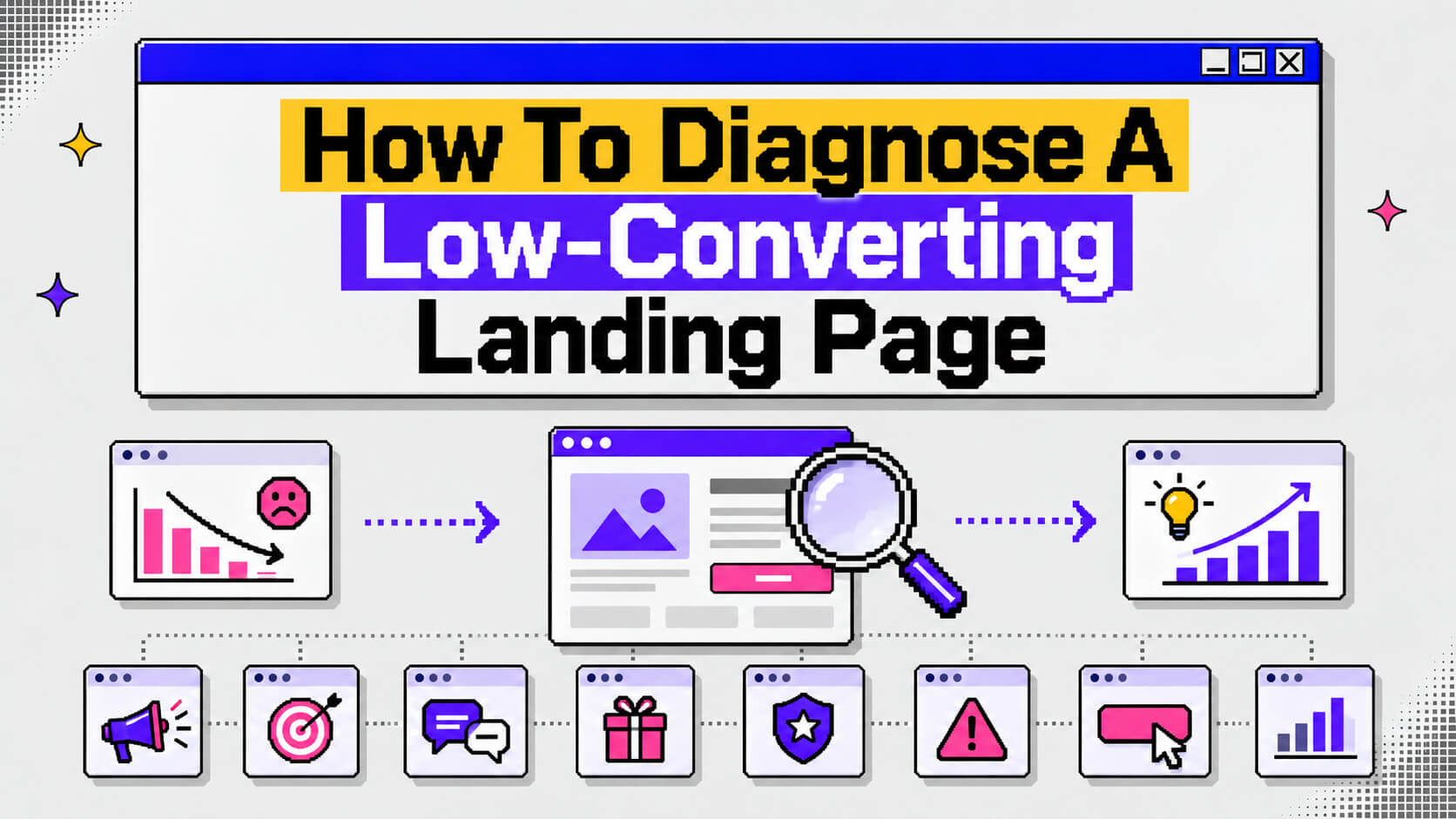
The framework below has eight layers, and they are traffic, intent, message, offer, trust, friction, CTA, and measurement. Each one can independently sink a page’s conversion rate, and each needs a slightly different kind of investigation. They’re grouped into five sections here, plus one section on a mistake that trips up a lot of teams doing this for the first time.
On This Page
Start With Traffic And Intent, Not The Page Itself
Before touching a single word of copy, check whether the visitor and the page were ever a good match to begin with. A page can be well-written, fast, and clean, and still convert at 1% because the wrong people are seeing it.
Where The Traffic Is Coming From
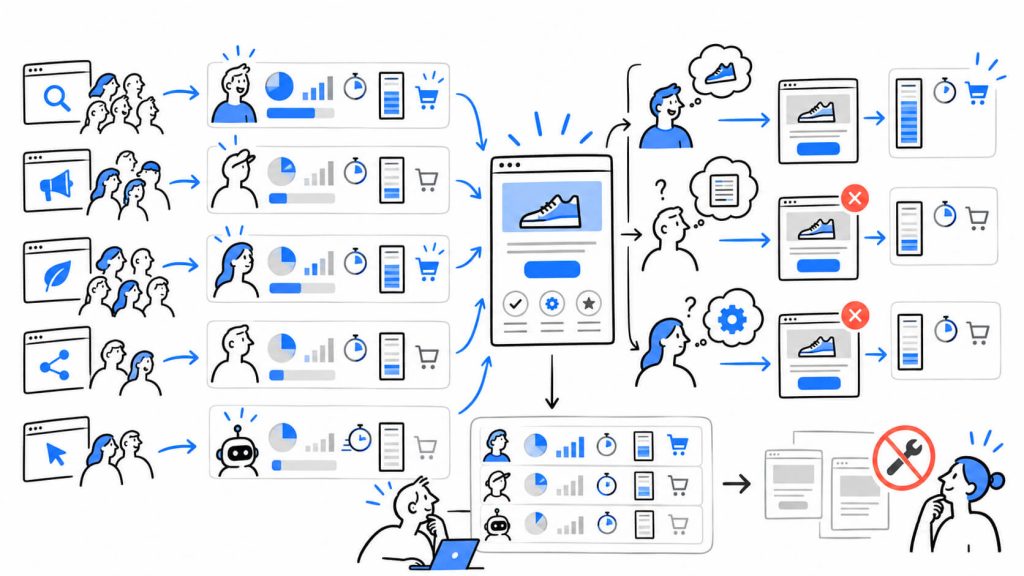
Break traffic down by source before looking at anything else. A blended conversion rate hides a lot. Paid social traffic behaves differently than branded search traffic, and lumping them together in one number makes it look like the whole page has a problem when really one channel is dragging the average down.
Worth checking here:
- Does conversion rate vary a lot by channel, and which channel is worst?
- Is a meaningful share of sessions coming from placements nobody chose, like display network spillover or broad-match keywords that barely relate to what you sell?
- Are low-quality or bot sessions inflating the visitor count without showing up as real behavior (near-zero time on page, no scroll, no interaction)?
If one channel converts at 8% and another at 0.4%, the page might be fine. The traffic feeding it isn’t.
What The Visitor Expected To Find
Traffic quality answers who showed up. Intent answers what they thought they were getting. A visitor who searched “free CRM template” and lands on a demo request page for enterprise software didn’t get what they came for, even if the click itself was legitimate.
To check intent:
- Pull the actual search terms report for search campaigns, or the ad creative and audience targeting for social, and compare it line by line to what the landing page promises.
- Look at scroll depth and time on page by segment. Visitors who bounce in under five seconds usually decided the page wasn’t for them before reading a word of it.
- Check what action the page asks for against how far along the visitor already is. Someone who clicked an ebook titled “state of the industry” isn’t ready for a “book a call with sales” page yet.
Traffic and intent problems get mistaken for copy problems all the time. A rewritten headline won’t fix a channel that’s sending the wrong audience in the first place.
Where The Message And The Offer Start To Slip
Once the right people are showing up for the right reason, the next question is whether the page follows through.
Message Match, Or The Lack Of It
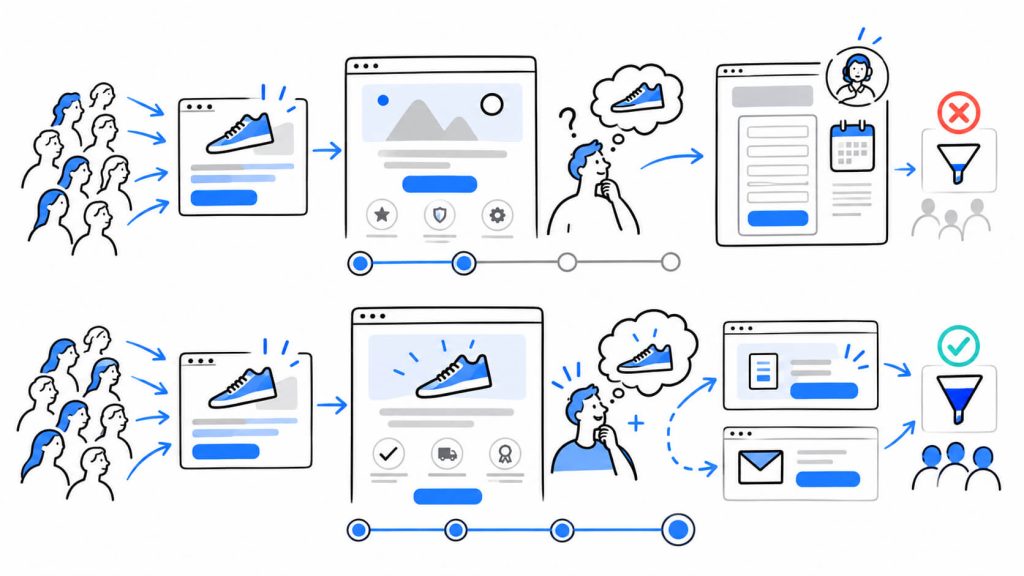
If an ad says “cut onboarding time in half” and the landing page headline says “The all-in-one platform for modern teams,” there’s a gap between what got the click and what’s greeting the visitor. This is usually called message match, and it’s one of the more measurable things on this list.
A quick way to check it:
- Put the ad copy and the landing page headline side by side.
- Ask a colleague who hasn’t seen either one to read the ad, then the page, and say out loud whether it feels like the same offer.
- If they hesitate, or start explaining what they think the page probably means, that’s the gap.
The visitor should walk away feeling like the ad and the page describe the same thing, whether or not the exact wording lines up.
The Offer Itself
Separate from messaging, look at what’s actually being asked for. Is “book a 30-minute demo” a reasonable ask for a visitor who just discovered the brand through a blog post? Is a free trial that requires a credit card upfront really free in any way that matters to a skeptical visitor?
- List what the visitor gets and what it costs them: time, information, money, risk.
- Compare that ratio to where they are in the funnel. Cold traffic needs a lower-commitment offer than traffic that already knows the brand.
- Check whether a lower-friction version of the same offer exists anywhere on the page, for visitors who aren’t ready for the primary ask.
Basecamp ran into this kind of gap years ago with Highrise, their CRM product. Swapping a generic, feature-led headline for a real customer’s quote about the actual outcome she got moved conversion up by 102.5%. The offer stayed exactly the same the whole time. Framing carried the full lift on its own.
Is your landing page really the problem?
Trust And Friction: The Two That Work Against Each Other
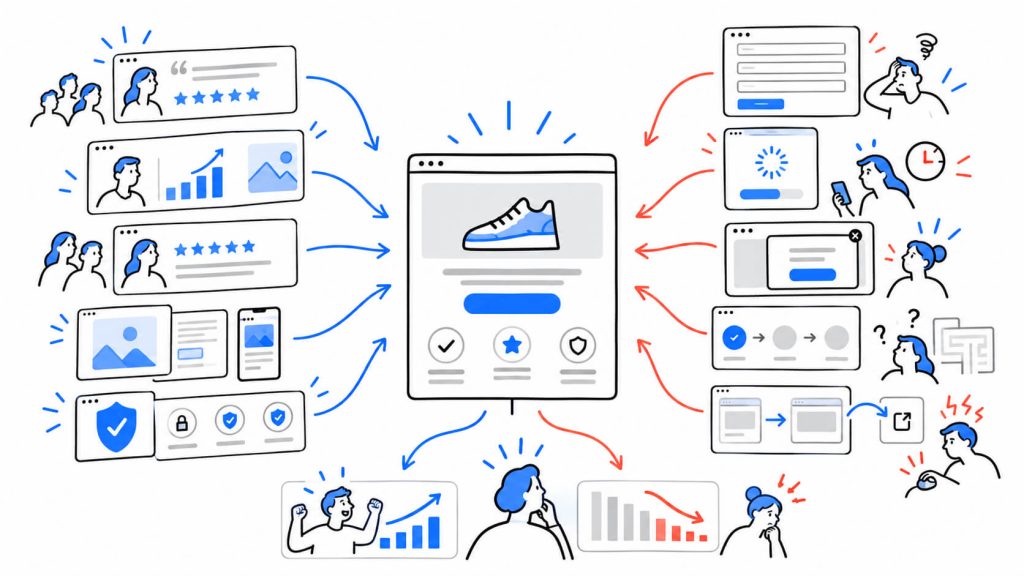
By this point, the right visitors are arriving and the page is telling them something true and relevant. If conversion is still low, the reason usually lives in how safe the page feels, and how easy it is to act on.
Trust Signals A Skeptical Stranger Would Check
Trust signals often get tacked onto a page late in the process, treated as decoration. Investigate them the way a skeptical visitor would, not the way the team that built the page would.
- Specific proof over vague claims. “Trusted by thousands” tells a visitor nothing. A named customer with a real result does more work.
- Recency. A testimonial or case study from four years ago reads differently than one from last quarter, especially in a fast-moving category.
- Verification. Can a visitor click through to confirm a review is real, or check a security badge against an actual certification?
- Design consistency. A polished ad leading to a page with a clashing font, a broken image, or an outdated screenshot undercuts every other trust signal on the page before anyone reaches a testimonial.
A landing page audit for MaritzCX found their value proposition buried under a column of text with almost no visual hierarchy. Restructuring around clearer proof points, without touching the offer, lifted conversion by 26.93%.
Find the friction your analytics miss
Visitors can tell you where a page feels difficult long before your conversion rate tells you why. CROLabs helps you spot conversion blockers across your page so you know what to investigate next.
Friction: Every Small Tax Between Landing And Converting
Form length is the most cited example of friction, but it’s far from the only one.
- How many fields does the form actually require, and which ones could be collected later, once the visitor is already invested?
- How long does the page take to load on a mid-range phone on mobile data, not on office wifi?
- Does anything interrupt the visitor before they’ve had a chance to read the offer, like a popup that fires on page load?
- Is the path from landing to converting a single page, or does it route through steps that weren’t obvious from the ad?
Unbounce’s benchmark data, drawn from more than 57 million conversions across 41,000 pages, puts the median landing page conversion rate at 6.6% across industries, with SaaS pages sitting lower, around 3.8%. Friction is one of the biggest reasons a specific page falls under its industry’s median instead of near the top of it.
Session recording tools like Microsoft Clarity, which is free, help here because they show the exact moment someone hesitates, rage-clicks, or abandons a form field, instead of just reporting that they left.
What Happens At The CTA, And Whether You Can Even See It
The CTA Itself
By the time a visitor reaches the call to action, most of the real damage, or the real win, has already happened upstream. Still, the CTA can undo good work above it.
- Does the button copy describe the actual next step (“Start your free trial”) instead of something vague (“Submit” or “Learn more”)?
- Is there one primary action per section, instead of several competing asks fighting for the same click?
- Can the visitor tell what happens immediately after clicking? A CTA that leads to a surprise multi-step form breaks the trust it just built, even when nothing dishonest was intended.
HubSpot’s analysis of more than 330,000 CTAs found that personalized CTAs, matched to a visitor’s stage or source, converted 202% better than generic ones. That’s a meaningful gap for something as small as button copy.
Whether You Can Measure Any Of This
None of the layers above mean much if tracking can’t isolate them. A lot of “low-converting” pages are pages with broken or incomplete measurement, where the real conversion rate is different from what the dashboard shows.
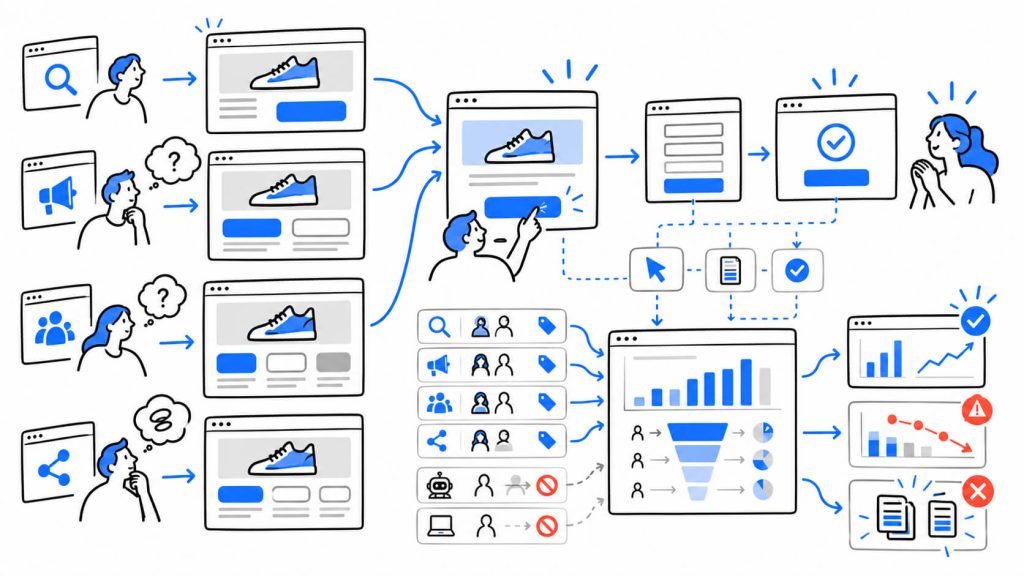
Before diagnosing anything else, confirm:
- The conversion event fires only on genuine completions, not on page loads or button hovers.
- Traffic sources are tagged consistently, so a channel breakdown can be trusted rather than guessed at.
- Sessions from your own team, agency, or QA testing are excluded from the numbers decisions get made on.
- Drop-off is visible step by step if the conversion path has more than one screen, instead of only a single top-of-funnel and bottom-of-funnel number.
Skip this step, and every finding from the layers above ends up describing noise instead of a real behavior pattern.
The Diagnosis Trap: Why Teams Fix The Wrong Layer First
There’s a pattern worth naming on its own, separate from the eight layers above: teams often end up testing whatever layer is easiest to see, whether or not it’s the layer actually causing the problem.
A marketer looks at a landing page, and the thing right in front of them is the CTA button, so that gets tested first: the color, the copy, the size, maybe the placement. Weeks later the number hasn’t moved, because the real issue was a mismatch between the ad’s promise and the page’s headline, three sections above the button. The CTA button turned out to be the most visible, most editable thing on the screen, which is exactly why it got tested first, and exactly why the test didn’t change anything.
The same trap shows up with trust signals. Adding a fourth testimonial to a page that already has three doesn’t help much if visitors are leaving because the offer asks for too much too early. And redesigning a form’s layout won’t matter if the traffic hitting that form searched for something the product doesn’t do.
How easy a layer is to change says nothing about whether it’s the layer causing the drop. Working through traffic, intent, message, offer, trust, friction, CTA, and measurement in that order forces a check on the upstream layers before anyone touches the downstream ones, which is usually where the real fix is hiding.
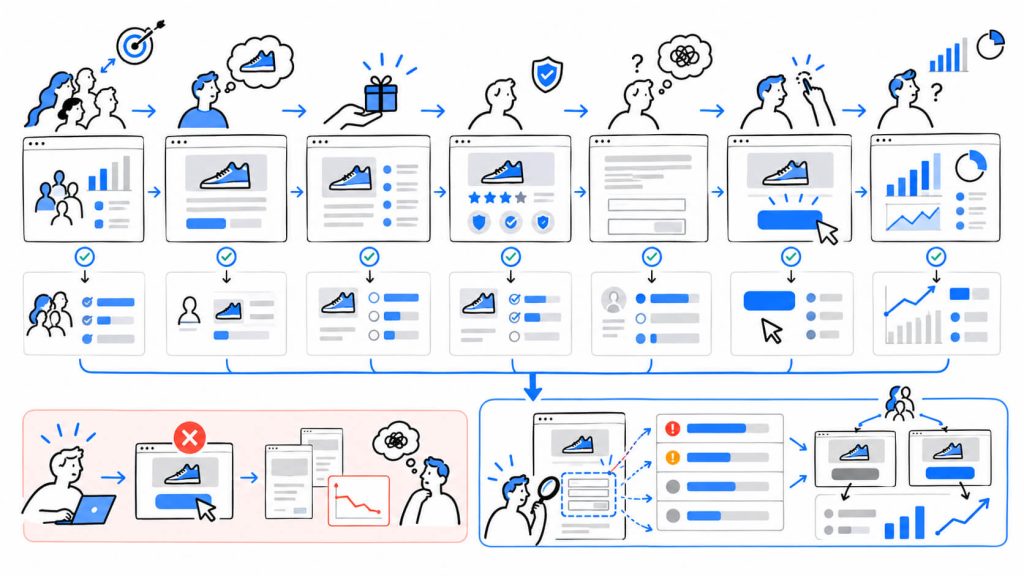
This is the specific gap CROLabs’ AI Advisor is built to close. Instead of starting with whichever element is easiest to spot, it crawls the page, checks it against each of these layers, and hands back a ranked list of what’s costing conversions, so the first test gets aimed at the right layer instead of the most visible one.
Conclusion
A low-converting landing page rarely has one cause. It usually has a handful of small ones stacked across different layers, and the order you investigate them in decides how fast you find the real problem versus how many weeks get spent polishing something that was never broken.
Work from the outside in: confirm the right people are arriving for the right reason, check that the page delivers on what got the click, look at trust and friction through a stranger’s eyes, then get to the CTA and the measurement underneath all of it. Once the diagnosis is done and you know which layer is actually costing conversions, that’s the point to bring in tools built for the fix itself, whether that’s personalizing the page by audience or tightening up the post-click experience.
Stop testing the easiest thing to change
Your CTA might be easy to edit. That doesn’t mean it’s the reason people aren’t converting.
FAQs
How long should a landing page diagnosis take?
For a single page with reasonable traffic, a few thousand visitors a month, a full pass through all eight layers usually takes a few hours to a day, most of which goes into pulling and reading data rather than looking at the page itself. An AI-driven audit tool shortens the data-gathering part significantly, since it checks message match, trust signals, and friction points automatically instead of manually.
What’s a good landing page conversion rate to aim for?
It depends heavily on industry and traffic source. Unbounce’s benchmark data puts the median at 6.6% across industries, with SaaS pages typically lower, around 3.8%, and finance or legal pages sitting higher. Compare a page against its specific industry median rather than one blanket number. Source
Should you diagnose the whole site or just one page at a time?
Start with one page, ideally the one receiving the most paid traffic or the one tied to the most important goal. Diagnosing layer by layer on a single page is faster to act on than auditing an entire site at once, and the patterns found often repeat across other pages once you know what to look for.
Can a page have good traffic and intent but still fail on message and offer?
Yes, and it’s one of the more common combinations. A visitor can be exactly the right audience, arriving with genuine interest, and still leave if the page underneath doesn’t confirm what they expected or asks for more commitment than they’re ready to give.
Is a low conversion rate always a landing page problem?
Not always. Sometimes the page is doing its job and the real issue sits earlier, in targeting or ad creative, or later, in a slow sales follow-up after someone converts. That’s part of why checking traffic and intent first matters: it rules the page in or out before anyone spends time rewriting copy that was never the actual issue.