Updated Oct 2026
Your website already knows more about a visitor than the page usually lets on.
A person might arrive after searching for a specific feature, come through a review site, click an email campaign, or return after spending twenty minutes on your pricing page last week. Those signals tell you something about what brought them there and what they might be looking for now.
The problem is that most websites collect this information without doing much with it.
That leaves a lot of useful context sitting in analytics dashboards while the visitor gets the same experience as everyone else. Traffic-source personalization gives you a way to change that, starting with the signals you already have and the parts of the page that matter most.
On This Page
What “Personalizing By Traffic Source” Actually Means
Every visitor arrives carrying a small trail of data with them: a referrer, a UTM parameter, a search query, maybe a cookie from their last visit. Traffic source personalization means reading that trail and adjusting the page in response, without building a separate URL for every scenario.
In practice, the source signals worth acting on usually fall into a handful of buckets:
| Source signal | What it tells you | What’s worth changing |
| Paid search (branded) | They already know your name | Skip the intro, lead with proof or pricing |
| Paid search (non-branded) | They’re solving a problem, not looking for you specifically | Match the headline to the exact search term |
| Paid social | Cold, mid-scroll, low patience | Shorter copy, one clear next step |
| Organic / referral | Higher trust, came via someone else’s recommendation | Can handle more detail, less urgency needed |
| Comparison or review sites | Already evaluating you against competitors | Lead with differentiation, not the basics |
| Email / campaign link | Already read specific messaging | Keep the same language and offer, don’t restart |
A landing page trying to be “the average best” for all six of those groups ends up being nobody’s best option. This is a big part of why marketers end up asking why a page that looks fine on paper still isn’t converting. Traffic is rarely the problem in those threads. What the page promises versus what the ad or search result already promised usually is.
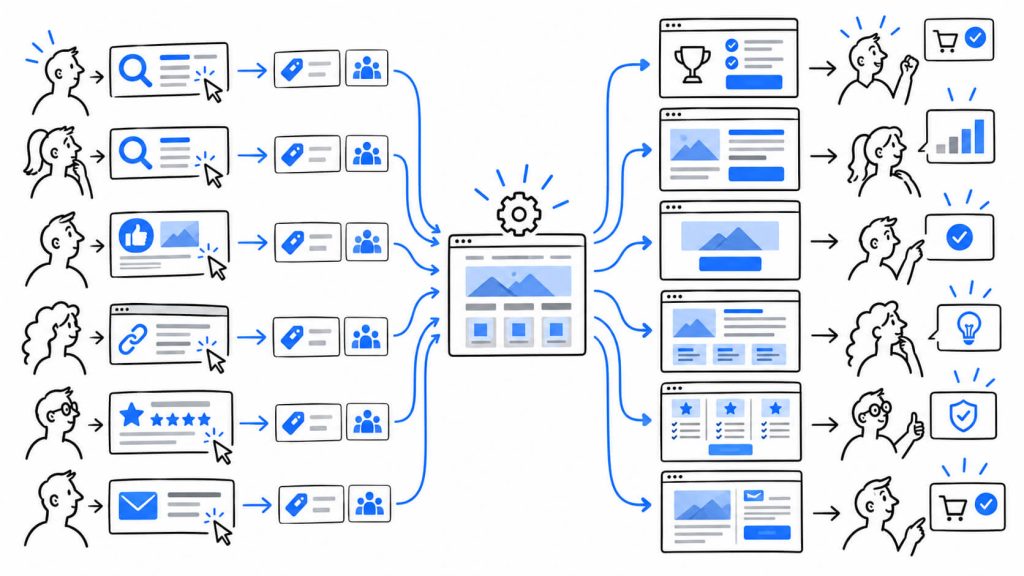
This sits one layer under the broader personalization CROLabs has covered before, which deals with personalization as a category. What we’re covering here is narrower: the specific act of reading traffic source and on-site history, then adjusting copy, offers, or navigation in response. If you’re building this manually, dynamic text replacement tied to UTM parameters is the cheapest entry point. If you’re using something like CROLabs’ audience personalization, the source and behavior data is usually already being captured, you’re just deciding what to do with it.
Make every visit more relevant
Your visitors arrive with different intentions. Give them a page that can respond to where they came from and what they’re looking for.
Returning vs. First-Time Visitors Need Different Jobs From Your Page
A first-time visitor doesn’t know if you’re legitimate yet. They need context: who you are, what problem you solve, why they should keep reading past the hero section.
A returning visitor has already answered those questions for themselves. Showing them the same introductory copy again wastes the one advantage you have, which is that they’ve already chosen to come back.
Optimizely ran into this directly as they moved upmarket. Rather than running one homepage for everyone, they built 26 different versions split by company, industry, and visitor status, including a separate treatment for logged-in customers that swapped in their actual account manager’s photo instead of a generic sign-up pitch. The point wasn’t sophistication for its own sake. It was recognizing that a prospect and a customer are being asked to do two completely different things on the same page.
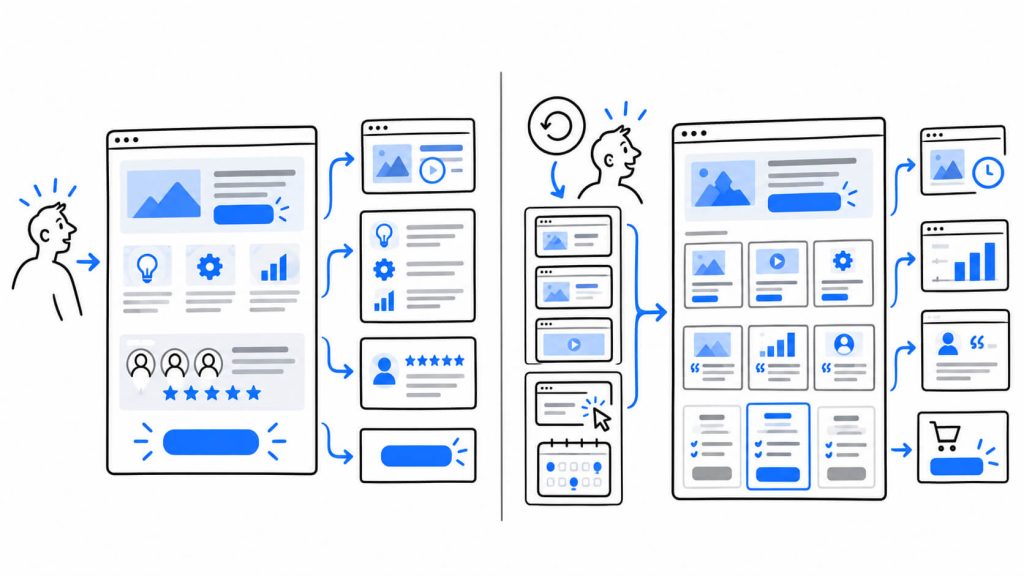
For a returning visitor who hasn’t converted yet, a few changes tend to carry most of the weight:
- Swap a “Learn more” style CTA for something further down the funnel, like “See pricing” or “Book a demo”
- Drop the section explaining what your product is if they’ve already scrolled past it twice
- Surface the specific page or feature they looked at last time instead of a generic overview
None of this requires knowing someone’s name or their company. A cookie that says “this browser has been here three times in the last two weeks” is enough to justify a different opening.
What Your Site Already Remembers (Pages, Conversions, and Campaigns)
Most analytics setups are already collecting far more visitor history than teams end up using. Three signals in particular tend to sit unused.
Previous pages viewed
If someone spent time on your integrations page last visit, that’s a stronger signal of intent than anything you could ask them directly. A returning visitor who lingered on a specific feature page can be shown a case study or FAQ tied to that exact feature instead of the same broad homepage message everyone else sees.
Previous conversions
There’s a meaningful difference between someone who’s never given you an email address and someone who already downloaded a guide or started a trial. Continuing to push the same top-of-funnel offer at someone who already converted once just adds friction, since you’re asking them to do something they’ve already done. The more useful move is showing them what comes after that first conversion: a next step, a related resource, or a nudge toward the action that follows the one they already took.
Previous campaigns
If a visitor clicked through from a specific email about a pricing change or a new feature, and they come back to your site a few days later through a direct visit, the page they land on often has no memory of that context. Keeping the language and offer from that original campaign consistent across the visit, rather than resetting to generic homepage copy, keeps the conversation going instead of asking the visitor to reorient from scratch.
None of these three require anything exotic. UTM parameters, a simple cookie, and a page-view history are enough to act on all three, well before you’d need a full customer data platform.
Turn traffic data into better experiences
You already know where your visitors come from. CROLabs helps you use that context to create more relevant website experiences without building a new page for every audience.
Customer vs. Prospect: The Split A Lot Of Homepages Get Wrong
This one sounds obvious written out, and it still gets missed constantly: a paying customer landing on your homepage does not need to see a sign-up pitch.
If someone’s already logged in, or their email domain matches a known account, showing them “Start your free trial” is close to irrelevant. Worse, it can read as though the business doesn’t actually track who its own customers are, which undercuts trust rather than building it.
A cleaner split usually looks like this:
- Prospects see the standard conversion path: trial signup, demo request, pricing.
- Customers see account-relevant content: support resources, upgrade paths, or a direct line to their account manager, the way Optimizely’s homepage treatment did above.
- Churned or lapsed accounts sit in between. They know the product already, so a win-back offer usually performs better than either the prospect pitch or a neutral customer view.
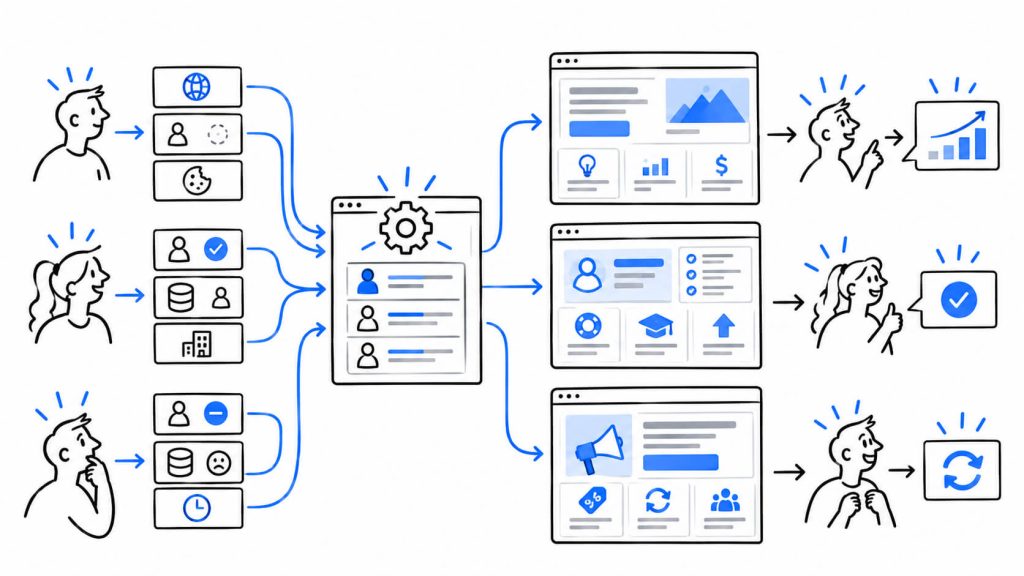
Detecting this doesn’t require deep integration work in most cases. A login cookie plus a domain match against your CRM covers the majority of scenarios, and it’s usually the single highest-impact change on this list relative to how little engineering time it takes.
The Traffic Source Most Personalization Guides Skip: Comparison And Review Site Visitors
Most personalization write-ups stop at geography, device, and returning-visitor status. There’s a traffic source that gets far less attention and behaves nothing like the rest: visitors arriving from G2, Capterra, Product Hunt, or a “[competitor] vs [your product]” search.
This group has already done homework. They know competitors exist, they’ve probably read a review or two, and they’re not looking for an introduction to your category. Landing them on the same top-of-funnel homepage everyone else sees wastes the one thing you know about them for free: they’re already comparing.
A page built for this traffic works differently from a standard landing page:
- Skip the category explainer. They already know what the product does.
- Lead with what’s actually different about your approach, not a restated value proposition.
- Address the specific comparison directly if you can detect which competitor they were reading about, through the referring URL or the search query.
- Keep proof specific. A generic testimonial does less here than one that mentions switching from a named competitor.
This is close to what’s sometimes called a “competitor conquest” approach in paid landing page strategy, and it applies just as well to organic traffic that never touched an ad. Detecting it is mostly referrer matching (g2.com, capterra.com, producthunt.com) plus watching for “vs” or “alternative” in your organic search query data where it’s available. None of it requires a large personalization budget to set up, just a rule that swaps a section based on where the click came from.
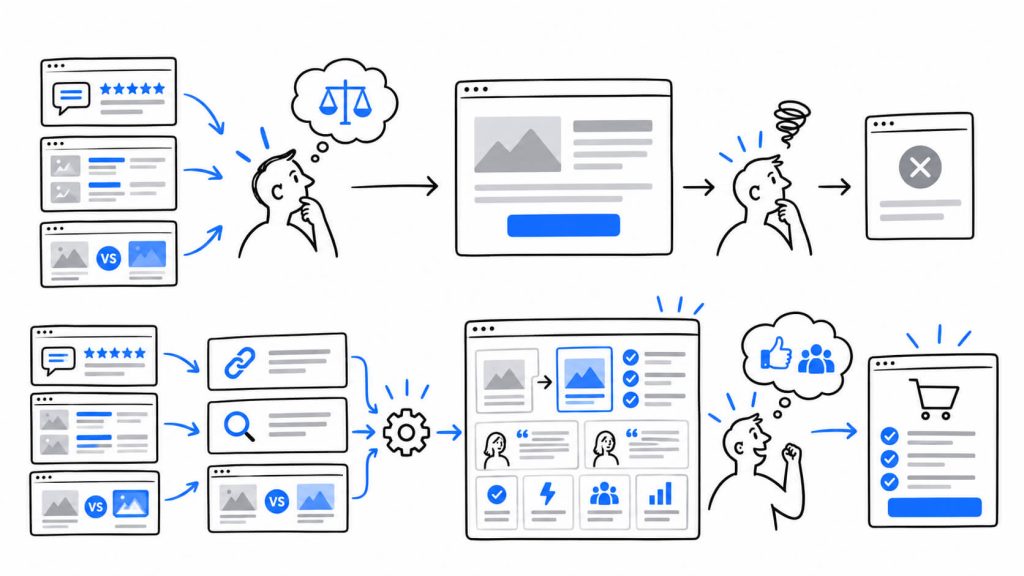
The Hotels Network ran a version of this idea for paid hotel booking traffic, personalizing each stage of the booking flow rather than leaving paid visitors on the same experience as everyone else, and measured a 31% average lift in web conversion across the test. The underlying lesson translates outside travel: paid and comparison-stage traffic tends to reward specificity more than any other segment, because they’re actively deciding between options rather than discovering the category for the first time.
Your homepage doesn’t need one message
A visitor from a competitor comparison page has different questions from someone arriving through a branded search. Create experiences that match the context behind the click.
When This Helps, And When It Starts To Feel Like Surveillance
CROLabs already covered the broader warning signs of over-personalization in an earlier piece, and that reasoning still applies here. But traffic-source and behavior-based personalization has its own specific ways of tipping into something uncomfortable, separate from the general pattern.
A few of them show up more often than people expect:
- Naming the exact ad someone clicked. “We saw you clicked our LinkedIn ad about X” reads as tracking, not relevance, even when it’s technically accurate.
- Referencing a competitor by name based on referral data. Knowing someone came from a competitor’s site is useful internally. Saying so out loud to the visitor crosses from helpful into unsettling fast.
- Getting “returning visitor” wrong. Shared devices, cleared cookies, or a different person on the same work laptop can all trigger a false “welcome back,” which tells the visitor your tracking is running even when you’re wrong about who they are.
- Assuming customer status incorrectly. A prospect who happens to match a domain rule getting treated like an existing customer, or the reverse, is a specific and avoidable failure mode of this exact kind of personalization.
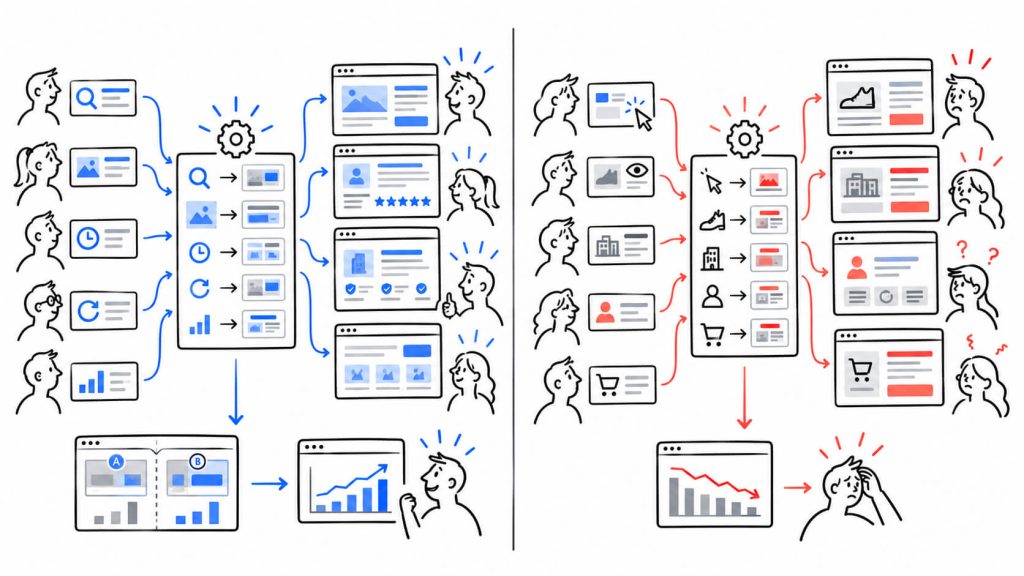
The through-line with the broader over-personalization problem holds: the fix isn’t turning every source and behavior signal on because the data exists. It’s picking the ones tied to an actual drop-off you can point to, testing the change against a control, and keeping the resulting page simple enough that a visitor never has to wonder how you knew what you knew.
Conclusion
Traffic source and on-site history are two of the cheapest personalization signals available, mostly because the data is usually already sitting in your analytics stack, unused. Returning visitors, previous behavior, customer status, and comparison-stage traffic each call for a different, specific change rather than a general “personalize more” mandate.
Start with one segment. Paid versus organic is usually the easiest split to build and measure first. Match the message to what that traffic already expects, run it against your current page through proper testing rather than judgment alone, and expand from there once you can point to a measurable difference rather than a page that simply looks more sophisticated.
Give each visitor a better next step
Use traffic source and visitor behavior to show people content that fits where they are in their journey. Set up personalized experiences with CROLabs.
FAQ
Do I need a dedicated personalization platform to do this?
Not for the basics. UTM-based dynamic text replacement and a simple returning-visitor cookie cover most of what’s in this article without any specialized software. A platform becomes worth it once you’re managing several segments at once or want the change tested against a control automatically rather than tracked by hand.
How much traffic do I need before this is worth setting up?
Enough to measure a difference within a reasonable window. A source getting a few dozen visits a month won’t produce a trustworthy result no matter how well the personalization is built. A few hundred monthly visits per source is a more realistic floor.
What should I personalize first if I can only do one thing?
Message match between the ad or search term and the page headline. It’s the cheapest change to make and usually the one with the clearest, fastest signal on whether it worked.
Does showing different content to different traffic sources hurt SEO?
Not if you’re serving the same core content to search crawlers and only swapping secondary elements like headlines, CTAs, or proof sections based on referrer or UTM data. Cloaking, where crawlers and visitors see fundamentally different pages, is the actual risk, and it’s a different practice entirely from source-based message matching.
How is this different from A/B testing?
A/B testing compares two versions of the same page to find a single winner for everyone. Traffic source personalization serves different versions to different segments at the same time, based on where they came from or what they’ve already done, rather than picking one page to run for the whole audience.