Updated June 2026
Google Optimize is dead and VWO killed the free tier at the end of 2025. If you want to use any of the serious testing/experimentation tools, it’s looking like you need to shell out over $200 per month.
For small businesses, or medium size business owners, you already know this is a problem. A/B testing is one of the single best methods for increasing conversion rates with the traffic you already have.
But not to worry, the current set of a/b testing tools are affordable while being better than you might think. Starting with $0, most tools now give you visual editors, proper statistics, and reliable data.
In this article you’ll find the top 8 Google Optimize alternatives for small or medium sized businesses. Some have a free tier while others offer a free trial.
I’ll tell you what they’re best used for, and give you the free tier limits so there are no surprises.
I’ll also cover:
- Why A/B testing is non-negotiable if you want consistent conversion growth
- What you’re actually trading off with free tools (and what’s fine to live with)
- How to pick the right tool for your specific situation
Let’s get into it.
On This Page
Why A/B Testing Is Non-Negotiable for SMBs
Every time someone lands on your website, they either do what you want them to do or they don’t. That’s the whole conversion rate optimization (CRO) equation in one sentence by the way, and A/B testing is how you figure out which version of your page tips more visitors to a yes.

Without this, you’re stuck making changes based on what you think will work. Having to rely on hunches and gut feelings about how to tweak a site is not a good way to operate a business.
But a/b testing takes the guesswork out of that CRO equation we mentioned earlier. You can create an experiment with two or more page variations, then your visitors are randomly split and assigned to each page. The data then reveals to you which one is the winning variant.
A/B testing is an important part of conversion rate optimization because the wins stack. A headline that boosts conversions by 8% has a positive impact on a CTA that also increases conversions by 6%. A layout change with a 5% conversion boost means a total increase of more than just 19%, which is the sum of the individual conversion boost percentages.
And if you need more evidence, it’s proven that teams running consistent A/B tests report 37–49% higher conversion rates on average over 12 months. This is even more important for SMBs than it is for enterprises. You simply can’t afford to funnel ad dollars into traffic that’s landing on a poorly optimized page.
The Pros & Cons Of Free A/B Testing Tools
Here’s the real deal on what you get (and don’t get) with some a/b testing platforms when you go free.
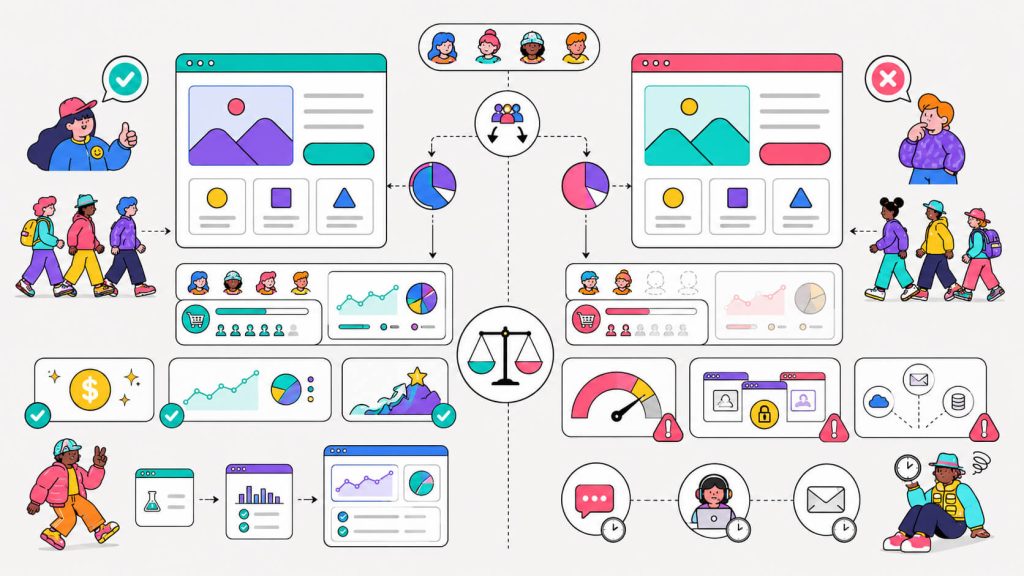
The pros or benefits of free a/b testing tools:
- Zero financial risks:
This makes it easy to gain experimentation buy-in from your team, and to test out whether this approach will work for you.
- Real data:
The best free plans will allow you to run experiments on your real website with no sandboxed accounts or restricted data. You’ll be able to see the impact of your experiments on real traffic and actual data.
- A clear upgrade path:
When you choose a free tool, you’ll have a much better idea of which paid features you need, when you’re actually ready to upgrade, and what the cost of that upgrade will be. Free tools often have baits and hooks designed to get you to upgrade. Knowing this upfront can help you prepare for the switch.
The cons of free a/b testing tools:
- Traffic and usage caps:
Most free tiers limit monthly visitors, events, or tracked users. High-traffic sites will hit the ceiling.
- Fewer concurrent tests
Free plans often cap you at one or two active experiments at a time, which slows the compounding.
- Limited integrations
CRM connections, Slack alerts, custom webhooks, etc often live behind paid tiers.
- Slower support
When something breaks, paying customers get the faster response.
🚨 Spoiler alert:
These cons don’t apply to CROLabs.
None of these are dealbreakers for most SMBs. They just mean you should pick a tool that matches where your business currently is.
How To Choose the Right Free A/B Testing Tool
Consider these four questions before you install anything.
1. How much traffic do you have? Free plan limits vary wildly. It can range from 500 page views a month to 2 million events. So compare your monthly traffic numbers to the plan caps for each platform. A tool with a “generous free tier” that’s still well below your volume isn’t actually free for you.
2. How technical is your team? Some tools, like GrowthBook and Statsig, are built for engineering and data teams. Others, like CROLabs and Mida, are built for marketers who don’t want to touch code. There’s no wrong answer, but picking the wrong category might mean weeks of setup for a tool your team won’t actually use.
3. What platform are you running on? WordPress site? Nelio A/B Testing might work for you because it lives inside your dashboard. Firebase app? Firebase A/B Testing is already in your stack. Already a Zoho shop? PageSense is the natural fit.
4. What are you actually trying to test? If it’s headlines, CTAs, and page layouts, a visual editor is enough. For feature releases and product experiments, you need feature flags. Define your testing scope first, then match the tool to it.
Get those four answers right and you’ll narrow a list of 8 tools down to 2 or 3 very quickly.
1. CROLabs
Best for: AI-powered insights without developer overhead
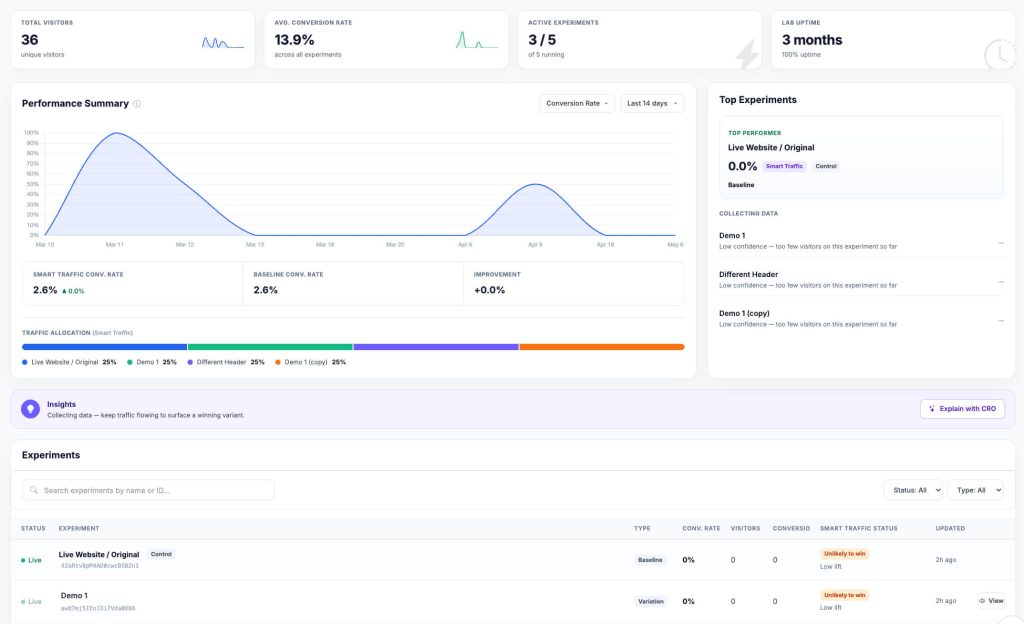
CROLabs is an AI-powered conversion optimization and A/B testing platform built for marketing teams. It’s purely no-code, which means no developer assistance is required.
What sets it apart from most tools here is the AI Advisor. Before you build a single test, the Advisor crawls your pages and runs a multi-agent analysis using benchmarks specific to your industry.
It then delivers a prioritized list of what to fix first, ranked by expected conversion impact. With this, you start with a shortlist of what’s most likely to move your numbers.
From there, you build tests using a no-code visual editor. Experiments are delivered through your own domain, which keeps page speed fast and attribution accurate (no data bleeding through ad blockers). You can set up conditions for your tests as well as targeting rules.
The platform handles both A/B and multivariate testing, tracks results against real conversion goals, is GDPR-Compliant, and includes a WordPress plugin for seamless site integration.
Features:
- AI Advisor
- A/B testing
- A/B testing personalization
- Multivariate testing
- No-code visual editor
- Conversion tracking
- Integrations (GA4, Shopify, Hubspot)
Best for:
SMBs who want to know what to test, not just have a place to run tests they’ve already guessed at.
Pricing:
Free trial available. Starts at €99.
Built for SMBs That Don’t Have Dedicated CRO Teams
You shouldn’t need engineers, analysts, and expensive enterprise software just to improve conversions.
2. PostHog
Best for: Developer-dependent a/b tests
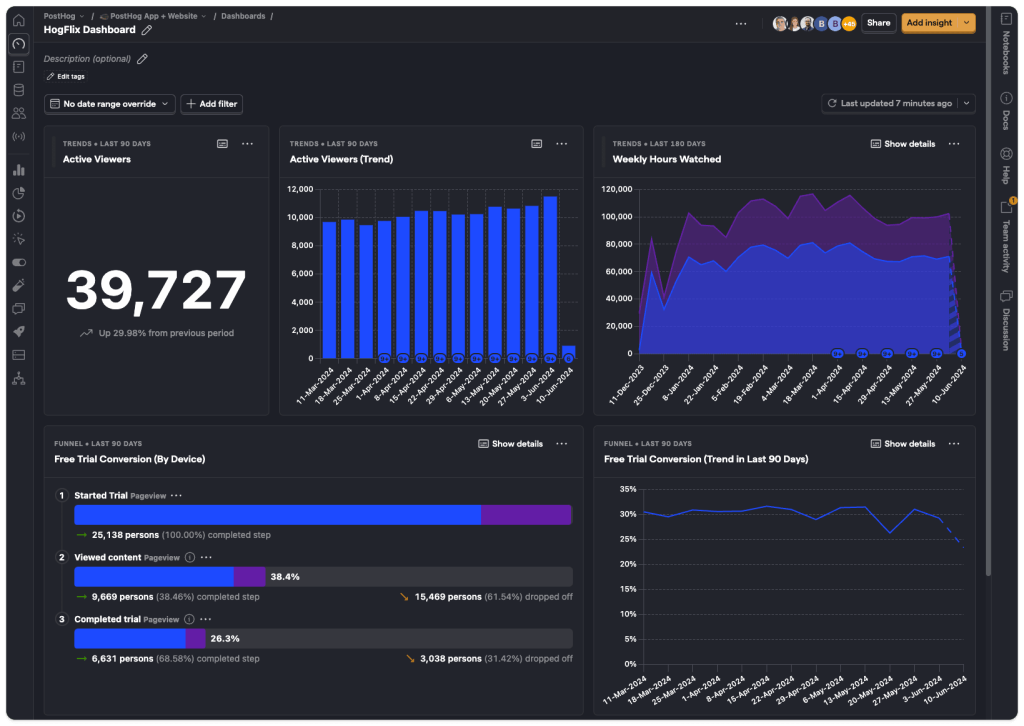
PostHog is an open-source product analytics platform with experimentation built directly into the suite.
For SMBs already asking “where do people drop off?” at the same time as “which version converts better?”, having this in one platform removes the need to stitch together data from three separate tools.
Open-source also means no black box, so if you need to understand how something is calculated, you can go look.
The tradeoff is PostHog is more developer-friendly than marketer-friendly. Getting experiments set up takes more technical involvement than tools like CROLabs.
Free plan features:
- Up to 1 million events/month
- Session recording
- Surveys (limited)
- Feature flags
- Error tracking
Best for:
Tech-forward SMBs with at least one developer who want analytics and experimentation under the same roof.
3. GrowthBook
Best for: Technical teams who want complete control (self-hosted or cloud)
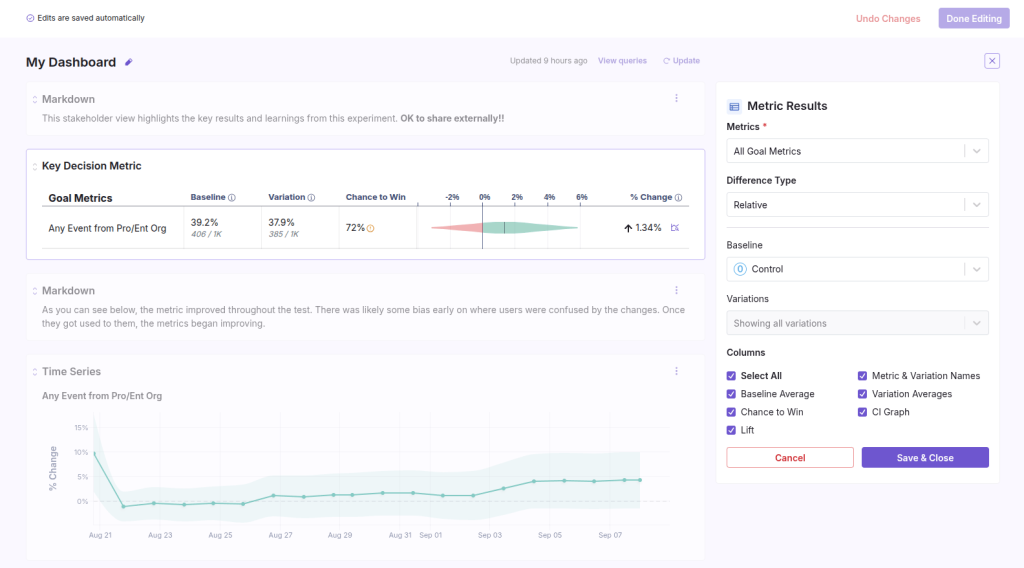
GrowthBook is open-source, which means you’re not locked into anyone’s infrastructure. You can self-host it, run it in the cloud, or choose hybrid.
The free tier has no traffic limits and no artificial feature gates. You can run unlimited A/B tests, multivariate tests, and feature rollouts. The platform gives you advanced statistical methods (CUPED), which actually makes your tests more powerful by reducing noise.
The downside is setup. GrowthBook’s visual editor isn’t one you log into and start testing, you’ll need development resources to implement it. But if you have those resources, GrowthBook is one of the most powerful free options available.
Free plan features:
- Unlimited feature flags
- Unlimited experiments
- Warehouse-native analytics
- Unlimited traffic
- Up to 3 users
Best for:
Technical or developer-led teams who want full control.
4. Statsig
Best for: Product and engineering teams at growth-stage SMBs
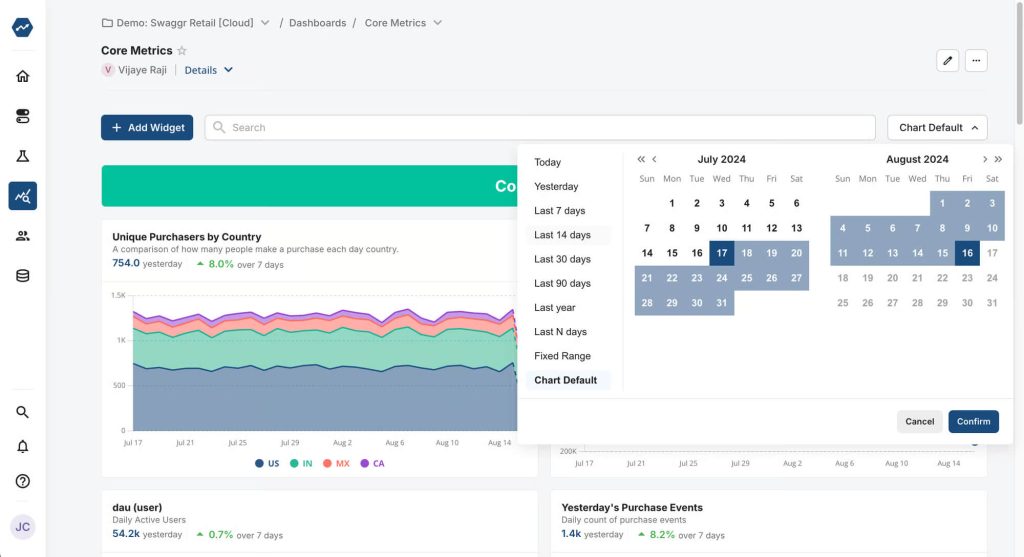
Statsig processes over one trillion events daily for companies like OpenAI, Notion, and Brex. The infrastructure is serious. For SMBs, that means experiments running on production-grade systems.
Statsig’s setup is code-first (developers) but it uses advanced techniques like heterogeneous treatment effect analysis. This just translates to: it automatically shows you which user segments respond differently to your changes.
Free plan features:
- A/B testing
- Feature flags
- Analytics
- Session replay
- Unlimited seats
- 2M events/month
Best for:
Product and engineering teams at growth-stage SMBs
5. Zoho PageSense
Best for: SMBs already running on Zoho.
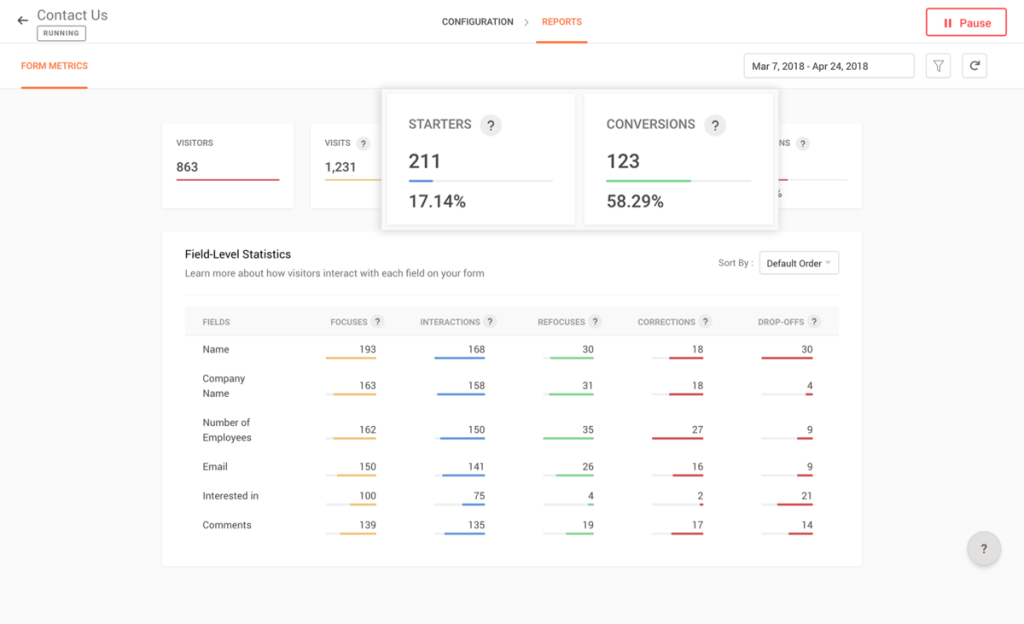
For most SMBs, the real value isn’t the tool itself. It’s the Zoho integration. If you’re already running Zoho CRM, Zoho Analytics, or Zoho Commerce, PageSense connects to all of it. You can target experiments based on CRM segments, analyze funnel data alongside sales pipeline data, and tie test outcomes directly to revenue without building manual data pipelines.
Free plan features:
- Web analytics
- Heatmaps
- Session recordings
- Funnels
- Goals
- Form analytics
- 5k tracked users/month
Best for:
SMBs already running on Zoho. Not worth switching your entire stack to Zoho just for PageSense.
6. Nelio A/B Testing
Best for: WordPress-based SMBs
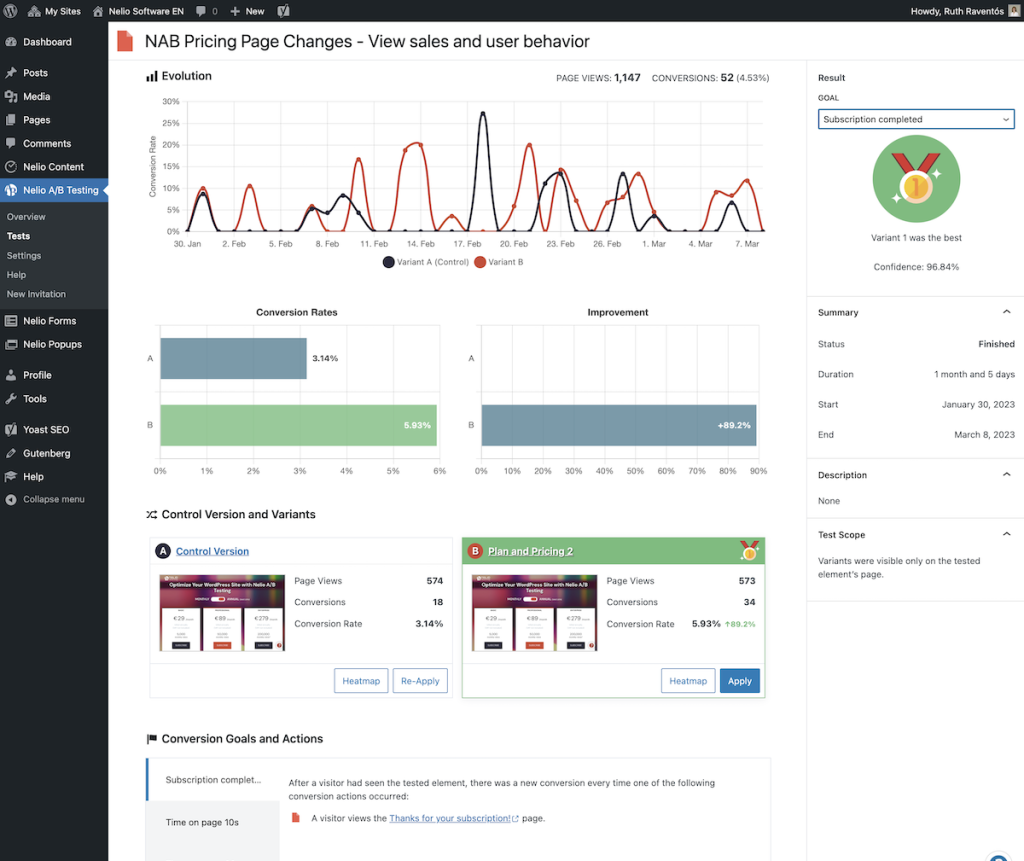
Unlike the tools on this list, Nelio is a WordPress plugin. If you are an SMB running a WordPress site, you can create and manage tests exactly like pages and posts, with the same interface your team already uses every day.
The free plan limit is the catch for Nelio. You get 500 tested page views per month and one active test at a time. That’s enough to learn the platform on a lower-traffic site, but not enough to run a serious optimization program. WordPress SMBs with real traffic will have to either go for the paid plan or use other free alternatives, like the ones listed here.
Free plan features:
- All test types available
- WordPress A/B testing
- 500 tested page views/month
Best for:
WordPress-based SMBs, especially WooCommerce stores that want to test product page elements natively.
7. Freshmarketer
Best for: SMBs in the Freshworks ecosystem
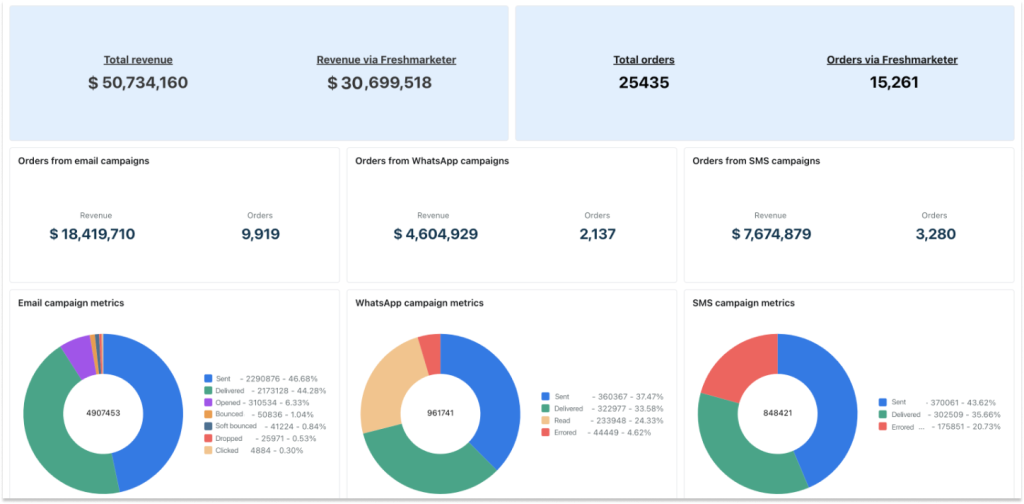
Freshmarketer is part of the Freshworks ecosystem, the same company behind Freshsales CRM and Freshdesk support. The selling point for this tool is integration. Your A/B tests, email campaigns, lead capture forms, and customer records all live under one login.
For a lean SMB team, you don’t need a separate CRO tool, email marketing platform, and CRM when Freshmarketer can connect all three. The Chrome extension lets you create and manage campaigns directly from your browser, and Shopify integration is built in for e-commerce teams.
The free forever plan includes heatmaps, funnel analysis, form analytics, and A/B testing. Reviewers consistently note that the free plan covers the basics but not much beyond that. If you’re already evaluating Freshworks products for CRM or support, the testing functionality is a cool bonus. If testing is your primary goal, tools higher on this list will serve you better.
Free plan features:
- Basic CRO/personalization tools
- Contact management
- limited analytics depending on Freshworks bundle
Best for:
SMBs that want to connect testing to their marketing and CRM workflow without adding a standalone tool to an already crowded stack.
8. Firebase A/B Testing
Best for: app-based and web-app SMBs
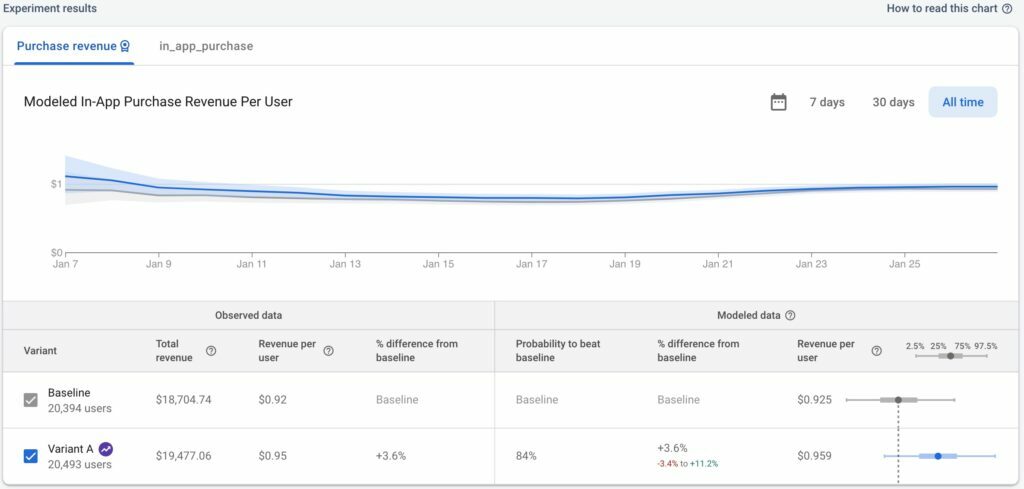
Firebase A/B Testing is Google’s experimentation product for apps and web, and it’s completely free as part of Firebase. There’s no usage cap for A/B testing features specifically, you’re only limited by the broader Firebase Spark plan constraints.
The statistical approach is Bayesian, which gives you probability-based results rather than binary pass/fail significance calls. In practical terms, you get a readout of how likely each variant is to outperform the baseline, and you can decide when you’ve seen enough.
It also integrates natively with Google Analytics 4, Remote Config for dynamic content, and Firebase’s push notification and in-app messaging systems.
The limitation for Firebase is its setup. It requires developer involvement, and it’s not designed for visual editor-style headline and button tests on standard websites. But for app-based SMBs already inside the Firebase ecosystem, you’d be leaving free, reliable experimentation on the table by not using it.
Free plan features:
Completely free as part of the Firebase Spark plan.
- Authentication
- Firestore
- Realtime Database
- Hosting
- Cloud Messaging
- Analytics
Best for: App-based and web-app SMBs already using Firebase and Google Analytics 4
So Which One Should You Pick?
It depends on your setup.
For a marketer-focused setup, go for CROLabs (free tier) + Google Analytics 4 + Hotjar (for behavior context).
If you have a developer-heavy setup, PostHog or GrowthBook + GA4 is your best bet.
The beauty of these Google Optimize alternatives right now is you can experiment with different platforms before committing. Most of these offer genuinely usable free trials and free versions, so stop waiting for budget approval. Start testing this week.
Looking For The best Google Optimize Alternative?
See why SMBs are switching from VWO, Optimizely, and other expensive experimentation platforms.