Updated Oct 2026
What if the visitor who lands on your homepage from a Google ad sees a completely different page than the one who arrives from your newsletter? The answer to this is website personalization, and it’s one of the most underused levers most websites have sitting right in front of them.
This guide covers what it actually is, how it works under the hood, and how to start using it without the assistance of a developer.
On This Page
What Is Website Personalization?
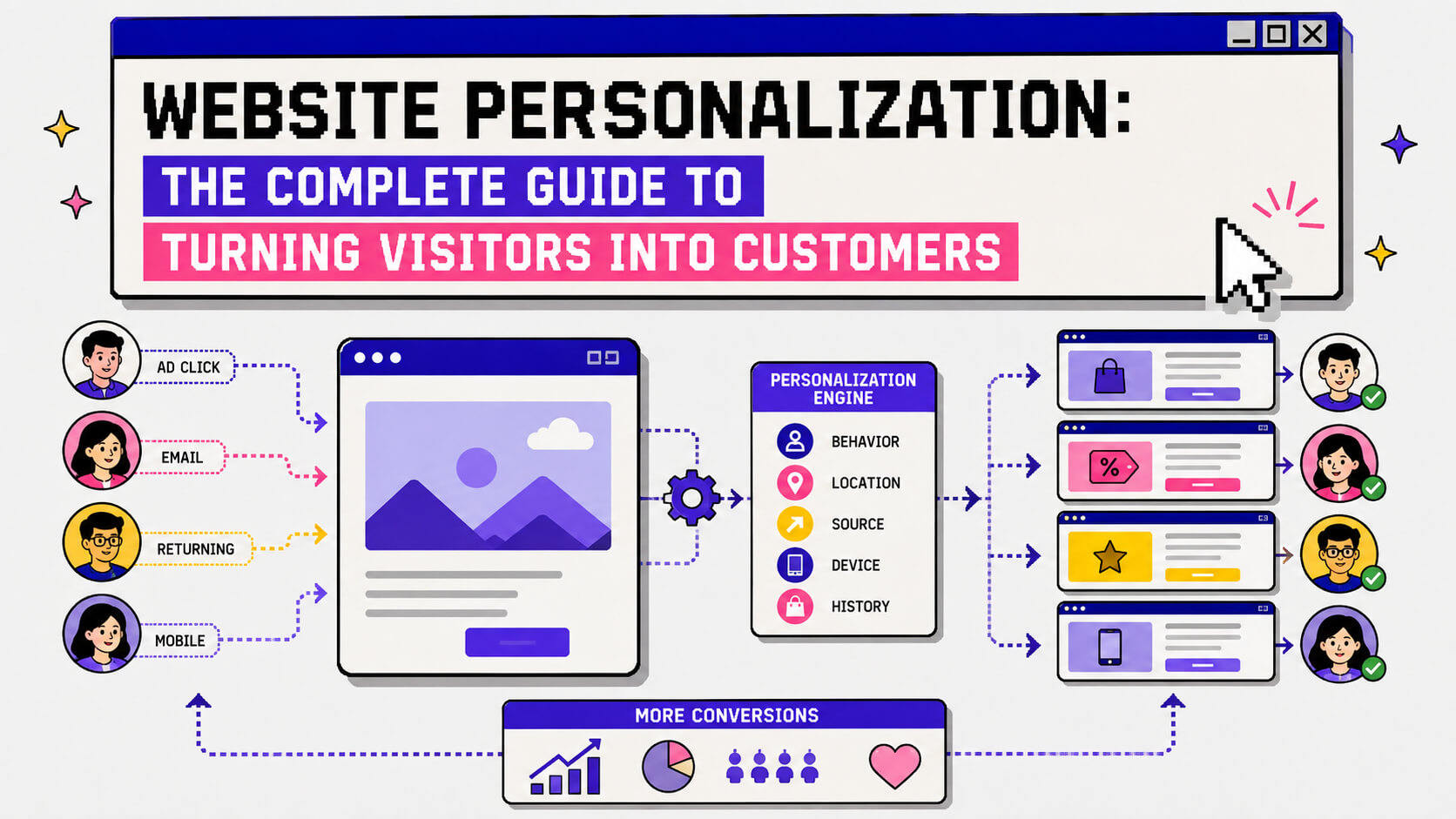
Website personalization is the practice of showing different versions of your site to different visitors based on who they are, where they came from, or what they’ve already done.
Personalization isn’t a full redesign like most people think. Most of the time, you’re swapping one element (like your headline, a hero image, a CTA, a pop-up, etc) for one specific group of people.
For example, a first-time visitor from a paid search ad might see a headline that echoes the exact keyword they typed, or a returning customer might skip the generic “welcome” copy entirely and land straight on a page built around what they bought last time.
It’s still your website, but your visitors get different, tailored experiences. And because you’re not changing your entire website or webpage, it’s actually very doable without an engineering team.
At its core, website personalization is a conversion rate optimization tactic. You’re making the traffic you already have more likely to convert once it lands, by making the page feel like it was built for the person looking at it.
How Does Website Personalization Work?
Website personalization runs on signals. Your site (or the tool sitting on top of it) reads something about the visitor the moment they arrive, and then decides which version of a page element to serve based on that.
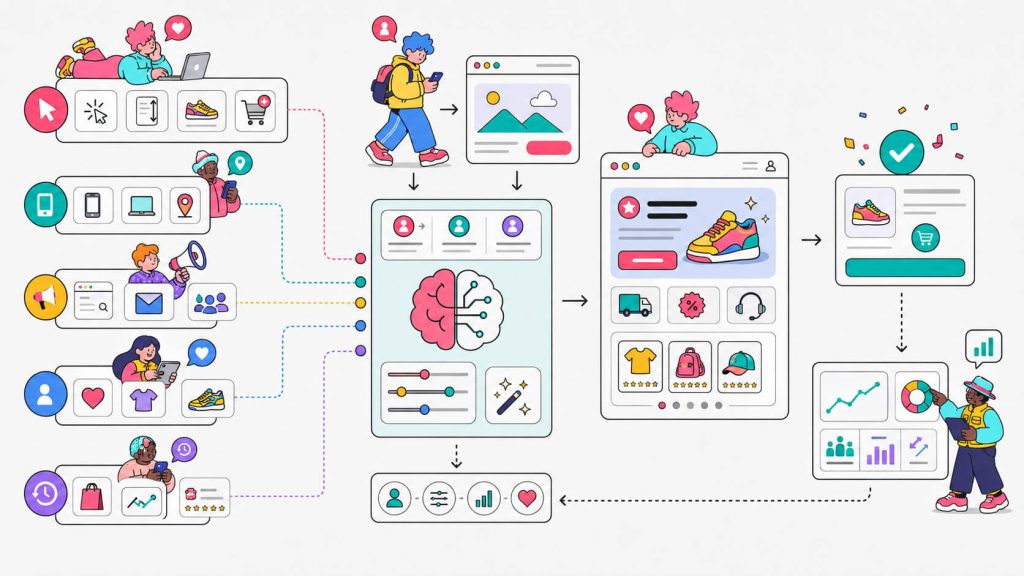
Those signals usually fall into a few buckets:
- Behavioral data: what they’ve clicked, scrolled past, or added to cart during this session
- Contextual data: device type, browser, time of day, geographic location
- Source data: which ad, email, or referral link brought them to you
- Explicit data: anything they’ve told you directly, like a quiz answer or an account preference
- Historical data: past purchases, past visits, account tier, if they’re logged in or previously identified
Once a signal is read, a rule (or, increasingly, a model) decides what to show. That could be as blunt as “if visitor is on mobile, show the shorter form” or as involved as an algorithm predicting which product recommendation is statistically likely to convert this specific person.
The technical part usually happens through a small snippet of code loaded on your site. This snippet intercepts the page before it fully renders and swaps in the personalized version.
One thing you should keep in mind is the need for measurement. Personalizing a page without tracking whether the personalized version actually converts better than the default isn’t advisable.
You need conversion tracking tied to whatever action matters, whether that’s a signup, a purchase, or a booked call, so you can prove the personalized experience is doing something.
Personalization vs Segmentation
Simply put, segmentation is the sorting while personalization is what you do once you’ve sorted.
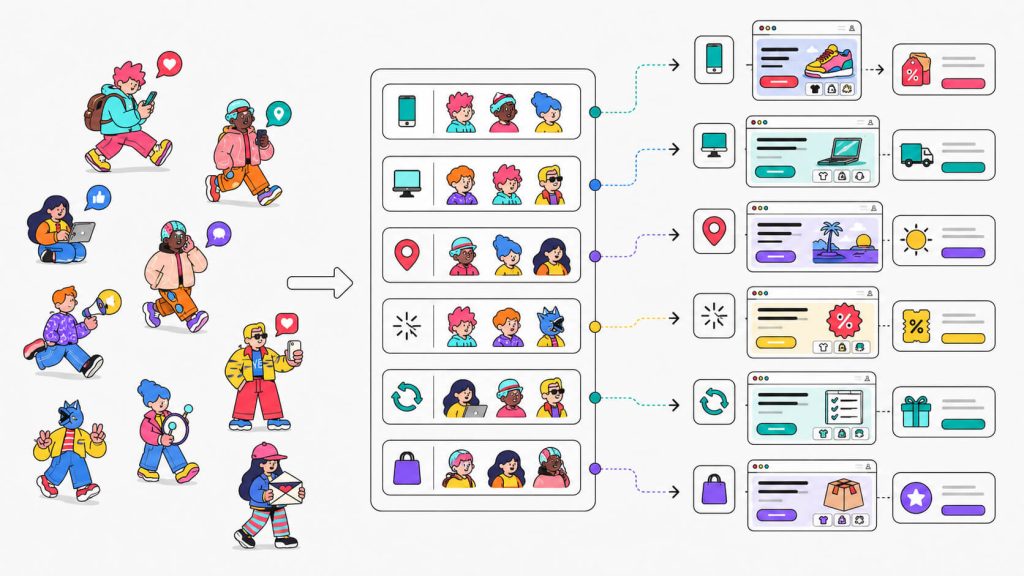
Segmentation splits your visitors into groups based on something they share. For example, they can be grouped by device type (e.g mobile users), location, where they landed from (e.g people who came from a specific email campaign), first-time buyers, returning customers, etc. That grouping, on its own, doesn’t change anything a visitor sees.
Personalization is the step after that. It’s the actual delivery of a tailored experience to one of those groups. You can’t personalize without segmenting first, because you need to know who you’re building the variant for. But you can segment without ever acting on it.
A lot of teams do exactly that, sitting on rich audience data that they never turn into a different page experience.
Benefits of Website Personalization
The most obvious one is that personalization drives conversions. When the page in front of someone actually matches their intent instead of a generic pitch aimed at nobody in particular, they’re more likely to act on it.
But conversion lift isn’t the only upside.
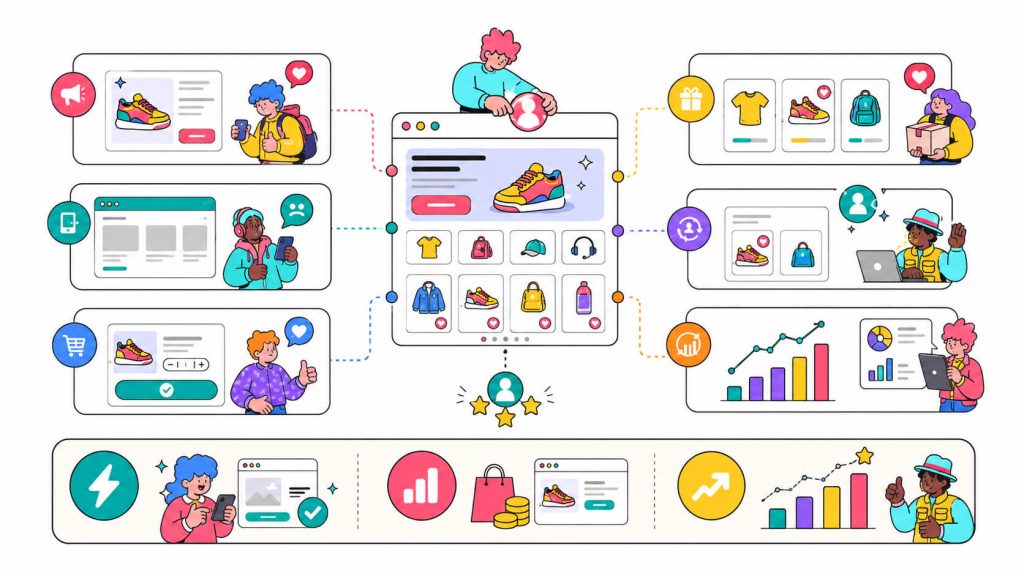
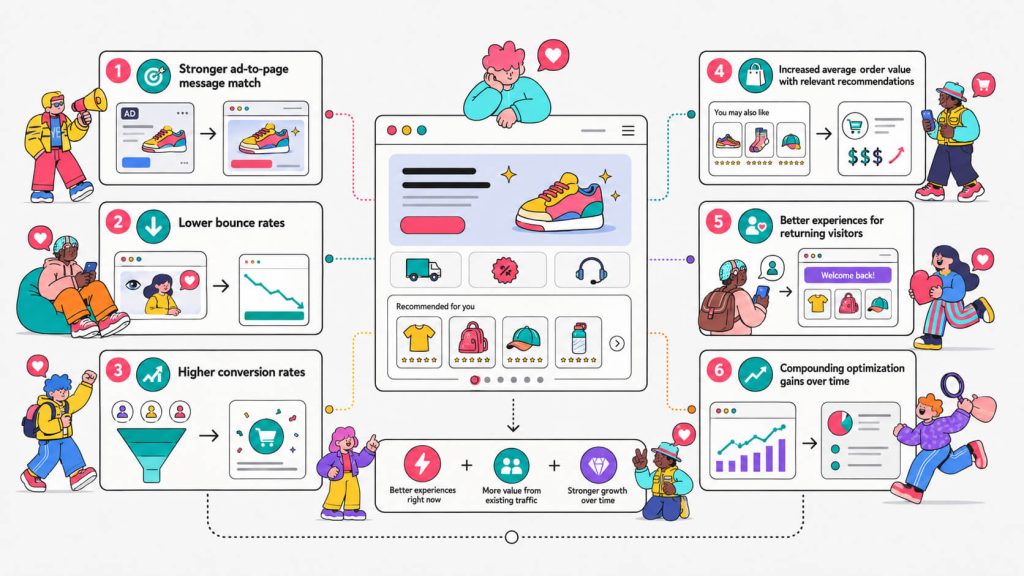
It closes the gap between what an ad promises and what a page delivers:
If someone clicks an ad for “CRM for freelancers” and lands on a page talking about enterprise teams, that mismatch alone will send them back to the search results. Personalization keeps the message consistent from click to page.
It reduces bounce:
A relevant page holds attention longer than a generic one. People stick around when the content clearly applies to them.
It increases average order value:
Product recommendations, cross-sells, and bundle suggestions tailored to what’s already in someone’s cart consistently outperform static “you might also like” blocks that ignore context entirely.
It builds a better long-term relationship with returning visitors:
Nobody likes to be shown the same messaging on their tenth visit. When you recognize repeat visitors and adjust the experience accordingly, it signals that a brand is paying attention and that goes a long way with people who are already close to converting.
It compounds:
If you fix the friction on one segment, the next bottleneck usually becomes visible. Teams that personalize well rarely stop at one win. They stack several small, tested changes into something much bigger over time.
Turn More Visitors Into Customers
Your website doesn’t need to look the same for everyone. With CROLabs, you can create personalized experiences for different visitor segments, launch them without code, and measure whether they actually improve conversions.
The Relationship Between Personalization and Experimentation (How They Help Each Other)
Personalization is something you validate the same way you’d validate anything else on your site. And one way to do this is by experimentation.
Experimentation is how you find out whether a personalized experience is actually working or just feels like it should be.
When you build a variant for a segment, run it as an A/B test against the default experience that segment would normally see, and let the data decide. Maybe your “personalized” mobile checkout flow converts better because it’s genuinely better, or maybe mobile traffic that week happened to be higher-intent for reasons that have nothing to do with your changes. You can’t tell the difference until you’ve run a test.
Experimentation also tells you what’s worth personalizing in the first place. For example, if you run a broad A/B test across your whole audience, and a variant only wins for one segment while doing nothing (or worse) for everyone else, that’s your signal. This insight turns a single test into a permanent, segment-specific personalization.
And personalization, in turn, makes your experimentation program sharper. Once you know that green CTAs win for paid traffic but do nothing for organic visitors, you stop running one-size-fits-all tests and start building experiments that already account for that split. The two feed each other because experimentation earns the data and personalization spends it.
If you’re new to the testing side of this, A/B testing is the foundation everything else here builds on.
Types of Website Personalization
A lot of website personalization ends up being dynamic content. However, not all personalization looks the same, and you don’t need to run all of these at once.
a. Behavioral personalization: Content changes based on what a visitor does during their session. That can be pages viewed, items added to cart, time spent scrolling, or products they’ve abandoned.
b. Geo-personalization: Content adjusts based on location. This usually leads to changes like pricing in local currency, language switches, region-specific offers, or shipping information that actually applies to where someone lives.
c. Device-based personalization: Mobile and desktop visitors get different layouts, forms, or CTAs, since what works on a 6-inch screen rarely works the same way on a 27-inch monitor.
d. Traffic-source personalization: The experience shifts based on where a visitor landed from. They could be coming from a specific ad, an email campaign, an affiliate link, or a referral partner. This is what keeps ad-to-page message match tight.
e. New versus returning visitor personalization: First-timers see broader, more explanatory messaging while returning visitors skip the intro and see something closer to what they’ve already shown interest in.
f. Account-based personalization: This is used heavily in B2B. It swaps content based on the company or industry a visitor is identified as belonging to, often through firmographic data providers.
g. Predictive personalization: This is currently the most advanced form, where a model predicts what a specific visitor is likely to respond to based on patterns across thousands of similar visitors, rather than a human-defined rule.
Personalize Your Website Without Developers
You already have the traffic. The next step is making more of those visitors convert. CROLabs lets you build, target, and test personalized page elements using a visual editor, so you don’t have to wait for developer resources.
Examples of Website Personalization in Action
Let’s look at one, then talk about how to build something similar without a dev team.
Ziggy, a French pet food brand, ran a simple geo-targeted popup: visitors in France saw a French-language email capture offering 10% off a first order.
According to Wisepops’ breakdown of the campaign, it pulled a 5.7% signup rate, nearly double the 3.07% average conversion rate for single-step email popups.
The setup wasn’t as complicated as you might think. It was one segment, one language match, and one offer, tested against visitors who didn’t see it.
How To Build Something Similar With CROLabs
Use CROLabs’ Visual Editor to build a popup or banner variant for a specific country or region, matching language and currency to that audience instead of defaulting to English for everyone.
Then, set your Personalization targeting to that geography, then run it as an A/B test against a control group that sees your current, non-localized version. This way, you’re comparing signups against a real baseline.
You can track signup completions in Conversion Tracking, and if it wins, you’ve got a repeatable template to build out for your next market.
We’ve covered twelve more real examples like this, across ecommerce, SaaS, and lead-gen sites, in our website personalization examples roundup if you want more to steal from.
Website Personalization Tools
A handful of platforms handle this well, though they’re not built for the same team or budget.
CROLabs:
CROLabs is an AI-native CRO platform that combines A/B testing, multivariate testing, and personalization in one place. The Visual Editor lets you build and target variants without waiting on developer time, and the AI Advisor flags which pages are leaking the most conversions so you know where to point your first personalization effort.
Dynamic Yield:
This is a more enterprise-grade personalization engine, strong for large ecommerce brands running complex, algorithm-driven recommendations at scale. Dynamic Yield comes with a learning curve and pricing to match.
Mutiny:
Mutiny is built specifically for B2B account-based personalization. It identifies anonymous visitors by company and swaps headlines, logos, and case studies to match the account. It’s fast to deploy but narrower in scope than a full CRO platform.
Optimizely:
Optimizely is a mature, developer-friendly experimentation platform. Its personalization capabilities go deep, but anything beyond front-end changes usually needs engineering involvement, which slows teams down that don’t have that resource on tap.
For teams boosting landing page conversion rate without a dedicated dev resource, the ones that let marketers build and launch variants directly (rather than filing a ticket and waiting) tend to be the ones that actually get used past the first month.
Conclusion
Website personalization isn’t about rebuilding your site for every possible visitor. It’s about noticing that a first-time visitor and a returning customer, or a mobile shopper and a desktop one, don’t need the exact same page to get to the same outcome, and building small, tested changes that close that gap.
If you want to try out website personalization on your own site, CROLabs lets you build, target, and A/B test personalized experiences without touching a line of code, and you can start with a 14-day free trial.
Ready to Put Website Personalization Into Practice?
CROLabs gives you the tools to build, target, and measure personalized experiences without writing code.
FAQ
What’s a simple example of website personalization?
Showing a returning visitor a “welcome back” message and a product recommendation based on what they viewed last time, instead of the same generic homepage a first-time visitor sees.
Is website personalization the same as A/B testing?
No, though they work together closely. A/B testing splits traffic randomly to find which version performs better overall. Personalization shows specific content to specific segments based on known signals. Most mature personalization programs use A/B testing to validate that the personalized version is actually the better one.
Do I need a developer to set up website personalization?
Not anymore, in most cases. Tools with a visual, no-code editor let marketers build and launch variants directly. Developers are usually only needed for deeper, backend-level personalization tied to product data or CRM systems.
Is website personalization GDPR compliant?
It depends entirely on what data you’re collecting and how. Personalization based on anonymous, non-personal signals like device type or geography is generally low-risk. Anything tied to identifiable personal data requires proper consent handling, which is worth confirming with whichever platform you use.
How do I measure whether personalization is actually working?
Run every personalized variant as an A/B test against a control group, and track the specific action you care about (signup, purchase, form completion) through conversion tracking. If the personalized version doesn’t outperform the control with statistical confidence, it’s not proven yet, regardless of how good it looks.
Where should I start if I’ve never personalized anything on my site?
Pick your single highest-traffic page and one clear segment, like mobile visitors or paid traffic. Build one variant, test it against your current default, and only expand once you’ve got a real, measured win.