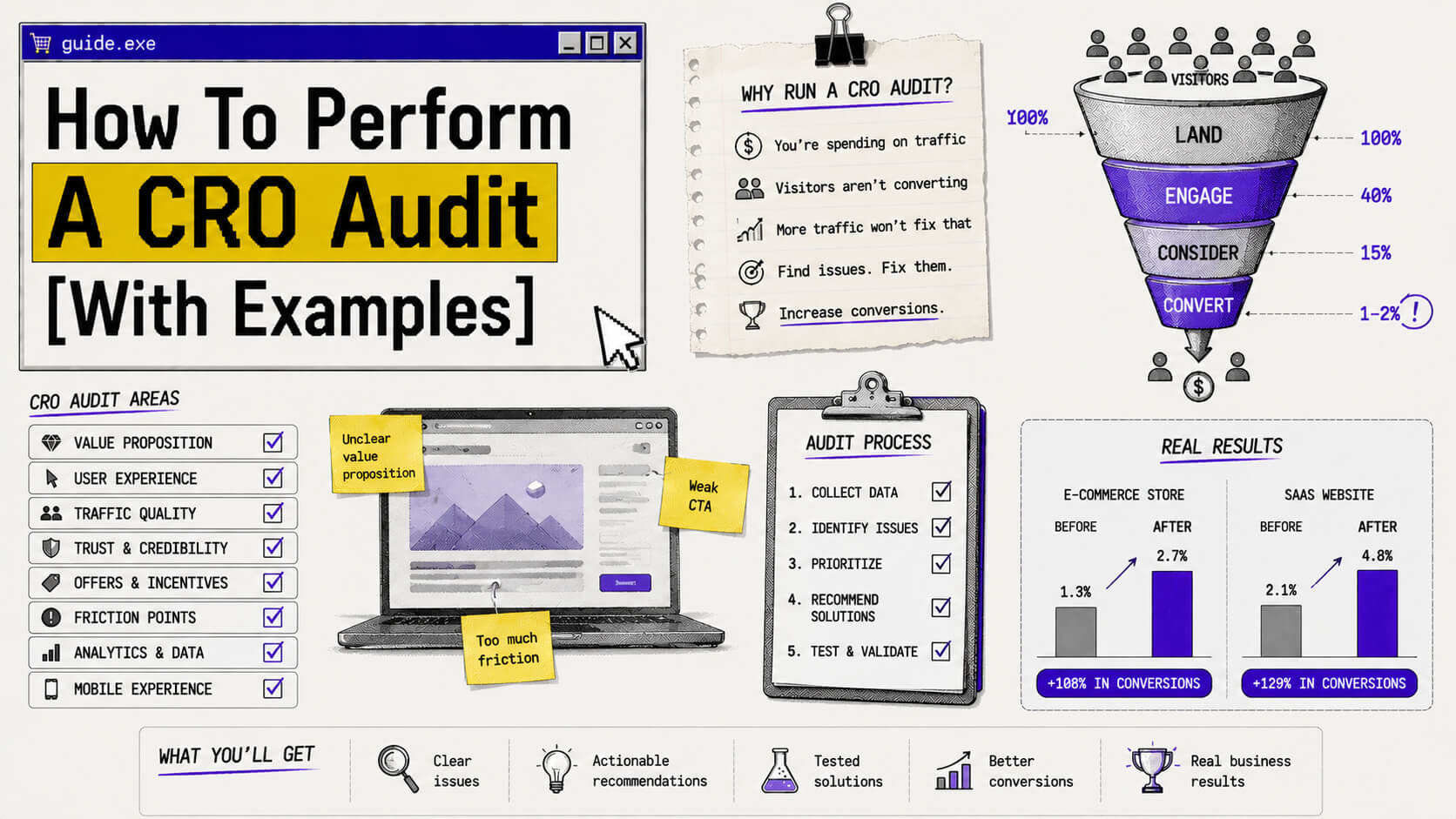
If you’re a business coming to conversion rate optimization, you probably have the same backstory. You’re spending real money on ads, getting traffic that looks decent on a dashboard, and converting somewhere around 1–2%. So the instinct is to spend more on ads to get more traffic, and hope the math eventually works out.
However, until you figure out why the traffic you already have isn’t converting, the math won’t work out.
That’s why you need to examine your website to understand what’s happening and what to do about it, aka perform a conversion rate optimization (CRO) audit.
This article covers what a CRO audit is, why it matters more than you might think, what you need to run one, and exactly how to do it. You’ll also get examples from businesses that came out the other side with verifiably better numbers.
On This Page
What Is A CRO Audit?
A CRO audit is a structured or systematic evaluation of your website’s ability to convert visitors into the action you care about, be it a purchase, a signup, a demo request, a lead form submission, etc.
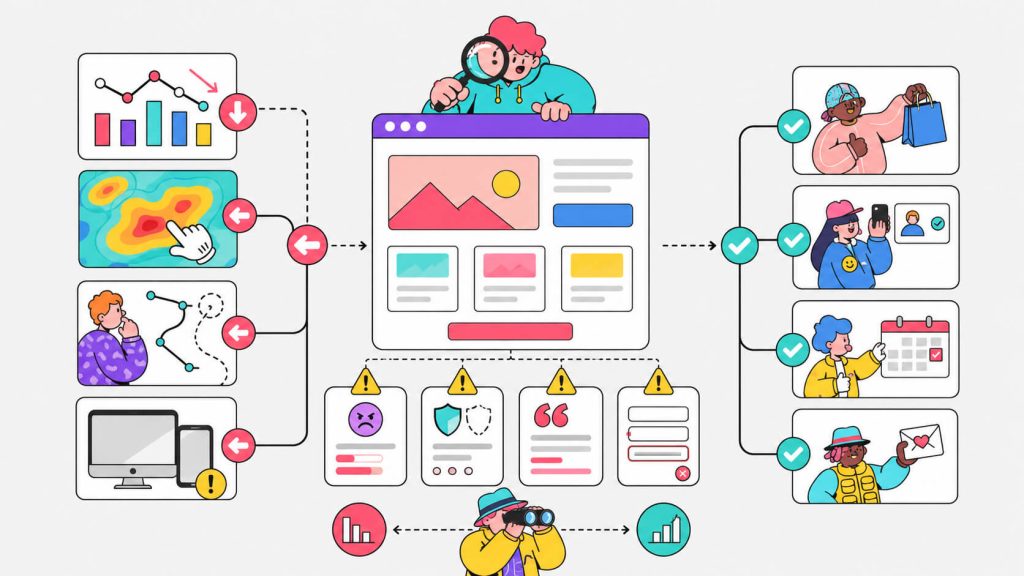
The audit works backward from the symptom. The symptom may be that visitors aren’t converting. To help you find out why, the audit identifies the specific friction points, UX failures, trust gaps, performance issues, and copy problems that are standing between your visitors and that action.
It does this by combining quantitative data (your analytics) with qualitative insight (behavioral or CRO tools like heatmaps and session recordings).
Let’s be clear though, a CRO audit is most likely not going to be a one-time audit or fix. You use it as the first step in a continuous cycle of diagnosing, testing, validating, and improving. The sites that consistently outperform their industry benchmarks built this process into how they operate.
Done properly, a CRO audit tells you where to focus your optimization efforts so you’re not spending weeks testing things that don’t matter.
Why Is A CRO Audit Important?
a. It increases conversion rate
I mean, obviously.
The median conversion rate across industries sits around 2–3%. That means 97 out of every 100 people who land on your site are leaving without doing what you need them to do.
A handful of them weren’t ever going to convert but the majority left because something in the experience got in their way. That could be a confusing form, a headline that didn’t land, a page that loaded too slowly on mobile, a checkout flow that asked for information they didn’t have ready, and so on.
b. It saves cost on ad spend
The most direct argument for a CRO audit is that the traffic you’re already paying for is worth more than you’re getting from it.
A CRO audit finds the things blocking the conversion of your traffic to users/customers, and fixing them doesn’t cost you more in ad spend.
Let’s look at a real life example.
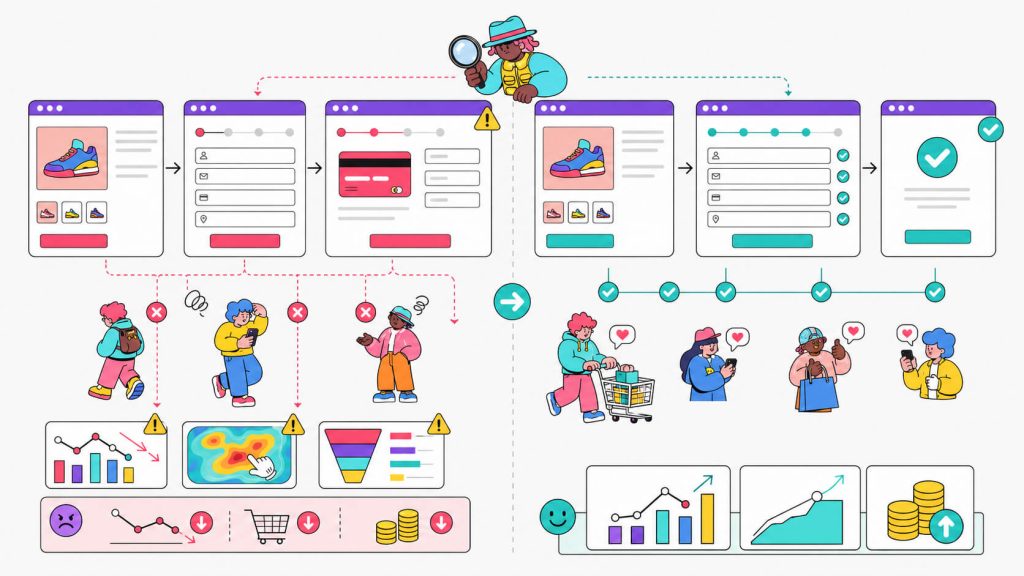
Expedia had a booking form with an optional “Company” field. What their analytics didn’t show, and a CRO audit eventually surfaced, was that users were interpreting this field as a place to enter their bank’s name.
They’d fill in the bank name, then enter the bank’s address instead of their home address. When Expedia tried to verify the billing address, it failed. Users gave up and abandoned the booking entirely.
When Expedia removed that single optional field, they gained $12 million in annual profit.
No one would ever catch that the form field was an issue by just looking at the page. Without the CRO audit surfacing it, the form field would probably still be hiding in plain sight today.
c. It gives direction to your experiments
Beyond revenue, a CRO audit gives your A/B testing program actual direction. Without it, testing is random. You’re guessing which elements to test based on intuition or what you read in a newsletter.
With a proper audit, every test is grounded in evidence, which means fewer wasted experiments and a better understanding of your users over time.
You’re Already Paying For The Traffic. Make More Of It Convert.
Before increasing your ad budget, find out why visitors are leaving without taking action. Use heatmaps and AI-powered recommendations to turn more existing traffic into customers.
No credit card required · Cancel anytime
What You Need To Conduct A CRO Audit
Before you pull a single report, make sure these are in place:
Analytics access with enough data
Google Analytics 4 is the baseline. You need at least a few weeks of data to see meaningful patterns (three months is better).
Set up funnel exploration reports if you haven’t. Without this, you’re flying blind.
A behavioral analytics tool
Your analytics data tells you what is happening and behavioral tools tell you why.
Features of behavioral tools include heatmaps, session recordings, etc.
Heatmaps show you where users click and where they click but nothing happens (those rage clicks are gold). Scroll maps show how far down the page users actually scroll. Session recordings let you watch real users navigate your site in real time.
Platforms like CROLabs and Microsoft Clarity are examples of these tools.
Page performance data
Run your key pages through Google PageSpeed Insights or GTmetrix before the audit begins. You do this as part of getting information on your baseline performance, so you know what to compare the result of your audit to.
A page loading in 5 seconds on mobile is losing users before they’ve read a single word.
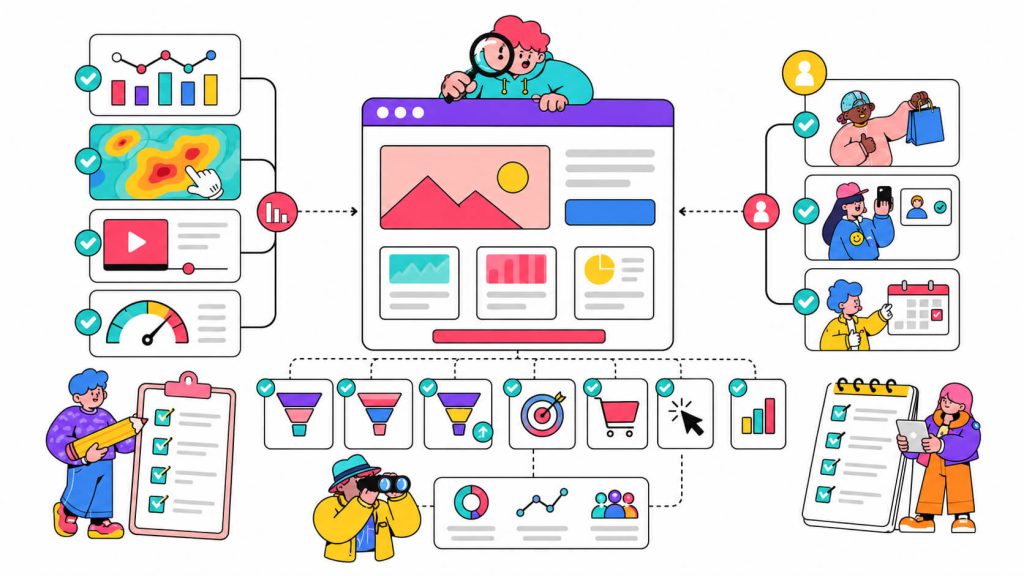
A clear definition of what “conversion” means for you
Is it a purchase? A free trial signup? A form submission? A phone call? Your team needs to align on this so the audit doesn’t go in circles.
Define your macro conversion (the primary goal) and your micro conversions (the smaller actions that lead to it, like clicking a pricing page, adding an item to cart, watching a demo).
A sense of your baseline
Like I said earlier, you need a baseline to compare the audit results against.
You can get your baseline by asking questions like “what’s my current conversion rate?” and “what do benchmarks look like for my industry? (e-commerce typically runs 2–4%, SaaS trial signups around 3–5%, B2B lead gen varies widely)”.
Knowing where you stand tells you what success looks like when you’re done.
How To Perform A CRO Audit [Examples Included]
Step 1: Define Your Goals and KPIs
A CRO audit needs a clear objective so before you touch any data, decide what success looks like specifically.
You can use the SMART goals framework to create this. So instead of setting “Improve conversions” as a goal (which isn’t really smart of you), you go with “Increase the pricing page-to-trial signup rate from 8% to 12% in 90 days”.
The more specific your objectives, the sharper your audit will be, because you’ll know exactly which pages, which steps, and which metrics to focus on.
The KPIs you’ll track can be conversion rate, bounce rate, exit rate by page, average session duration, cart abandonment rate, CTA click-through rate, etc.
Set a baseline for each before you start. Without a before-number, you can’t measure after.
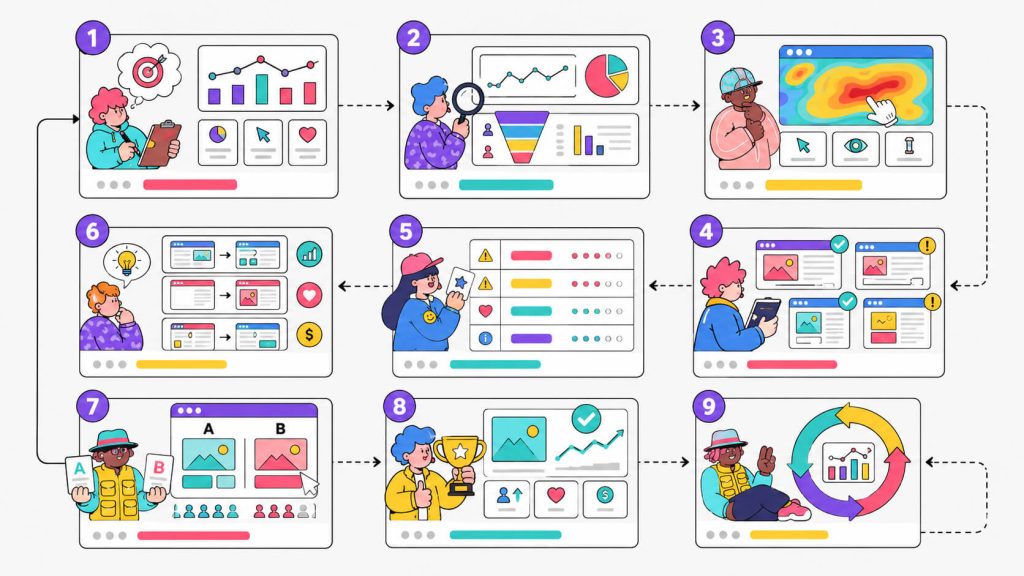
Step 2: Analyze Your Traffic and Funnel Data
Pull your analytics data and look for patterns. Specifically, you’re hunting for where the funnel breaks i.e where people are dropping off and how significant the drop is.
You can also map the full visitor journey from entry to conversion in your GA4 funnel exploration report. There, you can look for steps with disproportionately high drop-off rates.
Things like a 65% exit rate on your pricing page, a 70% cart abandonment rate, high bounce rates from paid traffic on a specific landing page are all signals.
Signals are important because they tell you where to look.
Other (more complex) signals include:
- Traffic source performance. Do visitors from organic search convert at 4% while paid visitors convert at 1%? That’s a landing page alignment problem.
- Device breakdown. Is mobile bounce rate significantly higher than desktop? (More than half of web traffic is mobile. If your site wasn’t built with mobile in mind, you’ll see it in the numbers).
- Sessions that reach key pages but don’t take action. Example, pricing page visitors who don’t click any CTA or users who start your lead form but exit before submitting.
Don’t worry about time in this step because if you’re doing it properly, it should take time. Skimming your analytics for five minutes and calling it “data analysis” is how audits produce useless recommendations.
Step 3: Layer In Behavioral Analysis
Now you put the qualitative layer on top of your numbers. This is where heatmaps, scroll maps, and session recordings come in, and this is often the most revealing part of the whole process.
- Heatmaps show you where users click. But more importantly, they show you where users expect things to be clickable that aren’t.
Example, a heatmap may show a cluster of clicks on a non-linked image or a piece of text with clicks surrounding it because users think it should be a CTA.
- Scroll maps show how far down the page users actually scroll. If 60% of users are dropping off before they reach your main value proposition or your CTA, you have a placement problem. This should tell you that you need to move the important stuff up.
- Session recordings are the most immediately useful. They let you watch real users go through your site. You’ll spot things no dashboard will ever show you, like a user spending three minutes on your pricing page (probably because the pricing table is confusing), someone copying your phone number into a form field because they can’t find a contact button, a mobile user pinching the screen to zoom because text is too small to read.
A UX designer who ran a checkout audit for a travel management company discovered through this process that the checkout layout was causing consistent confusion and abandonment. After redesigning the checkout flow based on what session recordings and user feedback revealed,the site saw a 12% increase in conversion rate, a 15% drop in bounce rate, and a 20% improvement in customer satisfaction.
Earn more from your existing traffic.
A CRO audit gives you the insights. CROLabs helps you turn those insights into experiments with built-in A/B testing, behavioral analytics, and AI-generated recommendations all in one platform.
Run your first CRO audit and launch your first experiment with CROLabs today
No credit card required · Cancel anytime
Step 4: Audit Your Key Pages
This is the core of the audit. Armed with your analytics data and behavioral insights, you now go page by page through your most important conversion touchpoints: homepage, landing pages, pricing or product pages, lead capture forms, and checkout.
On each page, evaluate:
- Headline and value proposition
Is the benefit clear within three seconds of landing? Above-the-fold copy that says “Empowering teams to do more” could mean almost anything. The best headlines communicate a specific, believable outcome.
One CRO practitioner found that rewriting the above-fold section with a benefits-driven headline and making the CTA “painfully obvious” led to a 132% increase in conversions and qualified leads.
- CTA placement, quantity, and copy.
Too many CTAs fighting for attention is as bad as too few.
CogX, an AI festival organizer in London, had five different CTAs above the fold (two in the navigation bar, three in the hero image) all pointing to different actions. CogX’s only goal was to sell tickets.
Midsummer Agency ran a CRO audit, identified the different CTAs as one of 42 findings (10 urgent quick wins), and delivered a prioritized 25-slide report in one week. The CogX team implemented the recommendations within a month, and ticket sales started rolling in.
- Form friction
Look at your form completion rate. If users are starting forms but not finishing, either the form is too long (with unnecessary fields), a field is confusing, or you’re asking for information people don’t have ready.
Go back to Expedia’s example. The problem wasn’t a poorly designed form, it was one confusing optional field that nobody on the team had thought about from a user’s perspective.
- Trust signals
Customer logos, testimonials (especially video ones), third-party reviews, security badges, money-back guarantees all signal to your visitors that you’re trustworthy.
These signals work best when they appear near decision points. For example, if you’re asking for payment details and there’s nothing around that form that says “we’re legitimate and other people trust us,” you’re asking visitors to take a larger leap of faith than necessary.
- Page speed and mobile experience. One e-commerce audit discovered mobile load times of 5.1 seconds. After implementing lazy loading, deferring JavaScript, and optimizing images, load time dropped to 2.2 seconds.
This in turn caused checkout abandonment to fall from 64% to 42%, overall conversion rate climbed from 1.3% to 1.81% (a 39% increase) and the business generated an additional $94,000 in monthly revenue.
- Navigation and UX clarity. Can users find what they’re looking for quickly? Is the page hierarchy logical?
On the CogX ticket page, each of the six ticket types had over 30 generic bullet points, including features like “Gold Lounge Access” with no explanation of what the Gold Lounge actually was.
Users couldn’t make a decision because they didn’t understand what they were buying. The fix was to simplify and clarify, not to add more information.
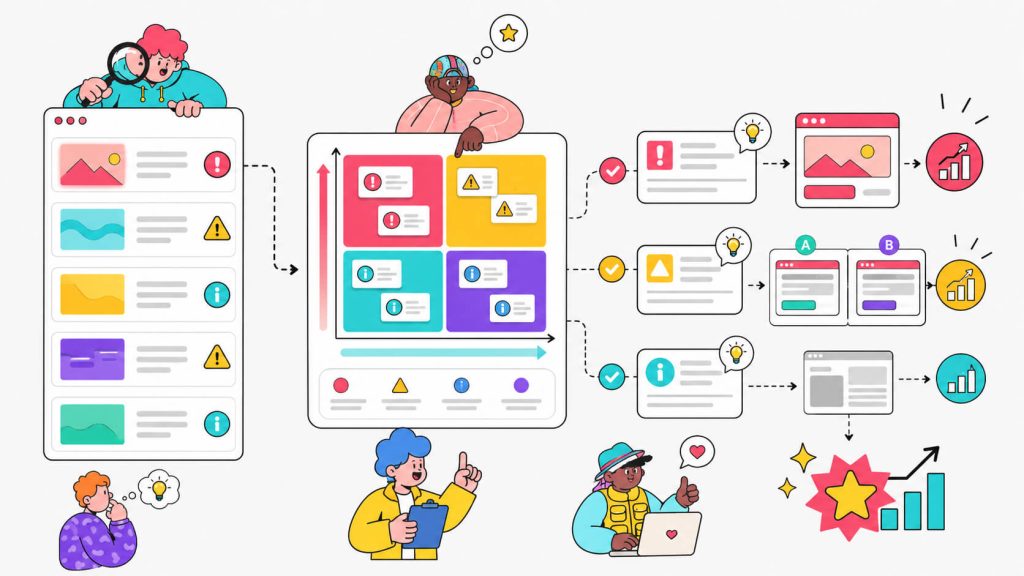
Step 5: Prioritize Your Findings
By this point, you probably have a list of 20–40 issues for a mid-sized site, which is completely normal.
Go ahead to prioritize them by two factors: impact and effort.
High-impact, low-effort fixes are your quick wins (it’s recommended that you start here). These are typically CTA copy updates, adding a trust badge near a form, fixing a broken link in your funnel, reducing form fields, or clarifying a headline.
High-impact, high-effort changes (a checkout redesign, a full landing page rebuild) go into your testing roadmap. You validate them with an A/B test before rolling them out sitewide.
Low-impact changes sit at the bottom. They are things like minor visual tweaks and brand polish, and they’re fine to focus on once the funnel is healthy.
Step 6: Form Hypotheses and Run Experiments
Your audit findings are observations. Before you start changing things, turn them into testable hypotheses.
A useful hypothesis structure mostly goes like this: “If we [specific change], then [specific metric] will [increase/decrease] because [reason grounded in audit data].”
Example: “If we change the checkout button text from ‘Proceed’ to ‘Place My Order’, then checkout completion rate will increase because the current text doesn’t communicate what happens next.”
You have a real reason to believe this matters because you’ve seen the session recordings and you’ve read the drop-off data.
The next step is testing the hypothesis.
Going, a flight deals platform, ran an A/B test on their CTA button text. They made a simpler, more specific version compared to what they had. The cleaner version got them a 104% month-over-month increase in premium trial start rates. Their paid channel conversion rate now outperforms organic just from changing a CTA.
Another example is Nature Air. They made their call-to-action button more prominent and visible within the page layout. That single change produced a 591% increase in conversions.
These are the results you get when testing is informed by a proper audit.
Step 7: Implement, Measure, Repeat
Through the A/B test, you identify what the winning variant is, then you roll it out. After this, move on to the next item on your prioritized list.
Each validated change lifts your conversion rate by a few percentage points, and each lift stacks on the last. A 5% improvement on your landing page, a 10% lift on your checkout, a 7% bump from a trust signal update, all multiply into a materially different business.
A real-life example, an e-commerce site that started with a 0.8% conversion rate went through a systematic 90-day audit-and-fix process across UX, copy, and checkout, and ended at 3.1%. That’s a 287% increase in conversions, and over $400,000 in additional revenue.
To make the most of your traffic, make sure to run a full audit on your highest-traffic pages every quarter. Run lighter, targeted audits whenever you launch a new campaign, rebuild a page, or notice an unexplained drop in conversions.
It’s best if you think of a CRO audit like a recurring performance review for your website. It should happen regularly, not just when something obviously breaks.
Tools That Help You Run A CRO Audit
CROLabs
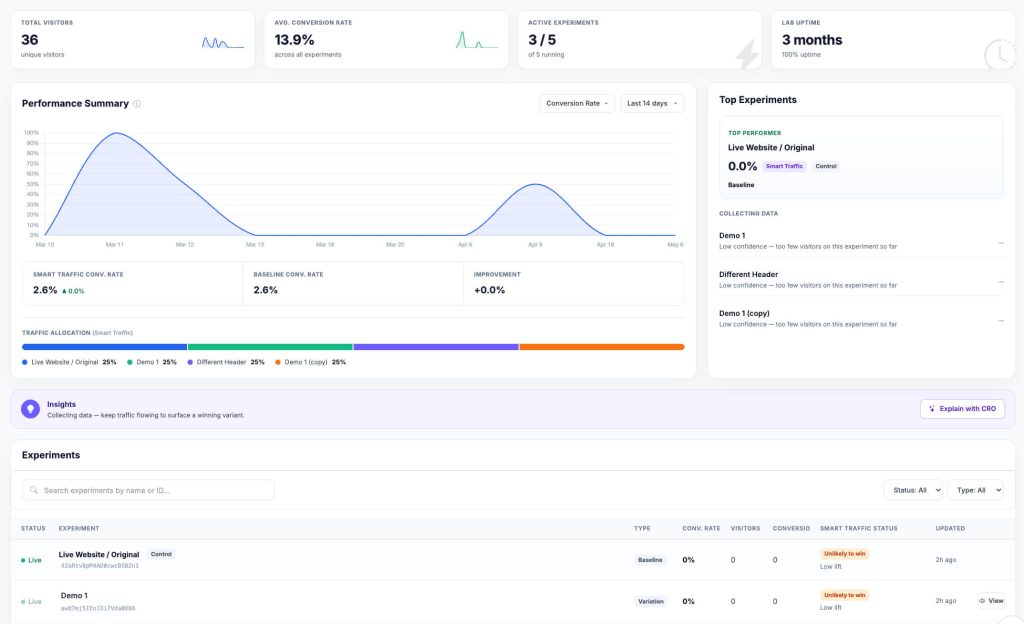
CROLabs was built specifically for this workflow. The AI Advisor crawls your site, identifies friction points, and cross-references them against industry benchmarks to prioritize what’s actually costing you conversions. Then it gives you a clear, ordered list of what to fix first.
From there, you can run A/B tests directly inside the platform without needing a developer. The Visual Editor lets you change page elements and push them into a test in a few minutes. Behavioral analytics (heatmaps, scroll depth, click tracking) are also built in, so your audit, your hypothesis, and your test can all live in one place instead of being spread across four tools.
Google Analytics 4
GA4 is the non-negotiable starting point. You can set up funnel exploration reports, configure conversion events, and track your traffic source performance for free.
Microsoft Clarity
Microsoft Clarity gives you free heatmapping and session recording. There’s no caps on recordings and no user limits.
Google PageSpeed Insights
Run your key pages through this before anything else to get insights on page load time.
Conclusion
A CRO audit is how you stop throwing budget at traffic and start understanding why visitors aren’t converting. It’s the difference between redesigning your homepage based on what looks nice versus what the data says is actually pushing people away.
To become a business that consistently improves their conversion rates, you need to run better audits, read the data honestly, and make one validated change at a time.
If you’re ready to start your audit, CROLabs has a free trial that gets you into your behavioral analytics and funnel data fast, with the AI Advisor to help you make sense of what you find.
You’re Already Paying For The Traffic. Make More Of It Convert.
Frequently Asked Questions
What’s the difference between a CRO audit and A/B testing?
A CRO audit is the diagnostic phase (it tells you what’s wrong and why). A/B testing is the validation phase (it confirms that your proposed fix actually performs better than the current version). A good audit always precedes smart testing. Testing without an audit is just guessing with extra steps.
How long does a CRO audit take?
For a smaller site with a straightforward funnel, a focused audit takes 1–2 weeks. For a larger e-commerce site with multiple traffic sources, product categories, and checkout flows, budget 3–4 weeks. The behavioral analysis phase, watching session recordings and annotating heatmaps, is usually the most time-consuming part.
How much traffic do I need before a CRO audit is worth it?
There’s no hard cutoff, but you need enough traffic to see meaningful patterns in your data. If your traffic is fewer than 1,000 monthly visitors, your analytics will be too thin to trust. Above 3,000–5,000 monthly visitors should be your target, in order to have enough data to draw reliable conclusions. Below that threshold, focus on building traffic first.
Can I run a CRO audit without a dedicated specialist?
Yes, with the right platform. CROLabs is designed for marketers and product teams to audit and test without relying on developers or external agencies. The AI Advisor surfaces the kind of prioritized, evidence-based recommendations that would otherwise require a consultant to produce manually.
How often should I run a CRO audit?
Full audits: quarterly, focusing on your highest-traffic pages and primary conversion paths. Lighter, targeted audits: any time you launch a new campaign, update a key landing page, or notice an unexplained drop in conversion metrics. Your website isn’t static, neither should your audits be.