Updated Oct 2026
Lucky Orange isn’t a bad tool, to be clear. If you scroll through its G2 and Capterra reviews, you’ll find plenty of people who are perfectly happy with the heatmaps and session recordings. But when you look past the star ratings and at the actual complaints (on Shopify forums, in comparison posts, buried in the cons sections of reviews) you’ll notice a pattern.
The free tier is real but it’s narrow. Users (and you might be one of them) complain that the jump between tiers is steep. Once you’re doing real traffic, the bill stops feeling proportional to what you’re getting.
Unfortunately, that’s the odd trap with session-based pricing. The better your marketing works, the more it costs you to watch it work.
So if you’ve caught yourself wondering whether there’s something out there that does the job without the surprise upgrade prompt, here are six alternatives worth your attention in 2026. Every one of them made this list for a specific reason so read on to find out.
On This Page
How We Chose These Tools
Before a tool was added to this list, we weighed:
Depth of session replay and heatmaps:
Can you actually see what’s happening or just a rough approximation of it?
Pricing that scales sanely:
Does the bill grow in proportion to value or does it punish you for getting more traffic?
Free tier generosity:
Is it a real trial of the product or a teaser designed to expire before you learn anything?
What happens after you spot the problem:
Some tools only show you where visitors drop off while others let you build and launch a fix.
Real user sentiment:
Our experience as well as reviews pulled from real users (G2, Capterra, forum threads, etc) not just the vendor’s own case studies.
Every tool below cleared that bar in its own way. None of them are perfect, and we’ll tell you where each one falls short.
Best Lucky Orange Alternatives by “Best For…” Category
If you’re short on time, here’s the fast version:
- Best for a $0 budget: Microsoft Clarity
- Best for heatmaps with lightweight A/B testing built in: Crazy Egg
- Best for automatic friction detection: Mouseflow
- Best for testing and personalizing what you find: CROLabs
- Best for teams running both a website and a native mobile app: Smartlook
- Best for surveys, feedback tools, and stakeholder-friendly brand recognition: Hotjar
Now, let’s get to the actual breakdown.
1. Microsoft Clarity
Best for: Best free alternative
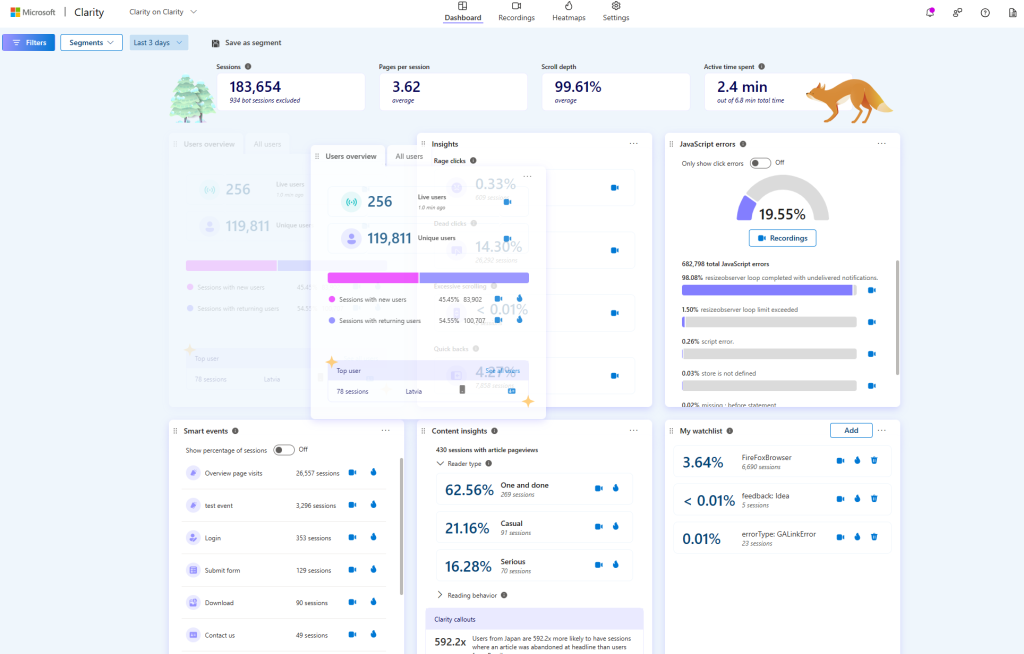
Microsoft Clarity is backed by Microsoft and priced at exactly nothing. It’s the tool most people try first when the Lucky Orange bill becomes too heavy.
It offers unlimited access to all its users so you get no session caps, no traffic ceiling, and no wall forcing you to upgrade to keep watching your own data.
Key feature: Unlimited recordings and heatmaps
Most free tiers are bait capped at a number that’s so low, you have no other choice but to upgrade within the week to keep using the tool. Fortunately, that’s not the case with Clarity. You get full heatmaps and session recordings that have no volume limit.
Additional features
- Click, scroll, and area heatmaps
- Rage click and dead click detection
- Filters and segments by device, browser, and source
- Native GA4 integration
- No cost at any traffic level, ever
Pricing
Microsoft Clarity is Free Forever. There’s no paid tier to upsell you into, which also means no advanced filtering, no A/B testing, no live chat, and no surveys if you end up needing those.
Best for
Budget-conscious teams, or anyone who wants to test whether behavior analytics is worth paying for at all before committing.
2. CROLabs
Best for: No-code testing and personalization
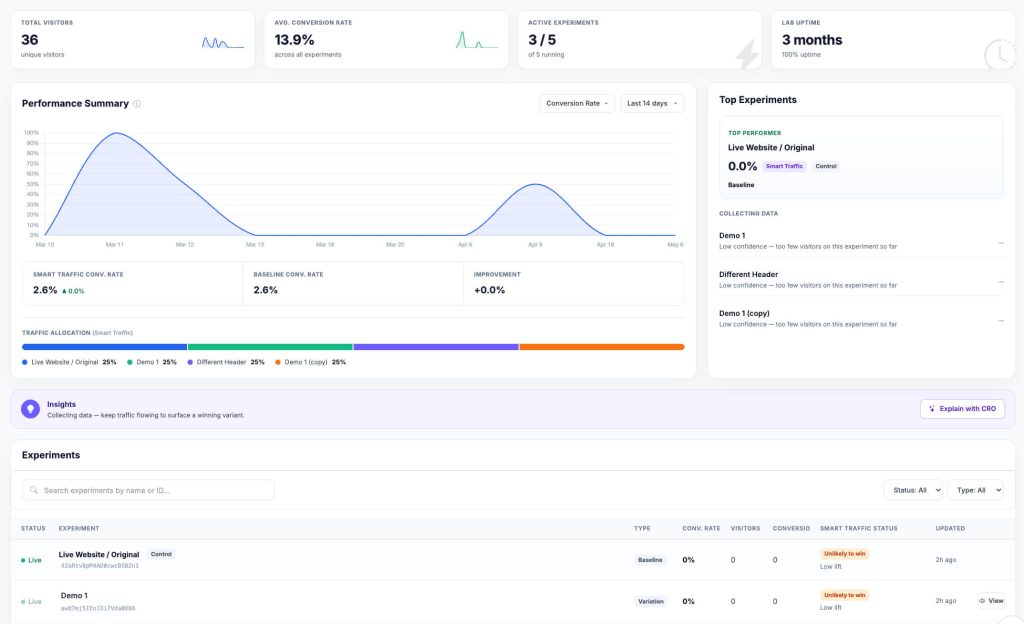
CROLabs is a little different from the others on this list because it’s not a tool that only allows you to watch and learn.
It audits your pages, runs A/B and multivariate tests, and personalizes what different visitors see. This means it doesn’t stop at telling you where people drop off, it also lets you build and launch a fix for it without waiting on a developer.
Key feature: the AI Advisor
CROLabs is an AI-powered CRO tool so the AI Advisor is no surprise. It crawls your landing pages and runs them through a multi-agent analysis against proven CRO principles. Then, it hands you a prioritized list of what to fix first, and this list is ranked by expected impact.
You don’t have to guess what’s worth testing and any recommendation on that list can be turned into a live experiment directly from the same screen.
Additional features
- No-code visual editor for building test variants
- Multivariate testing alongside standard A/B testing
- Personalization and dynamic landing pages by visitor segment
- Conversion tracking across clicks, form submissions, and custom events
- GA4, Shopify, and HubSpot integrations, GDPR-compliant by default
Pricing
CROLabs offers a free trial with no credit card needed. The plans start at €99/month and go up to €219 and €359/month.
Best for
Teams that want more actionable analytics and want to move into actually testing and personalizing the fix without needing a dev team to ship changes.
3. Crazy Egg
Best for: Heatmaps
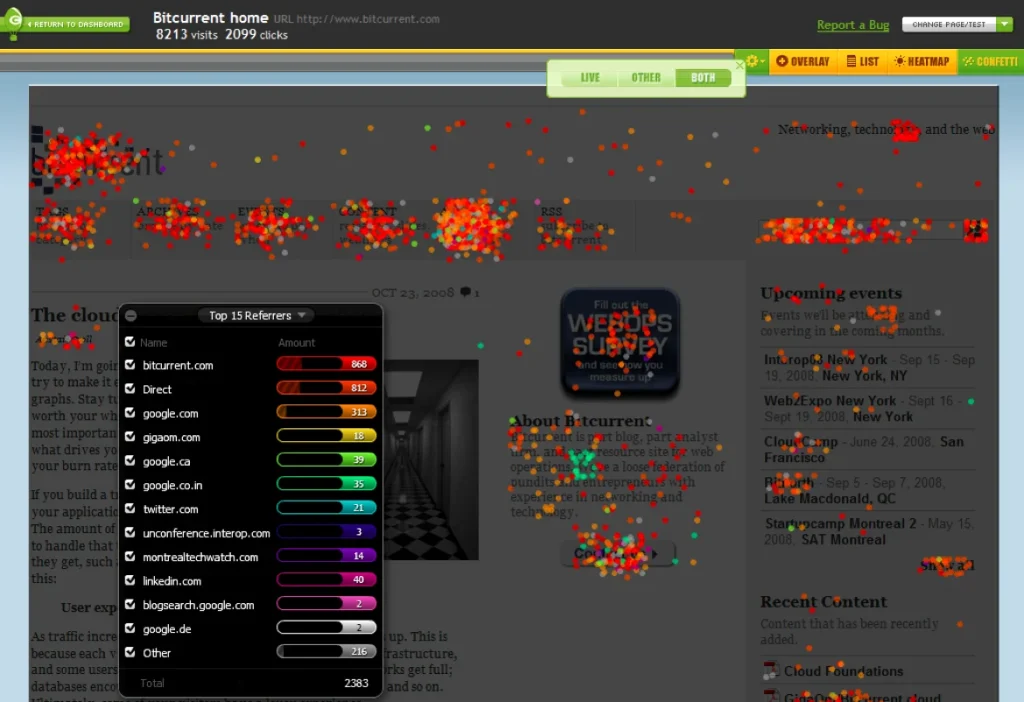
Crazy Egg’s been in the heatmap game a long time so you know they’re trustworthy. It does a handful of things well instead of trying to be everything. It also bundled some very useful extras that sit right alongside the heatmaps like on-site surveys, popups, and light A/B testing.
Key feature: Five distinct heatmap report types
Most CRO tools give you one or two views of the same data but Crazy Egg gives you enough angles to triage a page. You get click maps, scroll maps, the Confetti report (which lets you filter clicks by traffic source or referral), overlay maps, and list maps.
Additional features
- Session recordings
- Built-in A/B testing
- Unlimited surveys and pop-up CTAs
- Unlimited domains and team members on every paid tier
- A genuinely free forever plan for basic heatmaps and surveys
Pricing
Crazy Egg has a free plan available for basics while the paid plans start around $29/month.
Before you sign up, you should know that Crazy Egg bills by pageviews not sessions. If your site has a lot of pages-per-visit (long product catalogs, content-heavy blogs), that adds up faster than the sticker price suggests.
Best for
Small teams that want heatmaps and lightweight A/B testing in one place, without paying per seat.
4. Mouseflow
Best for: Automatic friction detection

Mouseflow is a web-first behavior platform and it leans hard into the “why” behind the numbers i.e the data you traditionally get.
What makes Mouseflow stand out isn’t really the recordings themselves (every tool on this list has those), it’s what Mouseflow does with them automatically.
Key feature: Friction Score
Instead of making you scroll through recordings hoping to spot a problem, Mouseflow auto-detects rage clicks, dead clicks, and click errors across every session. It then goes ahead to rank them by severity.
So whenever you open the dashboard, it (and by extension, you) already knows what’s broken. That’s a real time-saver if you don’t have hours to burn watching replays.
Additional features
- Interactive heatmaps
- Funnel tracking and journey mapping
- Dedicated form analytics module
- Segmentation by device, traffic source, and location
- Free tier: 500 sessions/month, one site, no credit card required
Pricing
Mouseflow’s free tier covers 500 sessions a month. The paid plans start around $25 to $31 per month and scale up through roughly $109, $219, and $399 as your session volume and site count grow.
A few users have flagged the jump from the entry tier to the next one as steep and should be budgeted for if you expect to outgrow the starter plan quickly.
Best for
Teams that want friction flagged automatically instead of hunting for it manually.
5. Smartlook
Best for: Teams running both a website and a native mobile app
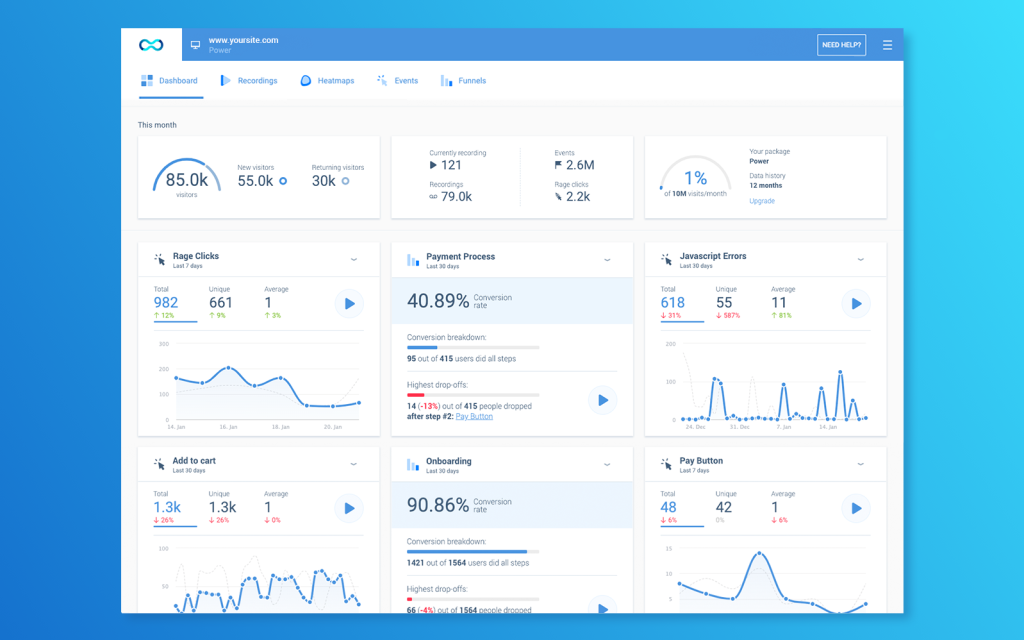
If your product lives on both a website and a native mobile app, Smartlook solves a problem the rest of this list doesn’t fully solve.
Most behavior analytics tools are web-first and mobile coverage feels bolted on, but Smartlook is different because it’s built for both from the start.
Key feature: Unified web and mobile session recording
With Smartlook, you’re not managing a separate mobile SDK and a separate web script, which oftentimes live in two different dashboards with two different definitions for session. It’s one tool and one view regardless of whether the visitor converted on desktop or in your iOS app.
Additional features
- Heatmaps and funnels
- Event tracking for clicks, form submissions, and custom actions
- Free plan: roughly 3,000 sessions/month with 1 month of data retention
- Simple setup that doesn’t require deep dev involvement
Pricing
Smartlook’s free plan is available for lower-traffic sites. The Pro plan starts around $55/month (billed annually) for about 5,000 sessions with 3 months of retention, scaling upward from there. Enterprise pricing is custom.
Best for
Teams running both a website and a native mobile app who don’t want to stitch two separate tools together.
6. Hotjar
Best for: Surveys
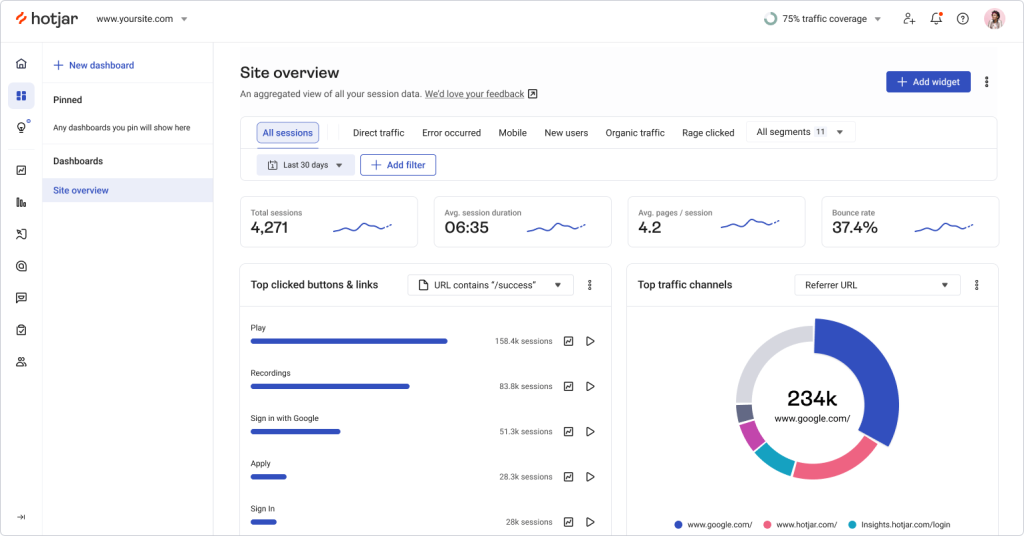
Hotjar basically invented this category, heatmaps and session replay as a standalone product category exist largely because of it. It was acquired by Contentsquare in 2021, and these days a lot of its marketing pages redirect straight to Contentsquare’s site. The product itself is still very much alive, though.
Key feature: Mature survey and feedback tooling
This is where Hotjar still leads the pack. If you want on-page surveys, open-ended feedback widgets, and user-interview-style tools alongside your heatmaps, nothing else on this list matches the depth here.
Additional features
- Heatmaps and session recordings
- Feedback widgets and on-site surveys
- Funnels
- A recognizable brand name, useful if you’re presenting findings up the chain and need buy-in
Pricing
A free tier exists but caps out at roughly 35 recordings a day, which won’t get you far. The Observe Plus plan starts around $39 billed monthly (about $32/month annual) for 100 daily sessions, and the Business tier climbs sharply from there.
Best for
Teams that specifically need surveys and feedback tools, and don’t mind paying more for the most established name in the space.
Conclusion
As always, the right tool for you depends on what you’re trying to fix. Whatever that is, all of the tools listed here have a free trial and free tier available for their users, so you have the option to poke around.
Poking around will actually tell you more than any comparison article since experience is always the best teacher. That said, you can start your poking around journey with CROLabs.
Don’t Just Watch Visitors Leave. Start fixing Why.
If you’re replacing Lucky Orange, choose a platform that not only uncovers friction but also helps you fix it. Launch experiments, personalize experiences, and optimize your pages, all without relying on developers.