Updated Aug 2026
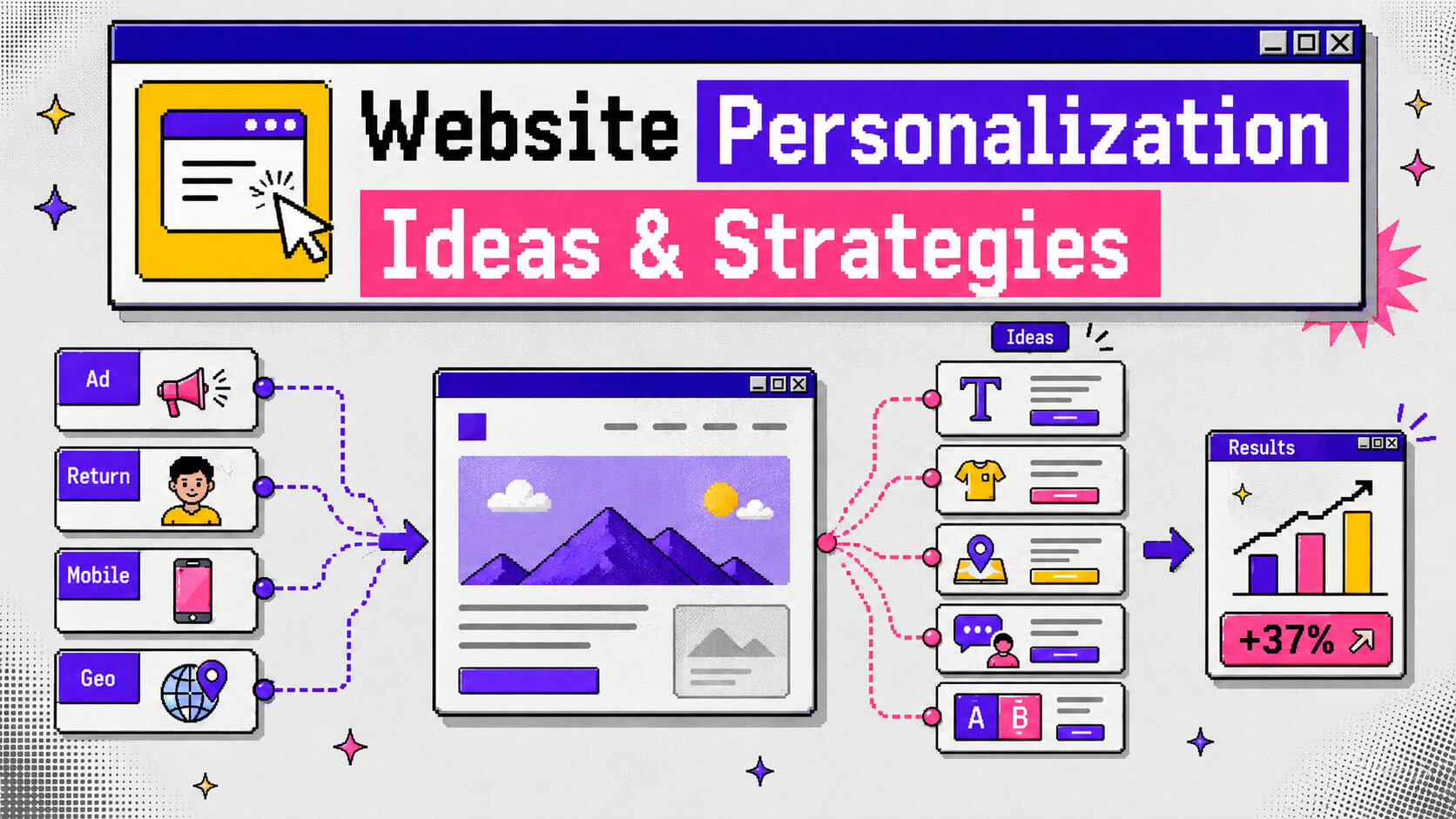
Website personalization is the reason two people can land on the exact same URL and walk away with two completely different impressions of what your business is for. If you do this right, it’s one of the highest-leverage changes you can make to a site that already gets traffic but converts less of it than it should.
This guide covers the best practices worth following, a long list of website personalization strategies you can actually build (with real examples where they exist), and how to get one running on your own site without waiting on a developer.
On This Page
Best Practices
Before you touch a headline or swap a hero image, a few ground rules keep a personalization program from turning into a pile of half-finished experiments.
a. Start With Your Highest-Traffic Page
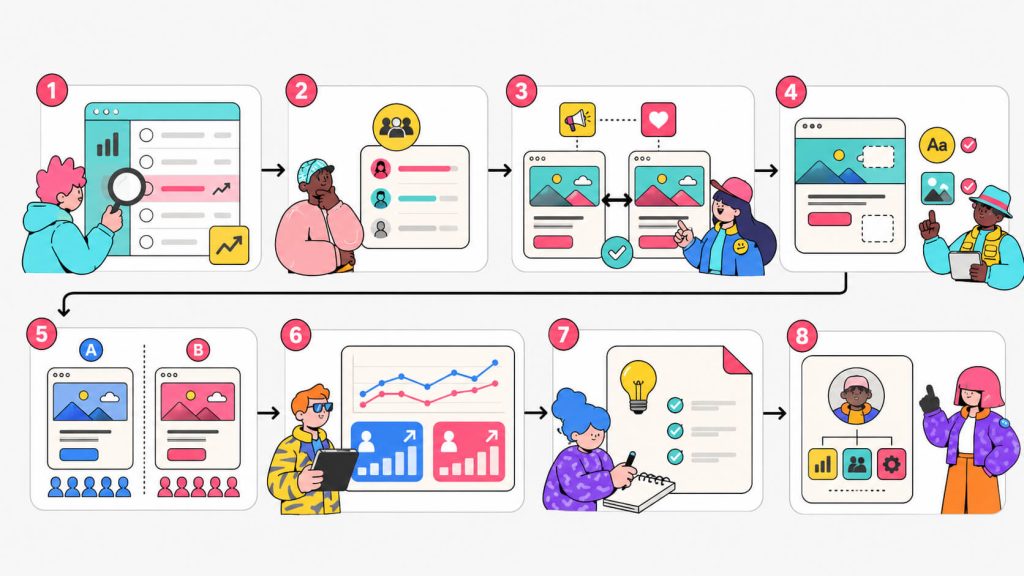
Don’t spread a personalization program across ten pages in the first month. Instead, pick the single page carrying the most traffic, usually your homepage or your top landing page, and build one variant for one segment there first. A small win on a high-traffic page brings more revenue than five wins buried on pages almost nobody visits.
b. Segment Before You Build Anything
Before touching copy or design, write down exactly who should see it. That can be mobile visitors from paid search, returning customers who haven’t bought in 60 days, whoever it is. If you can’t describe the segment in one sentence, the personalization isn’t ready to build.
c. Match The Promise That Got Them There
Whatever brought someone to your site (an ad, an email subject line, a specific search term) made them a promise, and the page they land on needs to keep it. If someone who clicked “pricing for small teams” lands on enterprise messaging, there’s a high chance that they will bounce. No amount of polish on that messaging will fix the mismatch.
d. Run Every Variant Against A Control
A personalized page that “feels” better isn’t proof of anything on its own. It’s best to split traffic so part of that same segment still sees your default experience, then compare the two. Without a control group, you can’t tell whether a lift came from your changes or from something unrelated, like a slow week for a competitor.
f. Write Down What You’ve Already Tried
Personalization programs get messy fast once several segments are running at once. To prevent this, keep a simple log of what you tested, who it targeted, and what happened. This log will prove useful to you in the long run.
g. Personalize The Moment Instead of The Whole Page
Most personalization that actually drives conversion touches one or two elements. These are usually a headline, a CTA, a hero image, etc, and not an entire layout. Besides, full-page rebuilds take longer to ship, cost more to maintain, and make it much harder to know which specific change drove the result you’re looking at.
h. Treat Visitor Data Like It’s Borrowed
Every signal you use to personalize location, device, browsing history, and more belongs to a real person who didn’t necessarily sign up to have it read this closely. So, you should stick to data you have a legitimate reason to hold and say clearly what you’re collecting. You should also skip anything that would feel invasive if you found out a company was doing it to you.
i. Give The Program An Owner
Personalization dies quietly when it belongs to everyone and technically no one. Because of this, make sure to assign one person to review results, kill underperforming variants, and decide what gets built next. If you skip this, you’re setting up your personalization campaign for mistakes that’ll go unnoticed for a while. For example, old variants sitting live and unnoticed for many months after they’ve stopped helping.
Ready To Put Website Personalization Into Practice?
Cancel anytime.
Website Personalization Ideas and Strategies
You’ve probably heard a lot of the generic website personalization advice going around, such as swap the headline and add a “welcome back” message. But the strategies below go further than these.
Some are gotten from ecommerce, some from B2B, and there are a few that barely get talked about at all.
1. Match Your Homepage Banner To Where Visitors Live
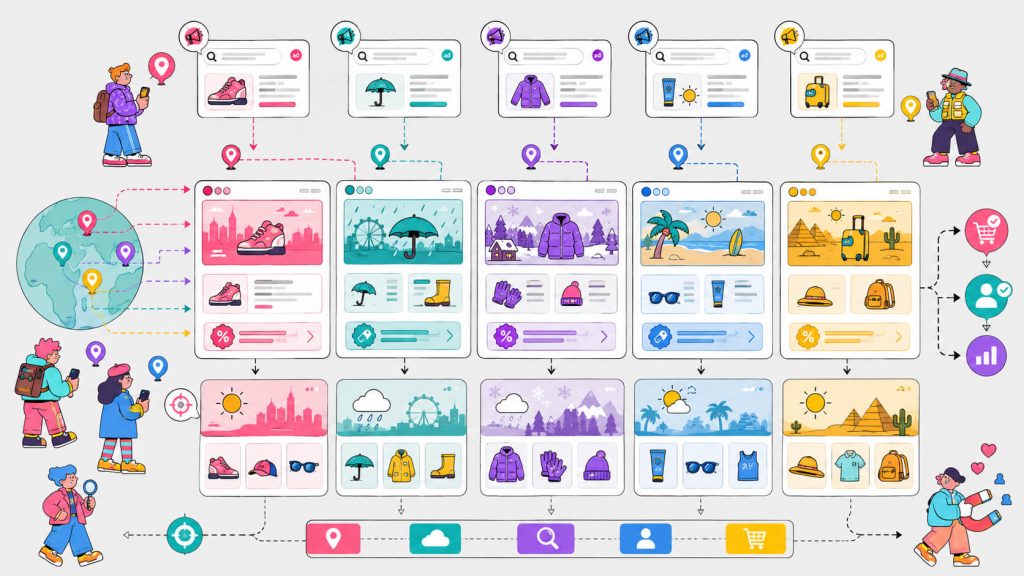
Geo-personalization is the easiest entry point into website personalization strategies because most tools already collect location data by default. Swap a banner, a promotion, or a piece of copy based on country, region, or even city, and you’re already doing it.
Kraft Heinz used Contentful to show different homepage banners based on visitor geolocation and saw a 78% increase in conversions from the change alone. That’s a single element, tailored by location, on a brand most people would assume had already optimized everything worth optimizing.
2. Swap Messaging By Account, Not Just By Visitor
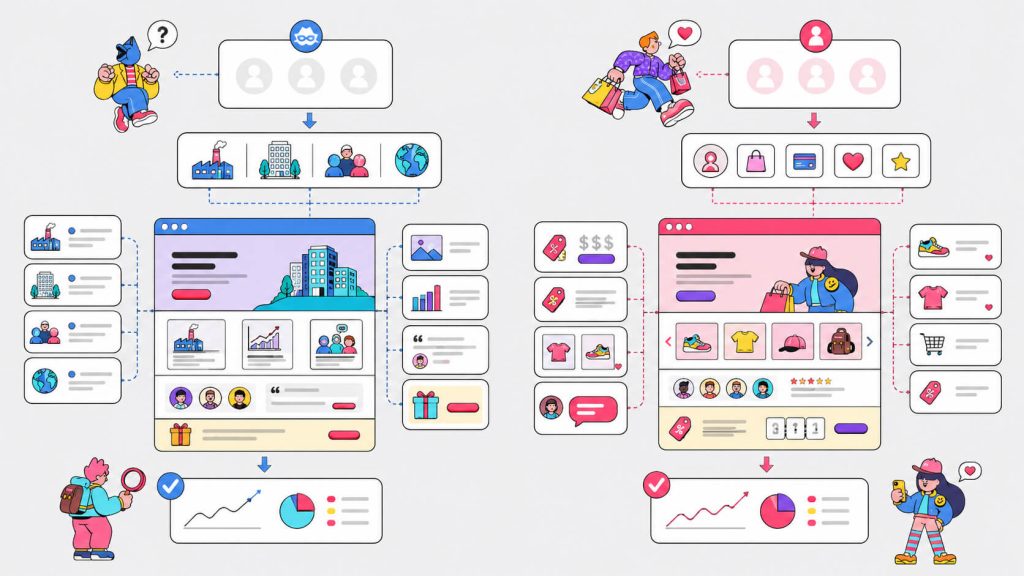
Account-based personalization is standard practice in B2B. It’s built around a different unit than most personalization strategies. Instead of segmenting individual visitors, you identify the company behind an anonymous visit using firmographic data. Then, you swap headlines, logos, and case studies to match that account’s industry or size.
For example, a visitor from a healthcare company might see a healthcare-specific case study and a headline built around compliance. On the other hand, a visitor from a fintech company sees something else entirely, on the exact same URL. Tools like CROLabs and Mutiny built their entire product around this approach.
3. Show Returning Customers Their Own Prices
Loyalty-based personalization rewards people for coming back instead of treating every visit like the first one.
An example of this in practice is one by Pets Deli. German pet supply brand Pets Deli used Contentful to offer returning customers personalized prices and promotions, and conversions increased by 51%.
What they did was simply to recognize a returning visitor, skip the intro messaging built for strangers, and show something that reflects the relationship already in place.
4. Predict The Reorder Before They Ask
Slovak grocery brand Terno replaced its generic weekly promotional emails with a personalized “empty fridge” trigger, using AI to predict when a specific customer’s groceries were likely running low based on their past buying cycle. This caused their conversion rates to rise by 27%.
The same logic works for any product people run out of on a predictable schedule: supplements, razors, coffee, pet food, printer ink. Instead of waiting for someone to come back and reorder, the site (or the email tied to it) reaches out right before they’d normally need to.
5. Build City-Level Landing Pages For Paid Search
If you’re running location-targeted ads, sending everyone to the same generic landing page wastes the targeting you already paid for. Indian broadband provider ACT Fibernet personalized landing pages by keyword and city, showing local pricing, locally relevant imagery, and pre-filled city fields based on which ad someone clicked. Someone searching “high-speed internet Bangalore” saw a Bangalore-specific page. Someone searching for streaming-focused plans saw a page built around that instead. The personalization strategy delivered a 25% increase in customer acquisition.
This here is an example of dynamic content doing the heaviest lifting it can do. It’s matching what someone searched for, word for word, with what they see the second they land.
6. Let The Weather Decide What You Promote
Weather-based personalization is one of the more overlooked website personalization ideas, and it works because weather changes what people want to buy in the next few hours, not just what they want in general.
A retailer running weather-targeted banners saw a 79% uplift in average revenue per user compared to a static, non-weather-aware version of the same banner.
You don’t need anything exotic to run this. Simply pull a weather API tied to visitor location, then swap product recommendations, imagery, or copy based on current conditions. For example, you can push umbrellas and rain gear on wet days, cold-weather layers when temperatures drop, or sunscreen and swimwear during a heatwave.
7. Personalize Around What’s Already In The Cart
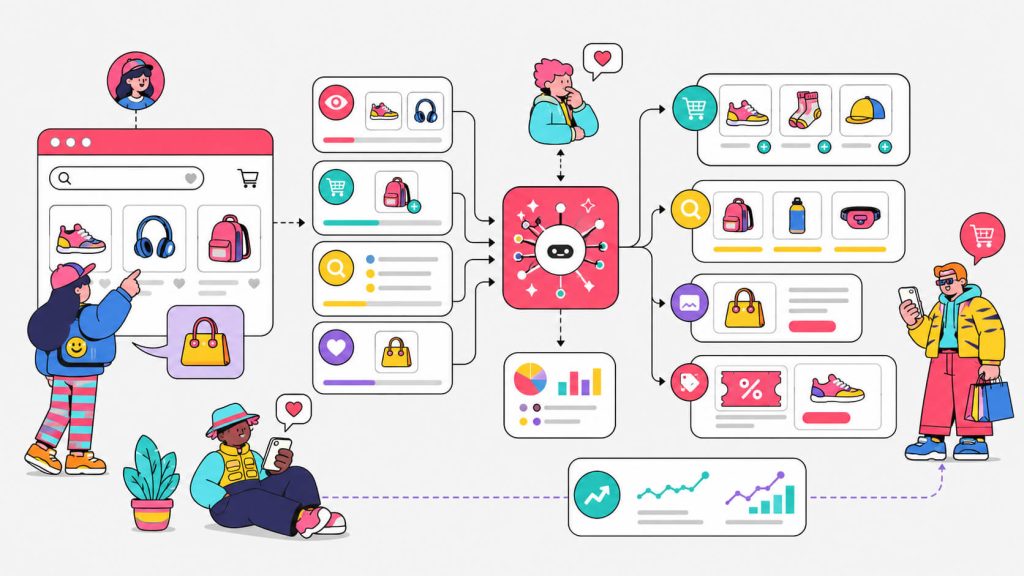
Cross-sell personalization uses what’s already in someone’s cart to recommend the next logical purchase. It’s one of the more direct ways personalization increases average order value rather than just conversion rate.
An example of this, someone who adds running shoes to their cart might trigger the page to show socks or a hydration belt, instead of a generic “you might also like” carousel pulling from your whole catalog.
The difference between this and standard recommendation widgets is specificity. A widget that ignores cart contents is guessing, but a widget that reads the cart is responding to an actual signal.
8. Turn Your Own Site Search Into A Personalization Signal
Most sites treat on-site search as a utility and nothing more. But someone typing into your search bar is handing you one of the clearest intent signals available. It’s more direct than a click and more specific than a page view. Use those queries to reorder what shows up on category pages, homepage sections, or even follow-up emails for that same visitor.
If someone searches “waterproof jacket” three times in one session and leaves without buying, that’s a strong enough signal to justify a personalized nudge on their next visit, before they’ve told you anything else about who they are.
9. Change What You Say Based On Local Time, Not Just Local Language
Time-of-day personalization gets overshadowed by geo and device targeting, but it solves a specific problem. You can swap live-chat prompts, urgency messaging, and CTA copy based on whether your team is actually online in that visitor’s time zone. For example, showing “chat with us now” copy to someone visiting at 3 AM their time, when your support team is asleep.
It’s a small fix, but it removes a moment of friction that quietly erodes trust i.e promising instant help you can’t deliver for another six hours.
10. Give Logged-In Users A Different Homepage Than Anonymous Ones
For SaaS products, this is one of the highest-impact, lowest-effort personalization strategies available, and it barely requires new infrastructure since you already know who’s logged in.
This strategy shows up in different ways. You can have a visitor mid-way through onboarding seeing a homepage built around finishing setup instead of a power user two years into their subscription seeing something built around a feature they haven’t tried yet.
The mistake most SaaS sites make is showing the exact same marketing homepage to a brand-new trial user and a three-year customer, as if neither of them has told you anything about where they stand.
11. Personalize The Proof
Most sites personalize the pitch, the headline, the CTA, the hero image, and leave the proof section untouched. Flip that and show testimonials or case studies from companies in the same industry as the visitor, or surface a stat like “platform X users in [region] increased signups by Y%” pulled from your own regional data.
Generic social proof (e.g “Join 10,000+ users”) asks visitors to trust a number, but matched social proof shows them someone who looks like them already made the decision they’re weighing.
How To Implement Web Personalization with CROLabs
Reading through eleven strategies is one thing, shipping the first one without a developer on standby is another. Here’s roughly how that goes with CROLabs.
a. Find the leak first:
Before building anything, run the AI Advisor to crawl your site and flag which pages are losing the most visitors relative to industry benchmarks. This tells you where a personalized experience is worth the effort and where it isn’t.
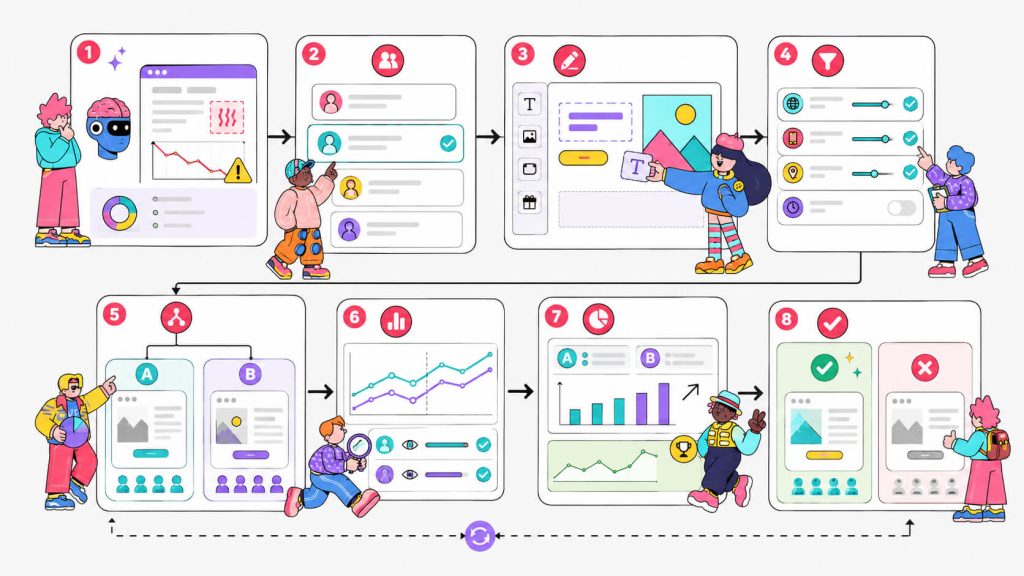
b. Define one segment:
Pick a single, specific audience, like visitors from a particular ad campaign, mobile users, returning customers who haven’t converted. Vague segments produce vague variants.
c. Build the variant visually:
Use the Visual Editor to change the headline, CTA, image, or offer for that segment. You don’t need code or a ticket filed with an engineering team for this.
d. Set your targeting rules:
Under Personalization, define exactly who sees the new version, whether that’s by location, device, traffic source, or visit history.
e. Run it as a real test:
Launch the variant as an A/B test against a control group from the same segment, and track the specific outcome that matters through Conversion Tracking, a signup, a booked call, or a completed purchase.
f. Keep what works and kill what doesn’t:
If the personalized version wins with a clear enough sample size, make it permanent for that segment and move to the next one on your list. If it doesn’t, that’s still useful information, and it costs you a lot less to learn it this way than to keep running a variant that isn’t earning its place.
Conclusion
Website personalization isn’t about giving every visitor a completely custom site. It’s about noticing that the person who clicked a city-specific ad, the customer who’s ordered from you six times, and the stranger checking your pricing at midnight in a different time zone are not looking for the same thing. Instead, you should build small, tested changes that close that gap for each of them.
Start with one page, one segment, and one honest comparison against your current default. If CROLabs sounds like the right tool for that first test, the trial is 14 days and doesn’t ask for a credit card to get started.
Your Next Personalization Test Is Probably Simpler Than You Think
Cancel anytime.
FAQ
What’s the difference between website personalization and dynamic content?
Dynamic content is the mechanism, the part of the page that changes based on a rule or signal. Website personalization is the strategy behind why it changes and for whom. Every personalized page relies on dynamic content, but not every piece of dynamic content is personalized (a countdown timer that’s the same for everyone is dynamic, not personalized).
How many personalization strategies should I run at once?
Start with one. A single variant, targeted at a single segment, tested against a control, gives you a clean read on what worked. Running five at once across overlapping segments makes it nearly impossible to know which change actually drove the result you’re seeing.
Does website personalization hurt SEO?
Not if it’s done through client-side or server-side rendering that still serves the same core content to search crawlers. Cloaking, showing search engines something completely different from what visitors see, is a real risk and against Google’s guidelines. Standard personalization tools built for CRO avoid this by design.
What’s a realistic conversion lift to expect?
It varies widely by industry and by how well-targeted the segment is, but conversion lifts in the range of 15 to 50% aren’t unusual for a well-matched personalization strategy, particularly when it fixes an obvious message mismatch between an ad and the page it leads to.
Can a low-traffic website still do this?
Yes, but with a caveat. You’ll need a longer testing window to reach statistical significance since fewer visitors means slower data collection. Start with your single highest-traffic page and your broadest possible segment (mobile vs. desktop, for example) rather than a narrow one that might only see a handful of visitors a week.
What tools do I actually need to get started?
At minimum: an analytics tool to see where visitors drop off, and a personalization or CRO platform that lets you build and target variants without a developer. CROLabs combines both, along with A/B testing and conversion tracking, in one platform.