Updated Oct 2026
Imagine shopping on a German website and seeing a product priced at 1.234,50 €. Now picture the same price on an American website as $1,234.50. It’s the same amount, but the way it’s written changes depending on where the customer is shopping.
That’s one of the details businesses have to consider when selling to customers in different countries. As they expand into new markets, they’ll need to think about the language people use, local spelling, currencies, familiar payment methods and even the images they put on their websites. Website speed and customer support also come into play, since people expect to browse and get help in ways that work for their location.
Several businesses have shared what happened after they made changes to suit customers in different markets. I’ve gathered ten examples here, along with the results each business reported and links to the original case studies if you’d like to read more. The figures were published by the companies themselves or the vendors involved in the projects, so they’re best treated as reported outcomes and useful starting points when considering similar changes for your own business.
Summary:
- Localization adapts a website to the language, currency, payment habits, spelling and expectations of a specific market.
- The reported lifts in the examples below start at 18% and climb past 2.5x, depending on the metric each company tracked.
- Payment methods, spelling and page speed moved numbers in these examples alongside translated copy.
- Every localized change can be tested first, which keeps a bad guess from reaching your whole audience.
On This Page
What Is Localization?
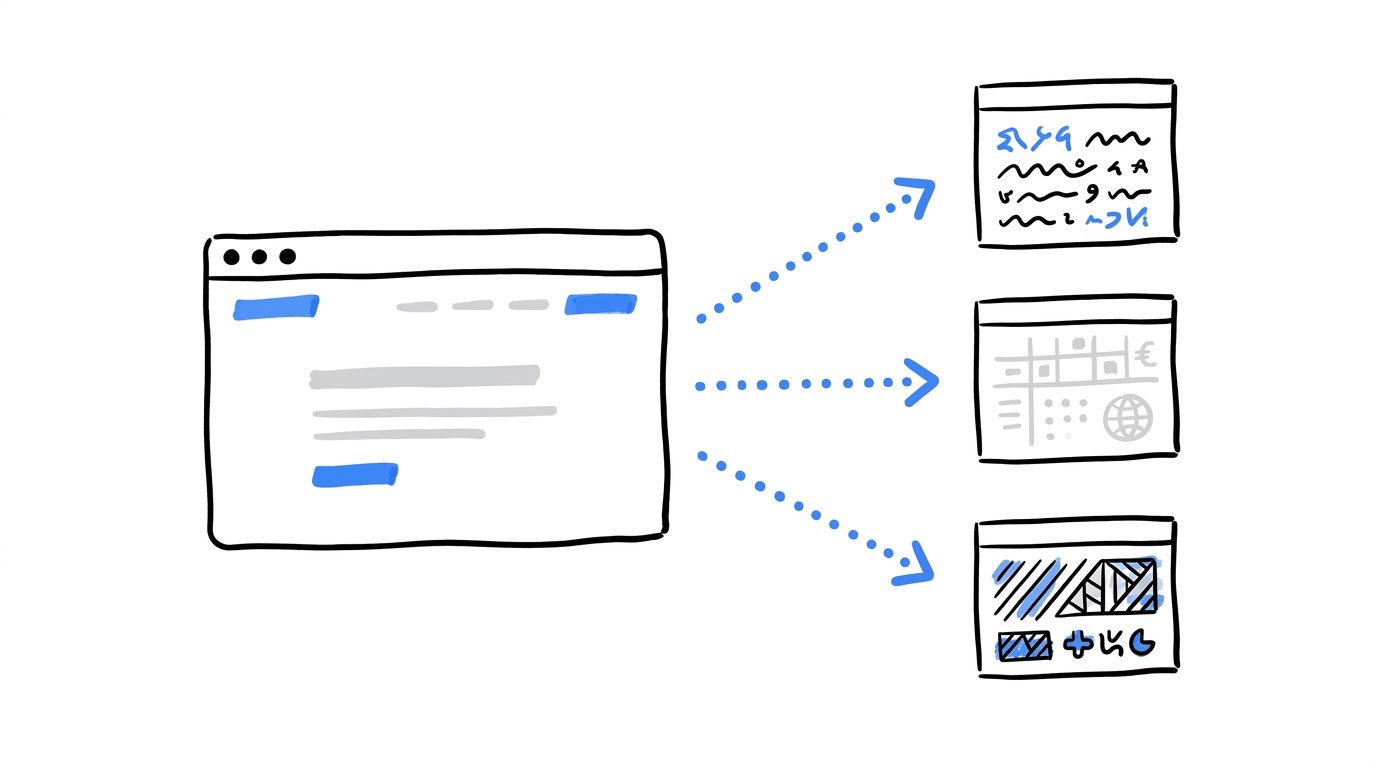
Localization means adjusting a website, product or marketing campaign to suit the people you’re trying to reach in a particular market. This could mean targeting customers in a specific country, catering to a region or adapting your content for a language group within the same country.
Localization vs Translation
Translation is part of that process, since people need to understand what they’re reading. However, there’s more to consider once you start serving customers in a new market. For example, you’ll need to look at how prices are displayed, which payment methods people can use at checkout and other details that shape their experience.
| Term | What it covers |
|---|---|
| Translation | Converting text from one language to another |
| Localization | Adapting language, spelling, currency, payments, imagery and tone to a market |
| Internationalization (i18n) | Building a site so it can be translated and adapted without a rewrite |
Localization belongs in a conversation about conversion rate optimization because conversion rate is the percentage of visitors who take the action you want, and visitors take fewer actions on a page that feels written for someone else. When that happens, it shows up first in your bounce rate, and later in your sales numbers.
Here is what gets localized on a typical commercial site:
- Language and tone of the copy
- Currency and how prices are displayed
- Payment methods, including which one is preselected
- Imagery and cultural references
- Shipping, returns, and legal information, including privacy elements covered in our guide to GDPR-compliant marketing tools
Why Localization Moves Sales Numbers
A visitor who has to work to understand a page leaves it. Localization removes that work, and the published figures show how much it matters:
- 76% of consumers prefer buying products with information in their native language, according to Lokalise.
- 4.3% to 6.5% is the checkout conversion lift Paddle’s data shows when local payment methods are switched on, a 51% increase, reported by Fungies. The same source puts local currency combined with local methods at roughly 7.5% to 9%.
- 20% of cart abandonments happen because the shopper’s preferred payment method is missing, per Fungies.
- 20% and 24% are the conversion increases 2Checkout has seen from a local-language cart in Russia and Brazil respectively, as Total Retail reports.
Checkout is where those losses get counted, and our guide on how to reduce cart abandonment rate covers that stage in detail. Everything before checkout counts too, which is why the examples below start with whole-site translation and work toward payments and regional launches.
Want to see how localization affects your conversions?
A localized headline, product description or checkout page can change how visitors respond to your website. With CROLabs, you can test different versions of your pages, compare their conversion rates and see which changes make a measurable difference.
10 Real-World Localization Examples With Their Results
Alright, let’s get into them. Each example lists what the company changed and what it reported afterward.
1. NordVPN: Seventeen Languages, Starting With the Biggest Markets
NordVPN offers subscriptions across several countries, and when the company decided to expand its international reach, its website was available in just eight languages. To reach more potential customers, it worked with Google’s localization services and expanded that number to 17. The rollout followed a clear order, with the team starting in countries that already generated the most revenue before moving on to smaller markets.
The company also adapted its paid campaigns for each market, which gave it a way to track how localization affected customer acquisition and conversions. The results differed across languages, with Arabic and Turkish delivering the largest improvements.
Reported results:
- Average conversion rate up 20% across all markets
- Conversion up as much as 50% in some regions and languages, including Arabic and Turkish
- Average cost per acquisition down 35%
2. Smartasaker: Local Product Text Cut the Support Queue
Smartasaker operates online stores across several countries, and it decided to adapt its shops for four of those markets. This involved changing the product content to suit local shoppers, including rewriting descriptions to match what customers in each country would expect to read. The company also established local customer service processes, allowing shoppers to get help from teams familiar with their market and the questions they were likely to ask.

The increase in conversions was one of the clearest results, although the drop in product-related support tickets is worth looking at too. With more detailed product descriptions, shoppers could find answers to common questions while browsing, which meant fewer of them needed to contact customer support for clarification.
Reported results:
- Conversion rate up 18% across the webshops
- First contact resolution rate of 69%
- 50% fewer product-related questions in customer service
What stands out here is the third number. Clearer local product text answered questions before customers had to ask them.
3. BALR.: Four Language Sites and a Drop in Bounce Rate
BALR. wanted its store to serve shoppers in the Netherlands, Germany, France and Spain. It launched Dutch, German, French and Spanish versions of the site using TransPerfect’s GlobalLink OneLink technology, which handles the translation workflow for a live website.
This case is useful because it reports three connected numbers. Bounce rate fell, which means more visitors stayed on the page. Conversion rate rose, which means more of those visitors bought. Transactions rose by a larger margin, because the store had more visitors staying and more of them buying.
Reported results:
- Transactions up 88%
- Conversion rate up 75%
- Bounce rate down 21%
4. KONE: Fifty Websites on One Setup
KONE has a presence in several countries, with websites serving different markets around the world. As the number of sites grew, managing their content became increasingly difficult. The company worked with RWS to move 50 websites to a single localization system that automated much of the process. This also gave marketers in each country direct access to the platform, so they could publish updates without having to wait for every page to go through a manual process.
Having all 50 websites on the same system also made ongoing improvements easier to manage. When the company updated something, local teams could apply the change across their sites while still adapting the content to their own markets. KONE also reported improvements in page speed, which can make a difference to how quickly visitors browse a site and complete a purchase.
Reported results:
- Onsite conversion up about 20%
- Pages loading four times faster
- Less manual content work
Speed shows up in this list because a localized page that loads slowly still loses visitors. We cover that angle in our guide to the post-click experience.
5. Karen Millen: Changing “Autumn” to “Fall”
Karen Millen is a British fashion retailer that sells to shoppers in the United States as well. British and American English use different words for the third season of the year, and the retailer’s ads and site copy used the British one. The team changed “autumn” to “fall” in ads and on-site copy for the US market.
That single change comes from a TOPPAN Digital Language presentation about localization results, and the retailer’s US conversion rate rose after it. No translation was involved, which makes this one of the cleaner examples of localization between two English-speaking markets. The ad and the landing page used the same word, so the shopper saw the same language from click to checkout.
Reported result: conversion rates in the US up 25%.
No translation was involved, which makes this one of the cleaner examples of localization between two English-speaking markets.
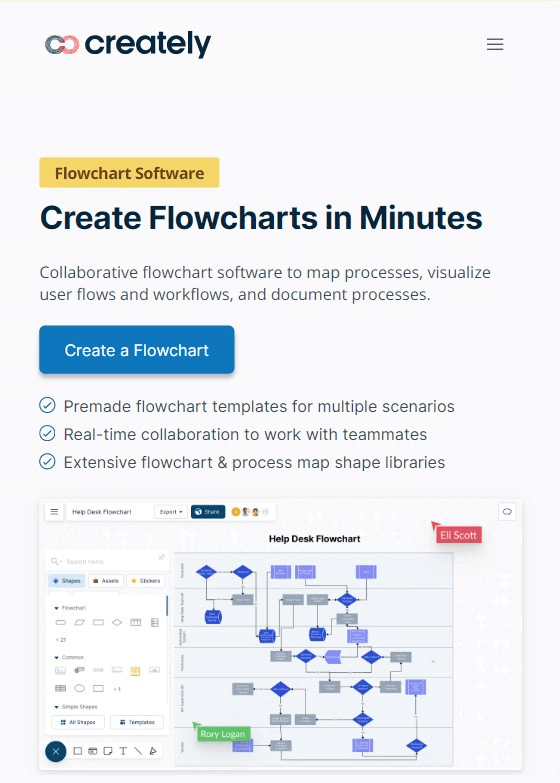
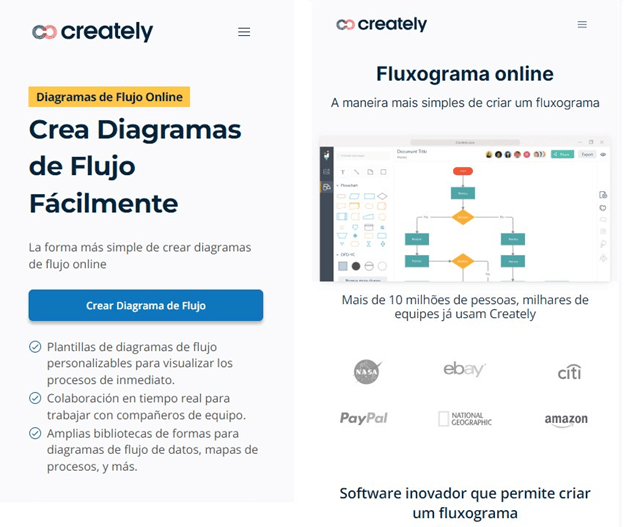
6. Creately: Localized Landing Pages and Blog Posts
Creately is a diagramming and visual collaboration tool, and it relies heavily on organic traffic. Before localizing its content, the team made sure the product could serve those visitors. It added app-level support for Spanish and 17 other languages, since traffic from a language the product can’t handle sends visitors to a dead end.
With the product ready, the team localized its landing pages and blog posts. One example was a Spanish landing page built around flowcharts, a search topic with plenty of demand. The pages kept bringing in visitors, and those visitors signed up and paid.
Reported results:
- 800,000 visits per month from the new pages within six months
- Registrations up 85%
- Purchases up 40%
Support in the product came first, so visitors who arrived in their own language could keep using it in that language.
Testing localized landing pages?
A translated landing page needs to do more than attract visitors. Its messaging, layout and calls to action should encourage people to take the next step. CROLabs lets you create page variations without code and run A/B tests to find out which version converts more visitors.
7. Verbling: A Language Marketplace Speaks Its Customers’ Languages
Verbling is an online marketplace that connects learners with language teachers. Its audience arrives from many countries, and plenty of them are still learning English, so a site that greets them in their own language lowers the effort of getting started. The company worked with Localize to adapt its website for its international visitors.
The conversion number in this case study refers to visitors who became paying customers, which makes it a more demanding measure than sign-ups. The company also reported reaching a global base of one million learners.
Reported results:
- Conversions to paying customers up 2.5x
- A global user base of one million learners
8. Overstock: A Canadian Version of the Store
Overstock is a US online retailer, and it chose Canada as a market worth its own treatment. It built localized pages and custom content for Canadian shoppers instead of sending them to the standard US experience. The company then compared the results with the previous year.
The figures cover the whole funnel. More people arrived, more of them viewed pages, a larger share bought, and each order carried more value. The conversion rate figure in the source is a large jump, so read it as the company’s reported number and compare it against your own baseline.
Reported results:
- Visits up 19% year over year
- Page views up 12%
- Conversion rate up from 9% to 17%
- Revenue up 15.5%
- Average order value up from $128 to $145
9. Everlane: Local Currencies and Payment Methods
Everlane is a fashion brand that grew its international reach from 20 countries to more than 130. International customers faced friction at checkout because the store couldn’t offer the payment options they preferred, and expansion into Europe and Australia added strict local tax rules on top.
Working with Reach, Everlane displayed local pricing and supported the familiar payment methods in each country. Reach’s case study describes this as removing checkout friction, and it lists a conversion increase of more than 30% for international shoppers.
Reported results:
- International conversion rates up more than 30%
- Reach also reports a 30% rise in international sales
- Paddle’s own data points the same way. It reports that enabling local payment methods lifts checkout conversion from 4.3% to 6.5%, which is a 51% improvement. In the Netherlands, it adds, iDEAL processes 70% of online transactions, so a checkout without it leaves out most of that market. If your carts get abandoned at the payment step, our guide on how to reduce cart abandonment rate is a good next read.
10. River Island: “Add to Bag” Up 30.2%
River Island is an online clothing retailer that sells to international visitors. It localized its website for those visitors, and a few months later it reported a clear change in shopper behavior. The add-to-bag rate rose by 30.2%, and a higher conversion rate followed.
Add-to-bag is a useful metric to borrow. It sits in the middle of the funnel, so it shows whether shoppers like what they see before checkout problems enter the picture. A rise there points to the product pages doing their job, and the checkout can be examined separately.
What Autumn and Fall Teach You About Your Own Site
The Karen Millen result carries a lesson that applies to any business. A market can share your language and still use different words, spellings and habits. A site that reads slightly off in a small way gives a visitor a reason to leave before the page has finished loading its second section.
A short audit will show you where your own pages might be using the wrong version of something. Check these:
- Spelling and vocabulary: colour or color, trousers or pants, autumn or fall
- Price formats: 1,234.50 or 1.234,50, and where the currency symbol sits
- Dates and units: day-month-year or month-day-year, miles or kilometers
- Seasons and holidays: a winter sale looks odd to a visitor in the southern hemisphere
- Form fields: postcodes, phone number formats and address order differ by country
- Imagery and examples: photos and testimonials from the market you’re selling to
How To Start Localizing Without Rebuilding Your Site
You don’t need seventeen languages on day one. NordVPN put its top revenue countries first, and VWO took a similar approach when it localized its landing pages. Its team picks two to three countries, watches conversion rate and time on page, and adds languages once the numbers move. You can read about it in the VWO and Transifex case study.
A workable order looks like this:
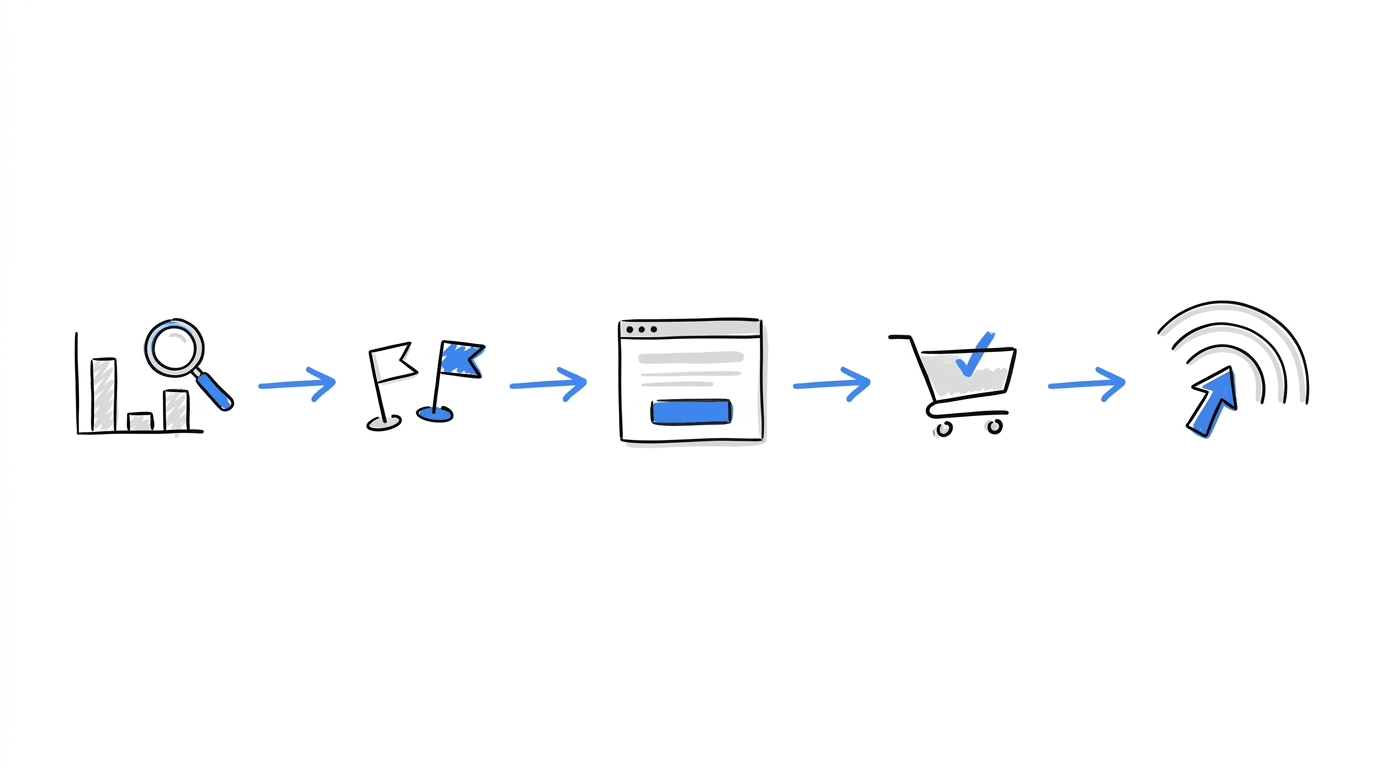
- Find the gap. Look in your analytics for countries that send traffic but convert below your average. Those are your first candidates.
- Pick two or three markets. A small group keeps the results readable.
- Start with the pages that carry the most traffic. Your homepage, pricing page and top landing pages usually come first. Our guide to boosting landing page conversion rate covers what those pages need above the fold.
- Localize the checkout. Currency, price format and payment methods belong here, as Everlane and Paddle’s data show.
- Measure by market. Track conversion rate, bounce rate and average order value for each market separately.
- Expand in waves. Add the next markets once the first wave has a result you can point to. A written CRO roadmap keeps the order clear.
If one of your new markets is in the EU, the tools running on those pages need to respect local privacy law, and our roundup of GDPR-compliant marketing tools is a useful reference.
How CROLabs Helps You Test Localization
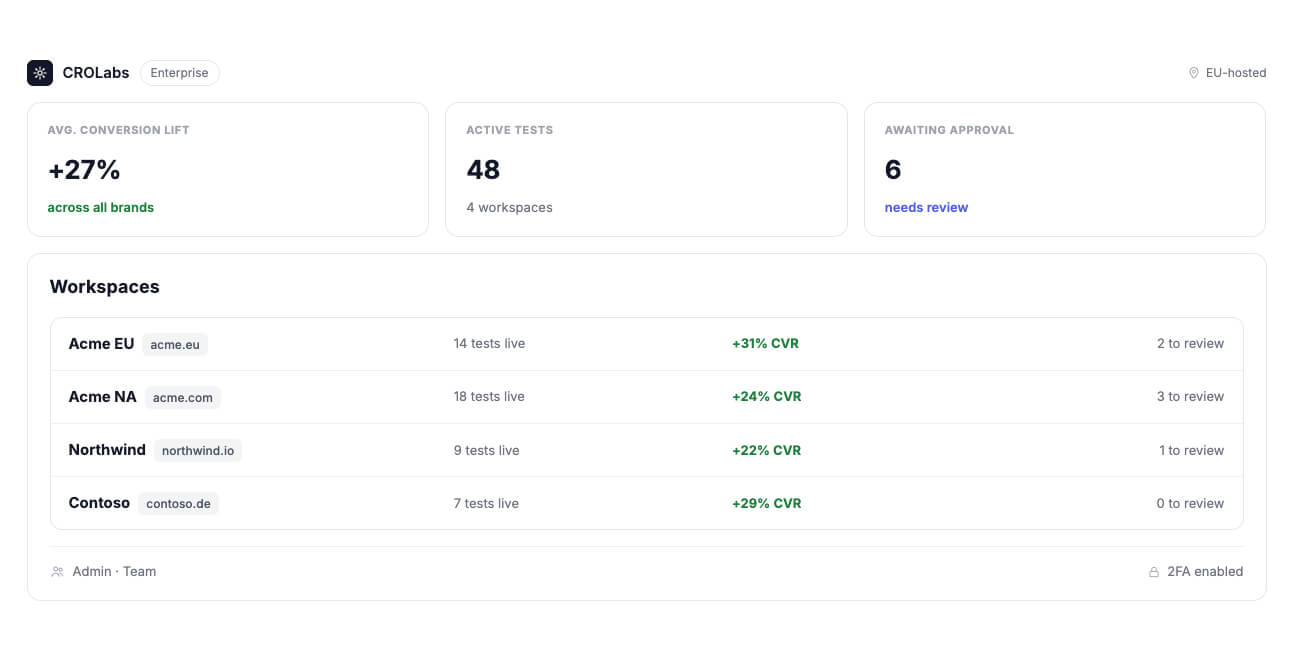
Every example above came from a team that changed something and measured the result. CROLabs gives you the pieces to do the same on your own site, and each feature maps to a stage of the process.
- Find where a market drops off. Analytics & Heatmaps show how visitors move through a page, so you can see whether visitors from a new market stop at the headline or at the form.
- Build the local version. The Visual Editor lets you change a headline, a price format or a button label without writing code.
- Compare it with the original. A/B Testing sends traffic to both versions and shows which one converts better. If you want to change several details at once, multivariate testing tells you which combination worked.
- Show it to the right visitors. Audience Personalization adapts a page for a defined audience, so the version written for one market reaches the visitors it was written for.
- Decide what to fix first. The CRO Advisor crawls your pages and gives you a prioritized list, which helps when several markets need work at once.
Testing across languages raises a fair question about search rankings, and we answer it in our post on whether A/B testing hurts your SEO.
Conclusion
The ten examples cover a wide spread of changes. NordVPN added languages in order of revenue. Smartasaker rewrote product text and saw fewer support questions. Karen Millen changed one word for one country. Everlane and Paddle’s data show what a local payment method does at checkout.
Each of them started with one market, one set of pages or one step in the funnel, and measured what changed. You can do the same this week. Pick the market where your traffic and your conversion rate disagree, change one thing on one page, and test it against the original.
CROLabs lets you run that test without a developer, and you can start with a 14-day free trial.
FAQs