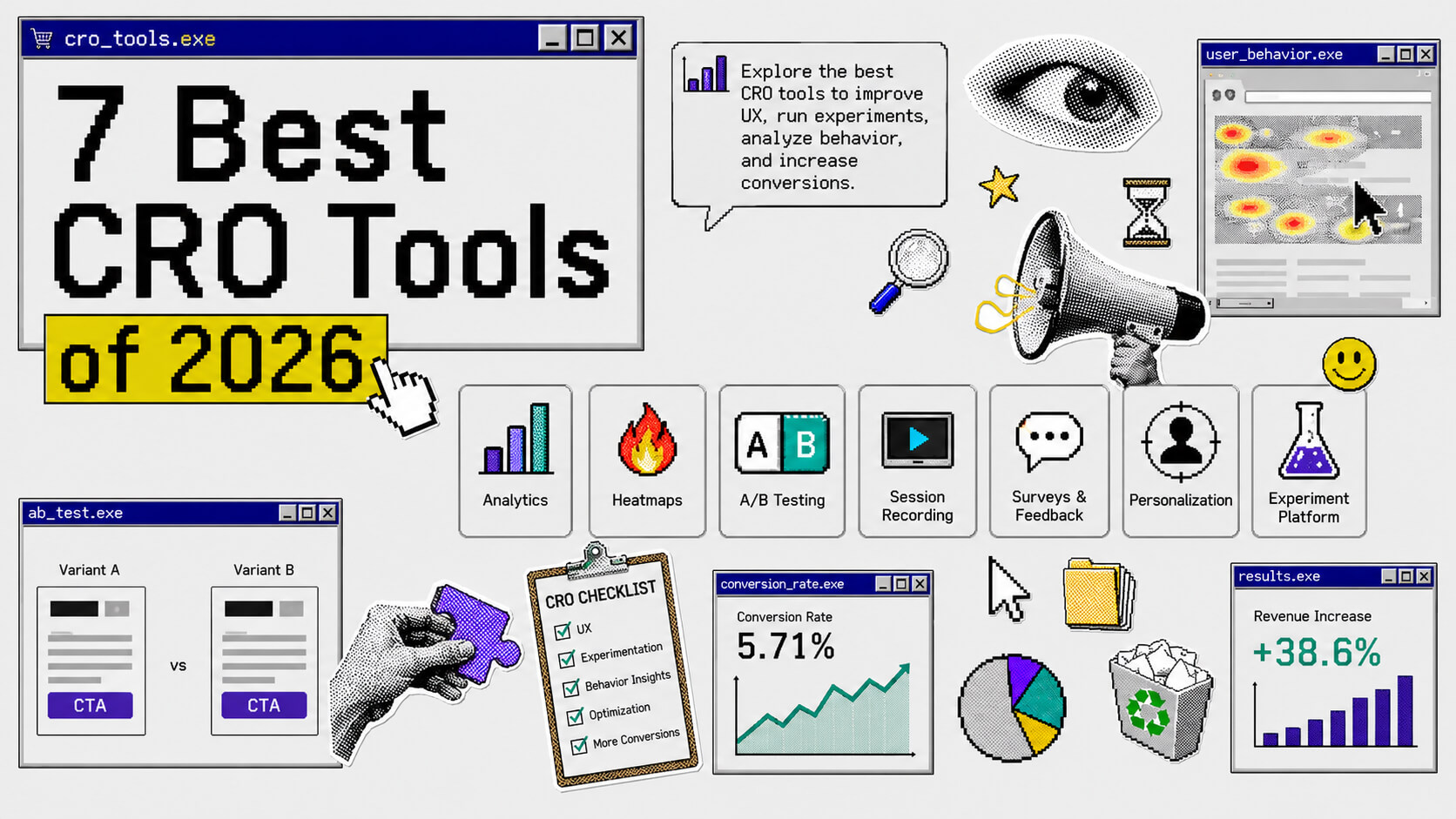
What Is A CRO Tool?
A conversion rate optimization tool is software that helps you understand how your visitors behave on your website, identify exactly where they’re dropping off, and test fixes so more of them actually convert.
Conversions can be buying your product, signing up, booking a call, or clicking that CTA you’ve been A/B testing.
On This Page
How We Chose These Tools
The tools were chosen based on the features the primary users of CRO tools (marketers, product teams, ecommerce businesses, etc) look for before they settle for one.
Behavioral analytics: a clear view of the customer journey, especially how they interacted with your page.
Experimentation: A/B Testing must be present, the ability to carry out advanced tests like multivariate testing is a huge plus.
No-code visual editors: be able to test improvements with little to no developer dependency or bottleneck.
Predictive analytics & reporting accuracy: a dashboard that doesn’t just show what’s happening but why and how to fix it. Also able to segment performance (e.g filter by device type, traffic source, etc).
Data privacy & security: protecting the privacy of your users.
Scalability: able to grow along with your business
Integration: able to seamlessly integrate with analytics (e.g GA4), ecommerce (like shopify) platforms, CRM (like Hubspot) and more.
7 Best CRO Tools
- CROLabs: All-in-one tool. Best choice.
- Content Square: Best for behavioral analytics.
- GA4: Best free tool.
- Optimizely: Best for enterprise experimentation.
- CrazyEgg: Best for heatmaps (behavioral analytics).
- Kameleoon: Best for engineering-led experimentation.
- AB Tasty: Best for integrations.
1. CROLabs
From the name alone, you know it’s about to get serious.
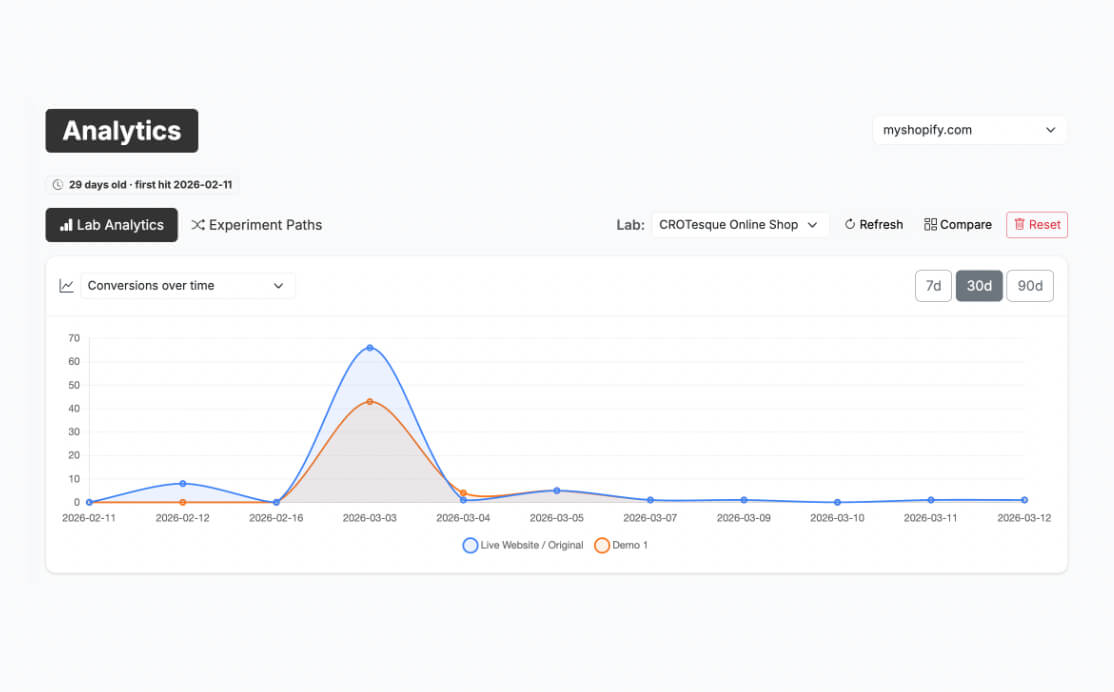
CROLabs is an AI-powered CRO platform that lets marketing teams audit pages, find what’s killing conversions, and launch A/B tests without touching the dev backlog.
What this mostly means for your team is a shorter time to launch your conversion tests. We’re talking minutes instead of the standard weeks or months.
The “AI-powered” here is about the multi-agent AI Advisor that scans your landing pages against proven CRO principles and hands you a prioritized list of what to fix first, among other things. Less “here’s your heatmap, good luck” and more “here’s exactly what’s wrong and how to fix it.”
Behavioral Analytics
CROLabs gives you a clear picture of the customer journey. It tracks clicks, scroll depth, form submissions, time on page, and more so you can see where visitors are engaging and where they’re bouncing.
If the available options don’t do it for you, you can set up custom events to track.
Experimentation
As I stated before, marketers can run tests themselves on CROLabs. This is because the A/B testing feature is completely no-code, meaning you don’t have to wait for developer implementation (which takes a while). You can also make edits to your live website for testing and see results in real time.
One of the amazing functionalities of the A/B testing feature is the consistent visitor assignment. When you launch a test and a visitor is added to a variant, they see the same variant every time they land on your page. Essentially, there’s no contamination of your data and conversions are tied to the actual experience, not random fluctuations.
You can also set up a condition that, once met, will automatically stop the experiment. For example, if performance drops below a set limit.
In addition to A/B testing, CROLabs offers its users a multivariate testing option as robust as the A/B testing one. You can set targeting rules for every experiment, and the best part is that none of these experimentation options in CROLabs affect what search engines see on your page since they only get to see the original.
Start your no-code experimentation today
Launch your A/B and multivariate tests in minutes.
No-code Visual Editor
The reason many CRO practitioners are stuck with CRO tools that need developer implementation is that most low- to no-code builders are clunky drag-and-drop editors that fail to match the website.
Fortunately, CROLabs’ visual editor isn’t one of those. It opens on your live website and lets you edit elements on the page. It’s more efficient and accurate than even the editors that require coding, and it saves you time.
Predictive Analytics
In this fast-paced era of digital marketing (pardon my AI), you absolutely need tools that give insights into the next step of your marketing strategy. There’s a lot of confusion these days about how to proceed in marketing because of the disruption AI’s introduction has brought. (Un)Ironically, AI-powered tools are the solution for most, especially for better analytics.
CROLabs has an AI Advisor that upgrades the traditional analytics dashboard. You get your usual data plus likely insight into why visitors took certain actions and what your next step should be.
The AI Advisor gives two types of recommendations: actionable and advisory. Actionable recommendations propose changes you can apply directly and the reasoning behind those changes, while advisory recommendations are strategic suggestions that need your input.
Data privacy & security
CROLabs is EU-hosted which makes it GDPR-compliant by default. It does not collect personally identifiable information.
Scalability
CROLabs doesn’t just help your business grow, it grows alongside your business. There’s a free trial available for all plans, with no credit card required. You also get plans for small teams and growing teams, a plan for serious testing programs, and custom enterprise infrastructure for when you need dedicated support and contracts. You won’t hit a ceiling and have to migrate.
Integration
CROLabs seamlessly integrates with GA4, Shopify and HubSpot.
Pricing
Free trail available (single site, no credit card needed). Paid tiers start at €99/month.
2. Content Square
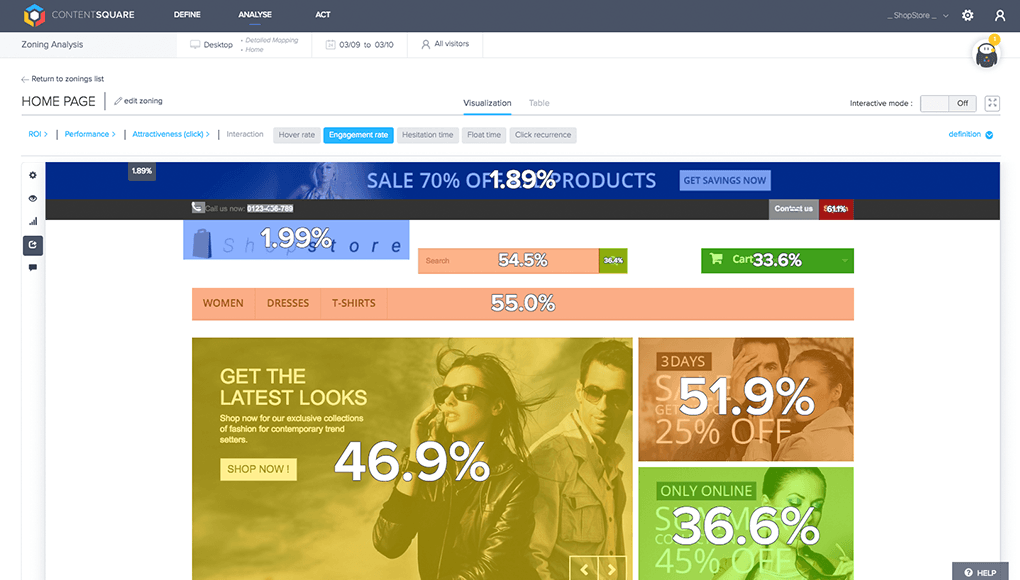
Contentsquare is what you bring in when you need to go deep on behavioral analytics. It’s a tool that’s all about understanding (especially at the element level) what’s driving engagement and what’s driving people away, and then quantifying the revenue impact of each. They’ve also acquired Hotjar and Heap, which has pushed them closer to a full experience analytics platform. The core strength though remains behavioral understanding.
Behavioral Analytics
Contentsquare’s autocapture technology records every interaction — clicks, scrolls, hovers, rage clicks, dead clicks — automatically, without manual tagging. So even if your tag setup isn’t perfect, you’re still getting the full picture.
- Zone-based heatmaps break down engagement at the element level.
- Journey analysis shows you the paths users actually take, not the ones you designed for them.
Predictive Analytics & Reporting Accuracy
Experience Monitoring ties behavioral data to technical performance so you can see whether that drop-off on page three is a UX issue or a JavaScript error killing load time. Additionally, Content Square’s strong segmentation lets you slice everything by device, traffic source, user segment, and more.
Pricing
Free forever plan. Paid tier starts at $39/month.
3. GA4
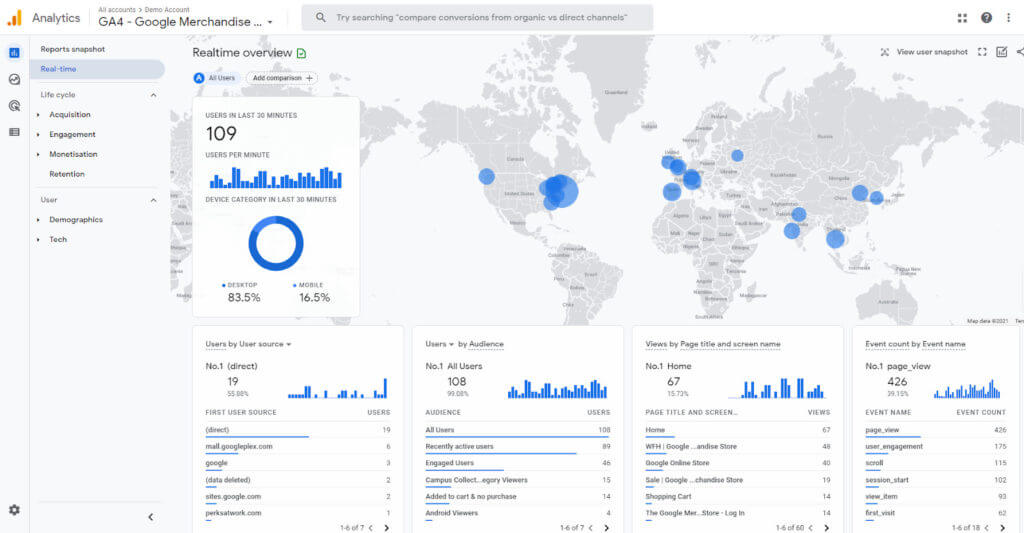
GA4 is not a CRO tool in the traditional sense. It won’t run your A/B tests or show you a heatmap. But it’s the analytical foundation everything else sits on. Plus, it’s free. If you’re not using GA4 as the backbone of your conversion measurement, you’re optimizing blind.
The event-based tracking in GA4 is the biggest unlock for CRO. Every click, scroll, form start, and add-to-cart can be tracked as an event, which gives you a rich picture of the customer journey.
Behavioral Analytics
GA4’s funnel exploration lets you trace exactly where users drop off, whether it be in checkout, in a signup flow, or anywhere.
Integration
GA4 is the integration anchor for everything else on this list. Google Ads, Looker Studio, BigQuery, Shopify and more connect to it natively. It’s the measurement layer that makes the rest of your stack work together.
Pricing
Free
Use GA4 + CROLabs together
Discover where your visitors drop-off and unlock what copy, button color and more works instead.
4. Optimizely
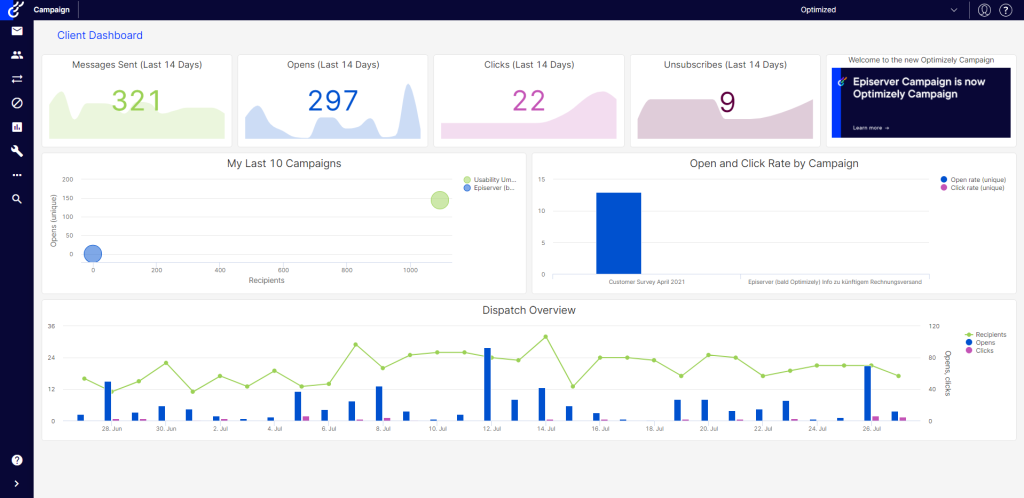
Optimizely is the experimentation platform for enterprise teams.
Experimentation
Optimizely’s Web Experimentation product supports A/B testing, multivariate testing, multi-armed bandit testing, and server-side experiments.
- The Stats Accelerator dynamically reallocates traffic to winning variations mid-test.
- Sample Ratio Mismatch detection flags traffic assignment issues automatically.
- The CUPED methodology runs experiments with less data, which matters a lot if you’re working with lower-traffic pages or trying to move faster.
- Feature Experimentation extends all of this into product and engineering workflows, full-stack testing across web, mobile, and back-end.
Optimizely is a mature, rigorous experimentation infrastructure.
No-Code Visual Editor
Here, Optimizely is more of a collaboration platform. It handles straightforward front-end changes without developer involvement. Anything more complex — server-side, feature-level — needs engineering.
Predictive Analytics & Reporting Accuracy
Optimizely has deep reporting features that you can segment by device, traffic source, audience, custom dimensions. The Stats Engine uses sequential testing methodology, which reduces false positives compared to traditional fixed-horizon testing.
Pricing
Custom. Entry-level reportedly starts around $36,000/year; high-traffic or multi-product deployments can exceed $200,000 annually. Annual contracts only.
5. Crazy Egg
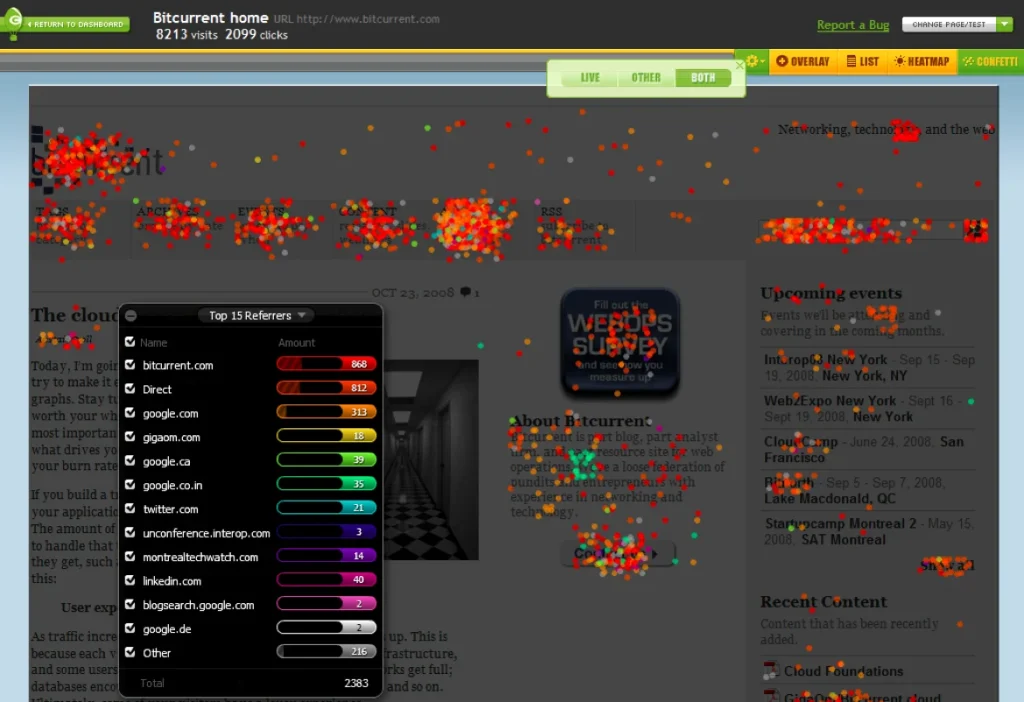
Crazy Egg’s been in the CRO game for a long time. At one point, it was the most popular tool for Heatmaps. Crazy Egg’s staying power comes down to this: it does a handful of things really well, at a price that doesn’t require a budget conversation, with an interface that isn’t intimidating.
Behavioral Analytics
The visual reports are most of the product, and they’re genuinely good. The heatmap shows users where clicks concentrate; the scroll map shows where people stop reading and check out mentally before they physically leave; the Confetti report lets you filter clicks by traffic source, referral, and device type so you can see if your paid traffic is behaving differently from organic, or if mobile users are missing a CTA that desktop users see clearly, and lastly, session recordings round it out.
Predictive Analytics & Reporting Accuracy
Crazy Egg’s dashboard is deliberately simple. The error tracking (on Plus and above) catches JavaScript errors and broken elements that might be silently costing you conversions. You can also segment by device type, traffic source, and more across heatmaps and recordings.
Pricing
Free trial. Paid tiers start at $29/month
6. Kameleoon
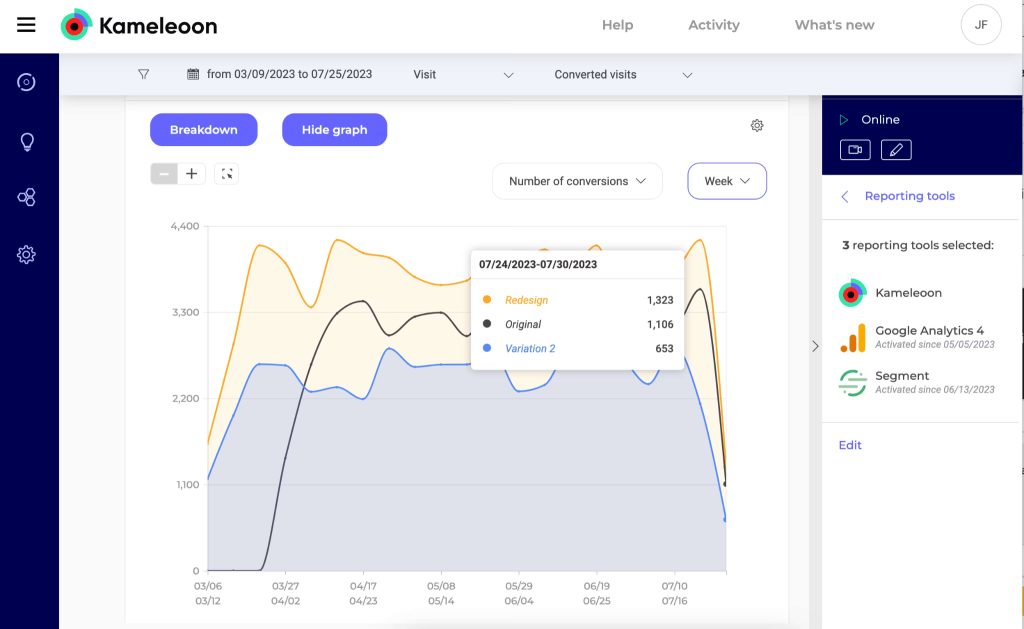
Kameleoon has a visual editor that’s generally seen as capable, but it isn’t a pure, no-code editor. However, it makes up for that with strong server-side experimentation.
Experimentation
For your developer-led experimentation experience, Kameleoon gives you feature flagging, personalization, and deeper engineering integrations that appeal to product-led teams.
Integration
100+ native integrations including GA4, CDPs, and data warehouses like BigQuery and Snowflake.
Pricing
Free trial. Paid tiers start at $495/month
7. AB Tasty
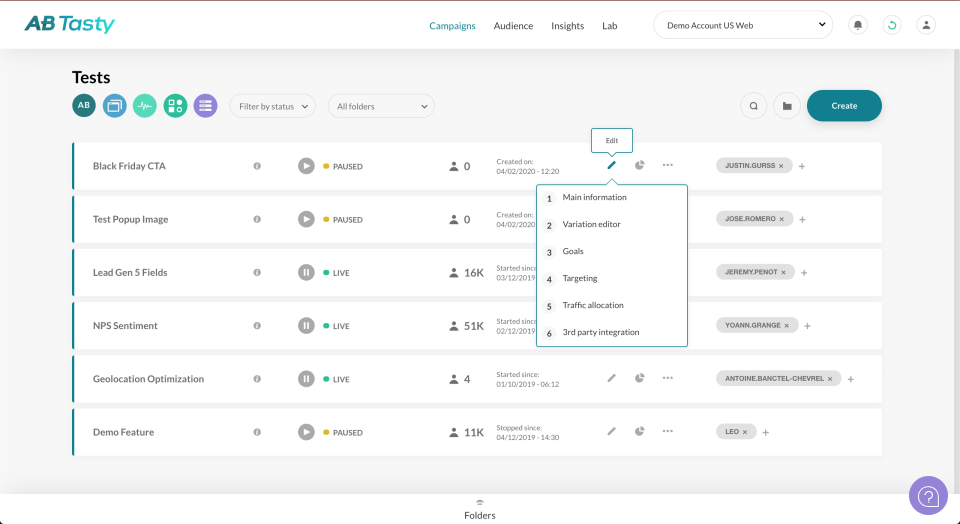
AB Tasty is built for marketing and UX teams who want to run a real experimentation program without needing an engineering team on standby or an enterprise contract. It integrates with basically everything, which is why it earns the integrations spot on this list.
No-Code Visual Editor
One of AB Tasty’s strongest suits. Launch A/B tests, pop-ups, banners, quizzes, and custom CTAs without code. Fast to learn, fast to use.
Integration
AB Tasty connects natively with GA4, Piano Analytics, Salesforce Marketing Cloud, HubSpot, and a wide range of CMS and ecommerce platforms. The GA4 integration allows you to test results flow directly into your existing reporting, so you’re not rebuilding your measurement layer around a new tool. If your stack is already set up and you don’t want to tear it apart for a CRO platform, AB Tasty fits in without friction.
Pricing
Custom.
Conclusion
The companies winning with CRO aren’t necessarily using the most expensive tool. Most of them have built a culture of testing and treat optimization as an ongoing function.
That said, if you want to skip the learning curve and get to results faster, CROLabs is your tool. You can start optimizing today in minutes instead of months.
Most teams are shocked by what they discover in the first week.